NAME
claude-code-usage-bar — Real‑time statusline for Claude Code: token usage, remaining budget, burn rate, and depletion time
SYNOPSIS
pip install claude-statusbarINFO
DESCRIPTION
Real‑time statusline for Claude Code: token usage, remaining budget, burn rate, and depletion time
README
Claude Status Bar
🔋 Lightweight status bar for Claude AI token usage in your terminal.
✨ One-Line Install
curl -fsSL "https://raw.githubusercontent.com/leeguooooo/claude-code-usage-bar/main/web-install.sh?v=$(date +%s)" | bash
💡 The
?v=$(date +%s)parameter ensures you get the latest version without CDN caching issues.
If you still see old version, try with additional cache-busting:
curl -fsSL -H "Cache-Control: no-cache" "https://raw.githubusercontent.com/leeguooooo/claude-code-usage-bar/main/web-install.sh?v=$(date +%s)&r=$RANDOM" | bash
This automatically:
- ✅ Installs the package
- ✅ Configures Claude Code status bar
- ✅ Sets up shell aliases
- ✅ Just restart Claude Code and you're done!
💡 After installation: Restart Claude Code and say something to see your usage!
📦 Alternative Install Methods
# PyPI pip install claude-statusbaruv (fast)
uv tool install claude-statusbar
pipx (isolated)
pipx install claude-statusbar
🚀 Usage
claude-statusbar # or cs for short
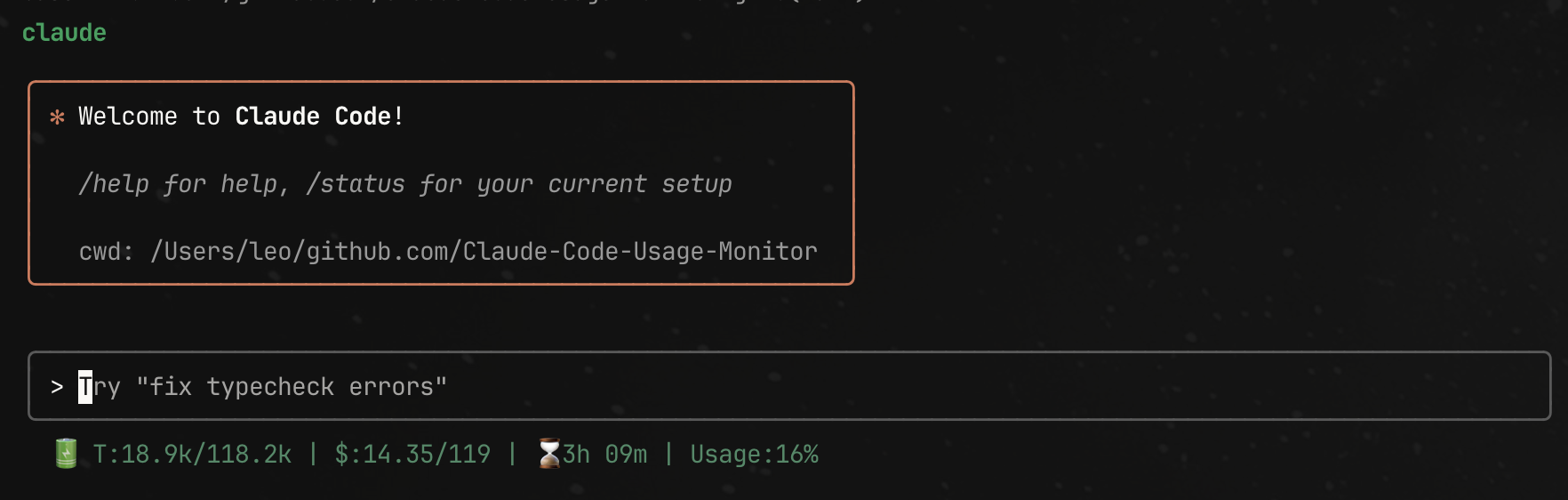
Output: 🔋 T:48.0k/133.3k | $:59.28/90.26 | 🤖opusplan | ⏱️31m | Usage:16.5%
- T: Token usage (current/limit)
- $: Cost in USD (dynamic P90 limits)
- 🤖: Current Claude model
- ⏱️: Time until reset
- Usage %: Cost-based percentage, color-coded (🟢 <30% | 🟡 30-70% | 🔴 >70%)
🔧 Integrations
tmux status bar:
set -g status-right '#(claude-statusbar)'
zsh prompt:
RPROMPT='$(claude-statusbar)'
🔄 Upgrading
Automatic Updates (Recommended)
The tool automatically checks for updates once per day and upgrades itself. No action needed! 🎉
When an update is available, you'll see: 🔄 Upgraded from v1.0.0 to v1.1.0
Manual Upgrade
If automatic upgrade fails, you can manually update:
# Re-run the installer (recommended - always gets latest) curl -fsSL "https://raw.githubusercontent.com/leeguooooo/claude-code-usage-bar/main/web-install.sh?v=$(date +%s)" | bashOr upgrade via package manager:
If installed with pip
pip install --upgrade claude-statusbar
If installed with pipx
pipx upgrade claude-statusbar
If installed with uv
uv tool upgrade claude-statusbar
Note: After upgrading, restart Claude Code to use the new version.
💖 Support
If you find this tool helpful, consider:
- ⭐ Star this repo
- 💖 Sponsor via GitHub
- 🐛 Report issues
📄 License
MIT
⭐ Star History
Built on Claude Monitor by @Maciek-roboblog