NAME
eta — Generic tool for monitoring ETA and progress of an arbitrary process.
SYNOPSIS
sudo apt install etaINFO
DESCRIPTION
Generic tool for monitoring ETA and progress of an arbitrary process.
README
eta - A tool for monitoring progress and ETA of an arbitrary process
eta is a command line tool that takes two arguments:
- A target value
- A command to inspect the current progress value
eta will execute the given command once every second, look for the first number in the commands output, and estimate the time until it reaches the given target value.
When using --cont, command runs continuously, and eta will read the output line by line to determine progress.
See man page for full documentation.
Installation
Ubuntu 22.04+
sudo apt install eta
Ubuntu (older versions)
sudo add-apt-repository ppa:aioobe/ppa
sudo apt-get update
sudo apt-get install eta
Other
Download repo, build and install manually:
make
make install
Example Usage
Example 1: File copy
Use du -bs to monitor the size of a directory.

To avoid running an ssh command every second, you can lower the rate with --interval or use --cont and a single ssh invocation with a while loop. (Examples 3 and 4 illustrate the use of --cont.)
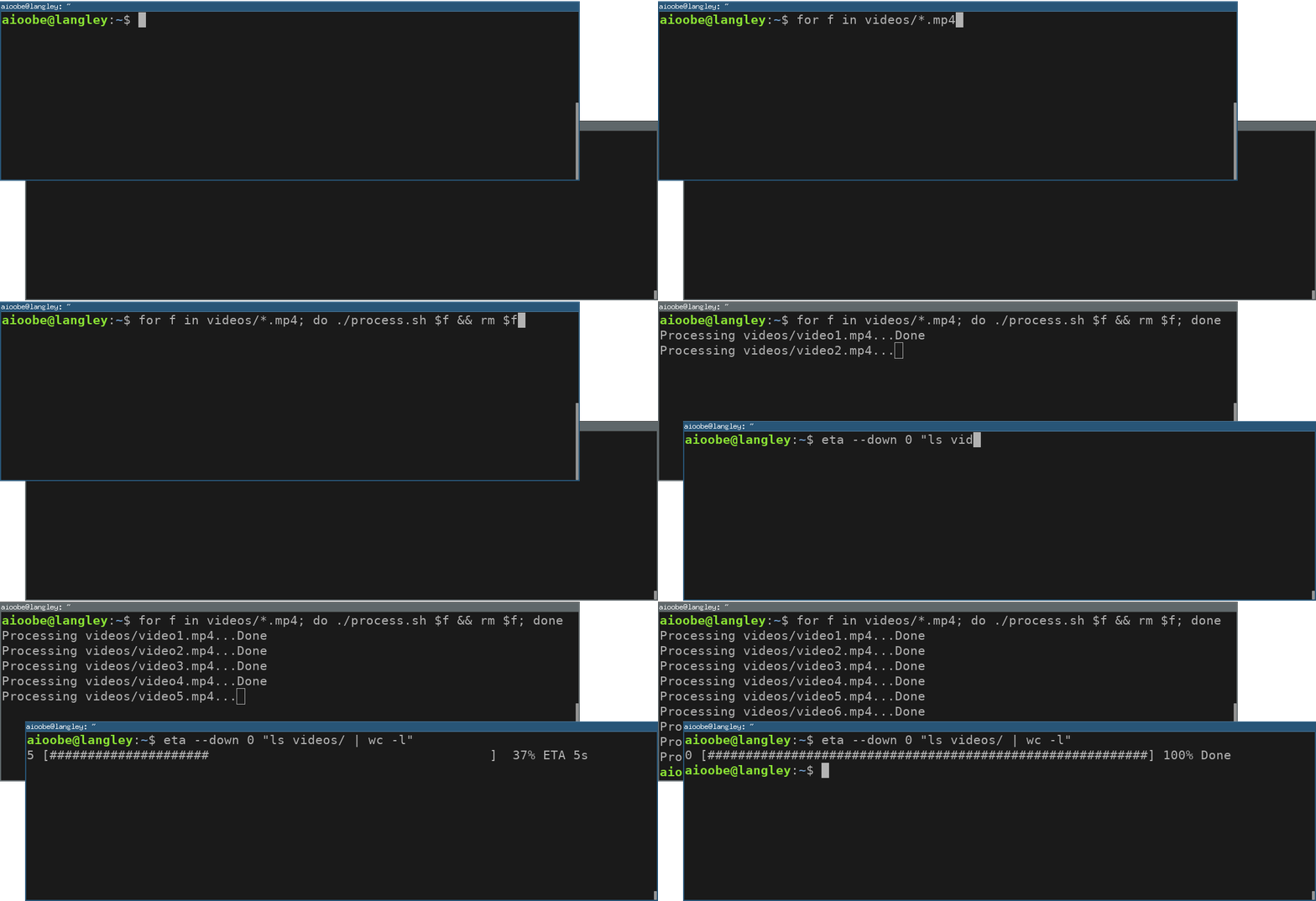
Example 2: Monitor file count
Use ls | wc -l to monitor the number of files in a directory.

If the resized directory is initially non empty, you can use --start initial which tells eta to use the first value read (instead of 0) as the 0% progress value.
Example 3: Tailing a log
With --cont the progress command is kept running, and the progress is determined by reading the output line by line continuously.

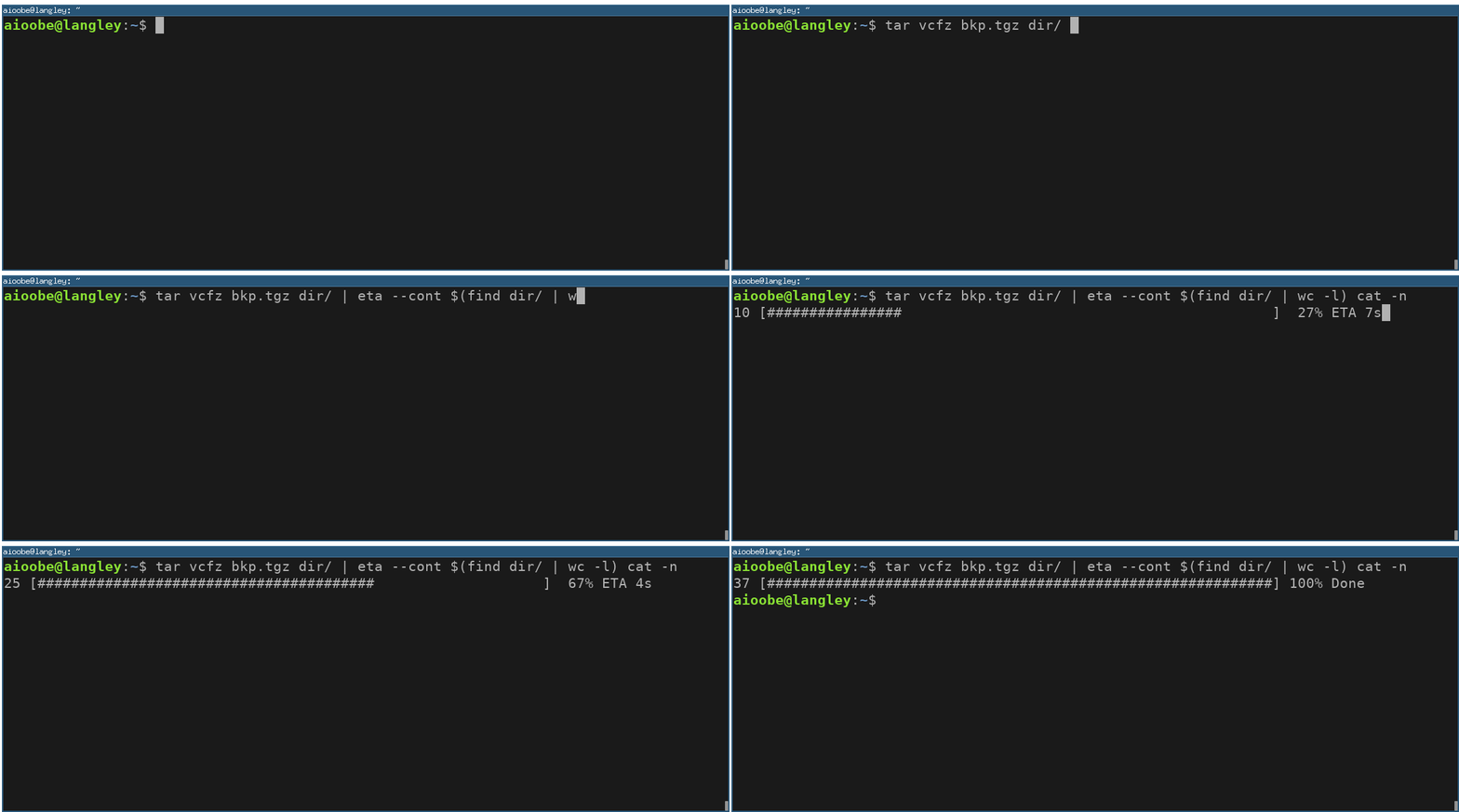
Example 4: Counting lines
You can use cat -n to add line numbers to the output of a command. The line numbers can then be used as a progress indicator. For example, since tar v... prints one file per line, the progress can be monitored by counting lines as follows:
Example 5: Decreasing values
Use --down if the progress value decreases.