NAME
gh-s — 🔎 search github repositories interactively
SYNOPSIS
https://github.com/gennaro-tedesco/gh-s/releasesINFO
DESCRIPTION
🔎 search github repositories interactively
README


search github repositories interactively
Installation • Usage • Feedback
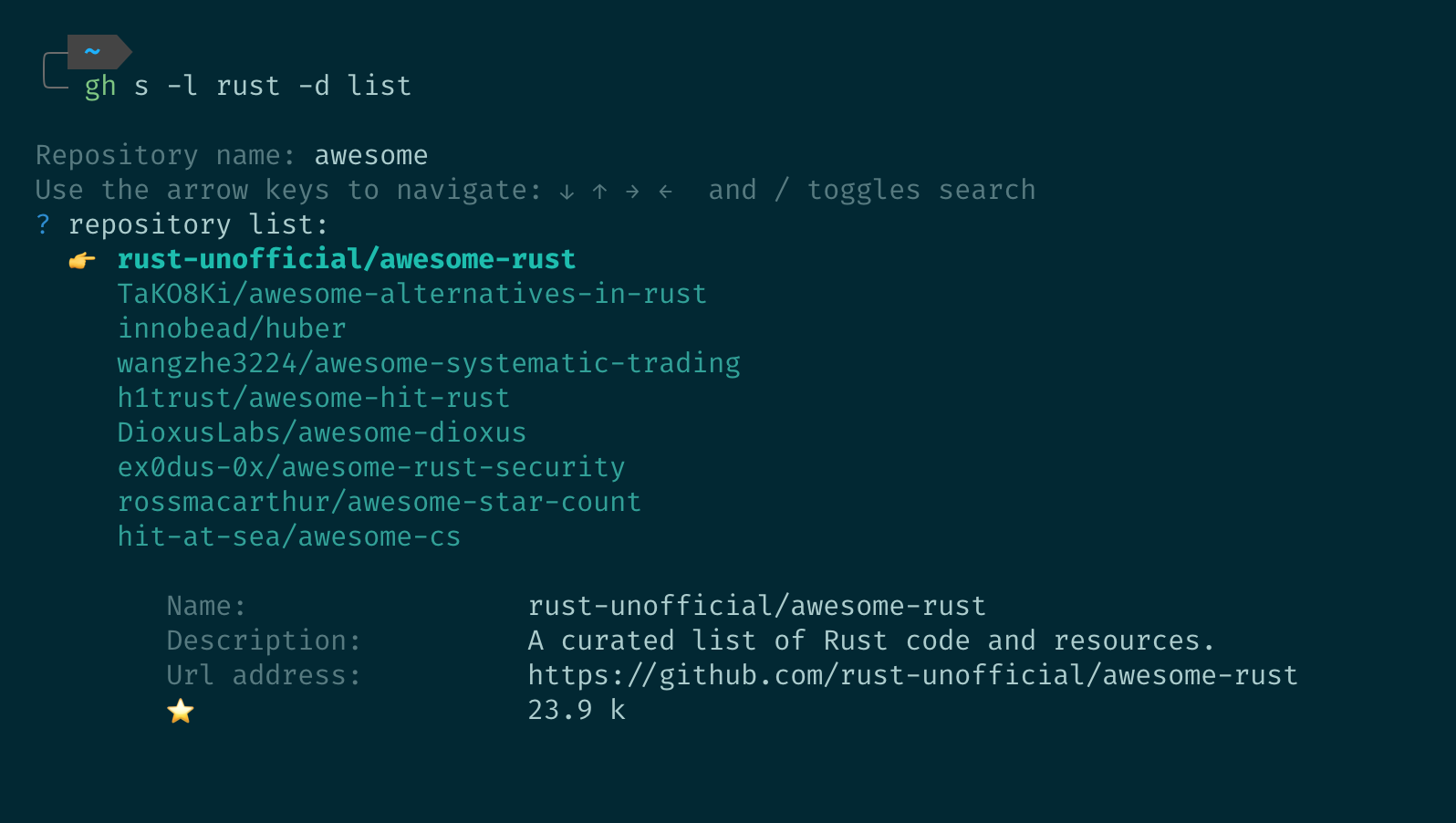
Search GitHub repositories interactively from the command line. Start the prompt and browse the results! The name of that repository 🤔? Written in rust, a list of awesome projects...
...well say no more:
gh s -l rust -d list
Installation
gh extension install gennaro-tedesco/gh-s
This being a gh extension, you of course need gh cli as prerequisite.
Usage
Get started!
gh s

...or do you prefer a full YouTube video on the topic?
Without any argument (or with flags only) gh s starts a prompt to insert the search query; after the search a list of results is shown. Navigate the list to show details, stars counts, URL and more. If instead you want to do all in one line
gh s [search] [flag]
takes one of the following arguments or flags
| flags | description | multiple | example |
|---|---|---|---|
| -E, --empty | do not prompt for name, search by flags only | no | gh s -E -l go -l rust |
| -l, --lang | narrow down the search to a specific language | yes (OR) | gh s prompt -l go -l lua |
| -d, --desc | search for keyword in the repository description | no | gh s neovim -d plugin |
| -u, --user | restrict the search to a specific user | no | gh s lsp -u neovim |
| -t, --topic | narrow down the search to specific topics | yes (AND) | gh s lsp -t plugin -t neovim |
| -c, --colour | change colour of the prompt | no | gh s nvim -c magenta |
| -L, --limit | limit the number of results (default 20) | no | gh s nvim -L 3 |
| -h, --help | show the help page | no | gh s -h |
| -V, --version | print the current version | no | gh s -V |
The prompt accepts the following navigation commands:
| key | description |
|---|---|
| arrow keys | browse results list |
/ | toggle search in results list |
enter (<CR>) | print selected repository URL to stdout |
Search by topic or language only
gh-s allows to skip prompting for a repository name by passing the -E flag; this in turn implies that the query searches against all possible GitHub repositories, which may result in longer response times. Notice furthermore that -E must always be accompanied by at least another non-empty flag. Use with care, however it does allow for some interesting statistics or general curiosity: check the Wiki!
Execute commands
gh-s must be intended as a filter prompt returning the URL of the selection; as such, the best and most flexible way to execute commands with the results is to pipe it into and from stdin/stdout. Have a look at the Wiki for some common examples!
Release versions
Releases are obtained via goreleaser and the available architectures are defined in .goreleaser.yml. To locally test the release workflow
goreleaser check
goreleaser healthcheck
goreleaser release --snapshot --skip=publish --clean
Feedback
If you find this application useful consider awarding it a ⭐, it is a great way to give feedback! Otherwise, any additional suggestions or merge request is warmly welcome!
See also the complete family of extensions