NAME
hana-developer-cli-tool-example — Learn how to build a developer-centric SAP HANA command line tool, particularly designed to be used when performing…
SYNOPSIS
npm install -g hana-cliINFO
DESCRIPTION
Learn how to build a developer-centric SAP HANA command line tool, particularly designed to be used when performing SAP HANA development in non-SAP tooling (for example from VS Code).
README
SAP HANA Developer Command Line Interface
The change log describes notable changes in this package.
Description
This sample is intended to shown how one could build a developer-centric SAP HANA command line tool, particularly designed to be used when performing local SAP HANA development in non-SAP tooling (like VSCode). It utilizes the default-env.json that is often used in local development for connectivity to a remote SAP HANA DB (although it can of course be used with a local SAP HANA, express edition instance as well). There is no intention to replacing the hdbsql tool as a generic SQL console. Instead this sample will focus on simplifying and grouping common and complex commands that otherwise might a lot of separate scripts.
Introduction Video: https://youtu.be/dvVQfi9Qgog
However the tool isn't limited to only local development. It also works well when developing in the cloud. The hana-cli tool can also run well from a cloud shell in the SAP Business Application Studio, Google Cloud Shell, AWS Cloud9, etc. We can also run against a SAP HANA service for SAP BTP or SAP HANA Cloud instance. This demonstrates that the tool can run just about anywhere you can get a command line that has access to the Node.js Runtime. We can also connect to a remote HANA instance even if it isn't running in the same cloud environment in which we are performing our development tasks.
Running in Cloud Shells Video: https://youtu.be/L7QyVLvAIIQ
Requirements / Download and Installation
If you would rather just access the tool directly, it is now available in npm as well. You can install via:
npm install -g hana-cli
Otherwise you can also run it from the sources as described here:
Install Node.js version 14.x or 16.x on your development machine https://nodejs.org/en/download/
@sap Node.js packages have moved from https://npm.sap.com to the default registry https://registry.npmjs.org. As future versions of @sap modules are going to be published only there, please make sure to adjust your registry with:
npm config delete @sap:registry
- Clone the repository from https://github.com/SAP-samples/hana-developer-cli-tool-example
git clone https://github.com/SAP-samples/hana-developer-cli-tool-example
- Run NPM install from the root of the hana-developer-cli-tool-example project you just cloned to download dependencies
npm install
- Run NPM link from the cloned project root to make the hana-cli command available from everywhere https://docs.npmjs.com/cli/link
npm link

BTP CLI Installation
The hana-cli tool includes several commands that interact with SAP Business Technology Platform (BTP) services. All BTP-related functionality in this tool relies on the SAP BTP Command Line Interface (btp CLI) being installed and available in your system's PATH.
About the BTP CLI
The btp CLI is SAP's official command-line tool for managing resources and services on the SAP Business Technology Platform. It provides capabilities for managing global accounts, directories, subaccounts, entitlements, service instances, and more. The hana-cli tool wraps and extends many of these capabilities with developer-friendly commands.
Installing the BTP CLI with install-btp.sh
For Linux and macOS users, this repository includes a convenient installation script install-btp.sh that automates the installation of the BTP CLI.
The script performs the following actions:
- Downloads the latest BTP CLI installer from the official SAP samples repository
- Makes the installer executable and runs it with automatic confirmation
- Configures shell aliases for easier BTP CLI usage
- Adds the BTP CLI binary location to your PATH
To use the installation script:
chmod +x install-btp.sh
./install-btp.sh
After running the script, you may need to restart your terminal or run source ~/.bashrc to apply the PATH changes.
Note: Windows users should refer to the official BTP CLI installation documentation for platform-specific installation instructions.
Verifying the Installation
Once installed, you can verify the BTP CLI is available by running:
btp --version
You can also use the hana-cli tool itself to check your BTP CLI configuration:
hana-cli btp
This will display your current BTP target information including global account, directory, and subaccount if configured.
Security
This application primarily uses the default-env.json that is often used in local development for connectivity to a remote HANA DB (although it can of course be used with a local SAP HANA, express edition instance as well). For more details on how the default-env.json works, see the readme.md of the @sap/xsenv package or the @sap/hdi-deploy package.
The tool doesn't simply look for a default-env.json file in the current directory however. There are numerous options and places it will look for the connection parameters. Here is the order in which it checks:
- First we look for the Admin option and use a default-env-admin.json - this overrides all other parameters
- If no admin option or if there was an admin option but no default-env-admin.json could be found in this directory or 5 parent directories, then look for
.cdsrc-private.jsonin this directory or 5 parent directories and usecds bindfunctionality to lookup the credentials securely. This is the most secure option, but please note: this will make each command take a few seconds longer as credentials are no longer stored locally but looked up from cf or k8s dynamically with each command - If no
.cdsrc-private.jsonfound in this directory or 5 parent directories, then look for a .env file in this directory or up to 5 parent directories - No .env file found or it doesn't contain a VCAP_SERVICES section, then check to see if the --conn parameter was specified. If so check for that file in the current directory or up to 5 parent directories
- If the file specified via the --conn parameter wasn't found locally then check for it in the ${homedir}/.hana-cli/ folder
- If no specific configuration file was was found then look for a file named default-env.json in the current directory or up to 5 parent directories
- Last resort if nothing has been found up to this point - look for a file named default.json in the ${homedir}/.hana-cli/ folder
Examples
A lot of the functionality of this tool revolves around typical tasks you face while doing HANA database development. For example you might want to get a list of all views in your current schema/container:
C:\github\hana-xsa-opensap-hana7\user_db>hana-cli views
Schema: OPENSAP_HANA_USER, View: *
SCHEMA_NAME        VIEW_NAME                                    VIEW_OID  COMMENTS
-----------------  -------------------------------------------  --------  ------------
OPENSAP_HANA_USER  user.models::USER_DETAILS                    171133    USER_DETAILS
OPENSAP_HANA_USER  user.models::USER_DETAILS/hier/USER_DETAILS  171139    null
Then perhaps you want to inspect a view to see the columns and their data types:
C:\github\hana-xsa-opensap-hana7\user_db>hana-cli view * user.models::USER_DETAILS Schema: %, View: user.models::USER_DETAILS { SCHEMA_NAME: 'OPENSAP_HANA_USER', VIEW_NAME: 'user.models::USER_DETAILS', VIEW_OID: 171133, COMMENTS: 'USER_DETAILS', IS_COLUMN_VIEW: 'TRUE', VIEW_TYPE: 'CALC', HAS_STRUCTURED_PRIVILEGE_CHECK: 'TRUE', HAS_PARAMETERS: 'TRUE', HAS_CACHE: 'NONE', CREATE_TIME: '2019-07-30 13:14:15.594000000' }SCHEMA_NAME VIEW_NAME VIEW_OID COLUMN_NAME POSITION DATA_TYPE_NAME OFFSET LENGTH SCALE IS_NULLABLE DEFAULT_VALUE CS_DATA_TYPE_NAME COLUMN_ID COMMENTS
OPENSAP_HANA_USER user.models::USER_DETAILS 171133 EMAIL 1 NVARCHAR 0 255 null TRUE null STRING 171135 Email OPENSAP_HANA_USER user.models::USER_DETAILS 171133 FIRSTNAME 2 NVARCHAR 0 40 null TRUE null STRING 171136 FirstName OPENSAP_HANA_USER user.models::USER_DETAILS 171133 LASTNAME 3 NVARCHAR 0 40 null TRUE null STRING 171137 LastName OPENSAP_HANA_USER user.models::USER_DETAILS 171133 USERID 4 INTEGER 0 10 0 TRUE null INT 171138 UserId
But there are multiple output options for inspection. Perhaps you are using Cloud Application Programming Model and need to create a proxy entity in CDS for a view. This tool will read the catalog metadata and convert it to CDS:
C:\github\hana-xsa-opensap-hana7\user_db>hana-cli view OPENSAP_HANA_USER user.models::USER_DETAILS -o cds
Schema: OPENSAP_HANA_USER, View: user.models::USER_DETAILS
@cds.persistence.exists
Entity user_modelsUSER_DETAILS {
 key    "EMAIL": String(255) null  @title: 'EMAIL: Email' ;
key     "FIRSTNAME": String(40) null  @title: 'FIRSTNAME: FirstName' ;
key     "LASTNAME": String(40) null  @title: 'LASTNAME: LastName' ;
key     "USERID": Integer null  @title: 'USERID: UserId' ;
}
Or maybe you are service enabling this view and you want to see it converted to EDMX:
C:\github\hana-xsa-opensap-hana7\user_db>hana-cli view OPENSAP_HANA_USER user.models::USER_DETAILS -o edmx
Schema: OPENSAP_HANA_USER, View: user.models::USER_DETAILS
<?xml version="1.0" encoding="utf-8"?>
<edmx:Edmx Version="1.0" xmlns:edmx="http://schemas.microsoft.com/ado/2007/06/edmx" xmlns:m="http://schemas.microsoft.com/ado/2007/08/dataservices/metadata" xmlns:sap="http://www.sap.com/Protocols/SAPData">
  <edmx:Reference Uri="https://wiki.scn.sap.com/wiki/download/attachments/448470974/Common.xml?api=v2" xmlns:edmx="http://docs.oasis-open.org/odata/ns/edmx">
    <edmx:Include Alias="Common" Namespace="com.sap.vocabularies.Common.v1"/>
  </edmx:Reference>
  <edmx:DataServices m:DataServiceVersion="2.0">
    <Schema Namespace="HanaCli" xmlns="http://schemas.microsoft.com/ado/2008/09/edm">
      <EntityContainer Name="EntityContainer" m:IsDefaultEntityContainer="true">
        <EntitySet Name="user_modelsUSER_DETAILS" EntityType="HanaCli.user_modelsUSER_DETAILS"/>
      </EntityContainer>
      <EntityType Name="user_modelsUSER_DETAILS">
        <Key>
          <PropertyRef Name="EMAIL"/>
          <PropertyRef Name="FIRSTNAME"/>
          <PropertyRef Name="LASTNAME"/>
          <PropertyRef Name="USERID"/>
        </Key>
        <Property Name="EMAIL" Type="Edm.String" MaxLength="255"/>
        <Property Name="FIRSTNAME" Type="Edm.String" MaxLength="40"/>
        <Property Name="LASTNAME" Type="Edm.String" MaxLength="40"/>
        <Property Name="USERID" Type="Edm.Int32"/>
      </EntityType>
      <Annotations Target="HanaCli.user_modelsUSER_DETAILS/EMAIL" xmlns="http://docs.oasis-open.org/odata/ns/edm">
        <Annotation Term="Common.Label" String="EMAIL: Email"/>
      </Annotations>
      <Annotations Target="HanaCli.user_modelsUSER_DETAILS/FIRSTNAME" xmlns="http://docs.oasis-open.org/odata/ns/edm">
        <Annotation Term="Common.Label" String="FIRSTNAME: FirstName"/>
      </Annotations>
      <Annotations Target="HanaCli.user_modelsUSER_DETAILS/LASTNAME" xmlns="http://docs.oasis-open.org/odata/ns/edm">
        <Annotation Term="Common.Label" String="LASTNAME: LastName"/>
      </Annotations>
      <Annotations Target="HanaCli.user_modelsUSER_DETAILS/USERID" xmlns="http://docs.oasis-open.org/odata/ns/edm">
        <Annotation Term="Common.Label" String="USERID: UserId"/>
      </Annotations>
    </Schema>
  </edmx:DataServices>
</edmx:Edmx>
This tool will even create a temporary OData V4 service for any existing table, view or Calculation View and launch a test Fiori Ui locally.

Project Structure and Documentation
Utils Documentation
For developers looking to understand or extend the internal utilities used by this CLI tool, comprehensive documentation is available in the utils/README.md file. This documentation covers:
- Core Utilities: base module, connection management, database inspection, SQL injection protection
- CLI Integration: BTP, Cloud Foundry, and XSA CLI integration utilities
- Database Abstraction: Multi-database support (HANA, PostgreSQL, SQLite) with factory pattern
- Usage Examples: Practical examples for using the utility modules
The utils folder contains reusable modules that provide the foundation for all CLI commands, including database connectivity, terminal UI components, security utilities, and internationalization support.
HTTP Routes Documentation
The hana-cli tool includes a built-in web server that exposes all CLI functionality through RESTful HTTP endpoints. Detailed documentation for all HTTP routes is available in the routes/README.md file. This documentation covers:
- Base Configuration Endpoints: GET/PUT operations for managing CLI prompts and settings
- HANA Database Endpoints: Complete API for listing and inspecting HANA database objects (tables, views, schemas, containers, etc.)
- Documentation Endpoints: Access to README and CHANGELOG as HTML
- WebSocket Support: Real-time communication for long-running operations
- Static Resources: UI5 application and DFA integration
The web server is automatically started when using certain CLI commands with the -w or --web flag, making all hana-cli functionality accessible via HTTP requests at http://localhost:3010 (configurable port).
Web Applications (Fiori Launchpad UI)
The hana-cli tool includes a complete browser-based interface built with SAP UI5 and the Fiori Launchpad, providing a graphical alternative to the command-line interface. This web interface offers an intuitive, tile-based navigation system for all database operations.
Key Features:
- Fiori Launchpad Interface: Modern, responsive UI with organized tile groups
- Multiple UI5 Applications: Specialized apps for listing, inspecting, and managing database objects
- Real-Time Operations: WebSocket-based communication for live updates and long-running tasks
- Mass Conversion Tool: Bulk convert tables to CDS, HDBTable, or HDBMigrationTable formats
- System Information Dashboard: View connection details, version info, and system status
- Database Object Browser: Interactive exploration of tables, views, schemas, functions, indexes, and more
- Cloud Foundry Integration: Manage HDI, SBSS, Schema, and SecureStore service instances
- Theme Support: Automatic light/dark mode detection and customization
- Integrated Help: SAP Digital Foundation Adapter (DFA) with contextual assistance
Quick Start:
hana-cli tables -w    # Launch web interface with tables view
hana-cli serve        # Start the web server standalone
The web UI runs on http://localhost:3010 by default and provides access to all CLI functionality through an easy-to-use graphical interface. For complete documentation of all web applications, UI5 components, configuration, and development guides, see the app/README.md file.
Experimental MCP (Model Context Protocol) Integration
The hana-cli tool now includes experimental support for the Model Context Protocol (MCP), enabling AI assistants like Claude to interact with SAP HANA databases through natural language. This integration exposes all 100+ hana-cli commands as tools that AI assistants can invoke directly.
Key Features:
- Natural language database queries and operations
- Full access to all hana-cli commands through AI assistants
- Seamless integration with AI development environments (Cline/Claude Dev, etc.)
- Command execution with proper parameter handling and error responses
For detailed setup instructions, configuration options, and usage examples, please refer to:
- mcp-server/README.md - Complete installation and configuration guide
- mcp-server/TROUBLESHOOTING.md - Common issues and solutions
Note: This is an experimental feature and may be subject to changes as the MCP specification evolves.
Commands
activateHDI
hana-cli activateHDI [tenant] [aliases: ahdi, ah] Activate the HDI service in a particluar SAP HANA Tenant (Must be ran in the SYSTEMDB)Connection Parameters: -a, --admin, --Admin Connect via admin (default-env-admin.json) [boolean] [default: false] --conn Connection Filename to override default-env.json
Troubleshooting: --disableVerbose, --quiet Disable Verbose output - removes all extra output that is only helpful to human readable interface. Useful for scripting commands. [boolean] [default: false] --debug, --Debug Debug hana-cli itself by adding output of LOTS of intermediate details [boolean] [default: false]
Options: -t, --tenant, --Tenant SAP HANA Tenant [string]
adminHDI
hana-cli adminHDI [user] [password] [aliases: adHDI, adhdi] Create an Admin User for HDI or assign HDI admin privileges to an existing userConnection Parameters: -a, --admin, --Admin Connect via admin (default-env-admin.json) [boolean] [default: false] --conn Connection Filename to override default-env.json
Troubleshooting: --disableVerbose, --quiet Disable Verbose output - removes all extra output that is only helpful to human readable interface. Useful for scripting commands. [boolean] [default: false] --debug, --Debug Debug hana-cli itself by adding output of LOTS of intermediate details [boolean] [default: false]
Options: -u, --user, --User User -p, --password, --Password Password -c, --create, --Create Set this parameter to false to reuse an existing database user and assign the HDI admin privileges to this user. In this case a dummy password can be given. [boolean] [default: false]
adminHDIGroup
hana-cli adminHDIGroup [user] [group] [aliases: adHDIG, adhdig] Add a User as an HDI Group AdminConnection Parameters: -a, --admin, --Admin Connect via admin (default-env-admin.json) [boolean] [default: false] --conn Connection Filename to override default-env.json
Troubleshooting: --disableVerbose, --quiet Disable Verbose output - removes all extra output that is only helpful to human readable interface. Useful for scripting commands. [boolean] [default: false] --debug, --Debug Debug hana-cli itself by adding output of LOTS of intermediate details [boolean] [default: false]
Options: -u, --user, --User User -g, --group, --Group HDI Group [string] [default: "SYS_XS_HANA_BROKER"]
btp
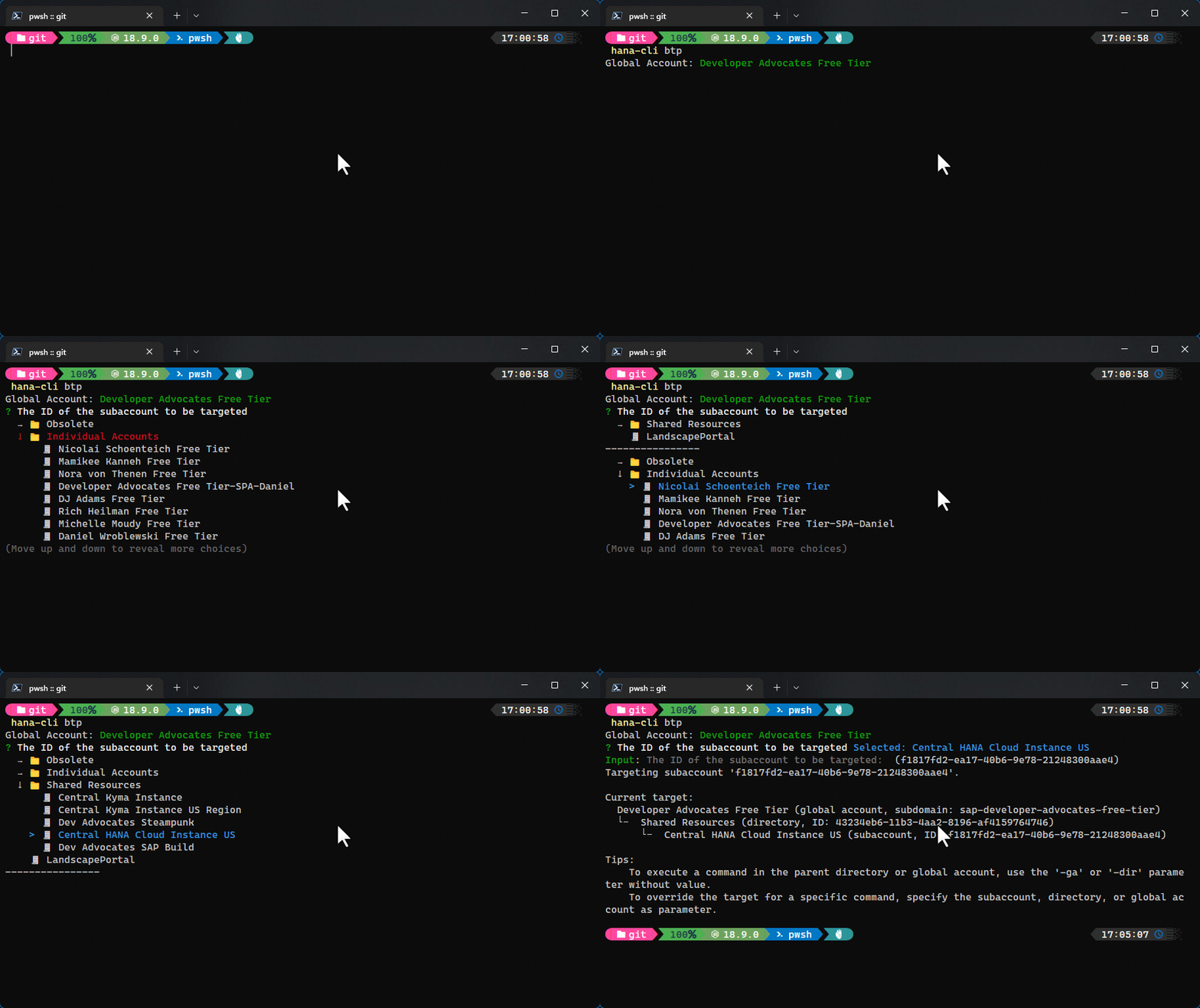
hana-cli btp [directory] [subaccount]Set the target for commands for the btp CLI to the global account, a directory, or a subaccount. Commands are executed in the specified target, unless you override it using a parameter. If the specified target is part of an account hierarchy, its parents are also targeted, so that if a command is only available on a higher level, it will be executed there.
Troubleshooting: --disableVerbose, --quiet Disable Verbose output - removes all extra output t hat is only helpful to human readable interface. Us eful for scripting commands. [boolean] [default: false] --debug, --Debug Debug hana-cli itself by adding output of LOTS of i ntermediate details [boolean] [default: false]
Options: --subaccount, --sa The ID of the subaccount to be targeted [string]
btpInfo
Detailed Information about btp CLI targetTroubleshooting: --disableVerbose, --quiet Disable Verbose output - removes all extra outp ut that is only helpful to human readable inter face. Useful for scripting commands. [boolean] [default: false] --debug, --Debug Debug hana-cli itself by adding output of LOTS of intermediate details [boolean] [default: false]
Options: -o, --output, --Output Output Format for inspection [string] [choices: "tbl", "json"] [default: "tbl"]
callProcedure
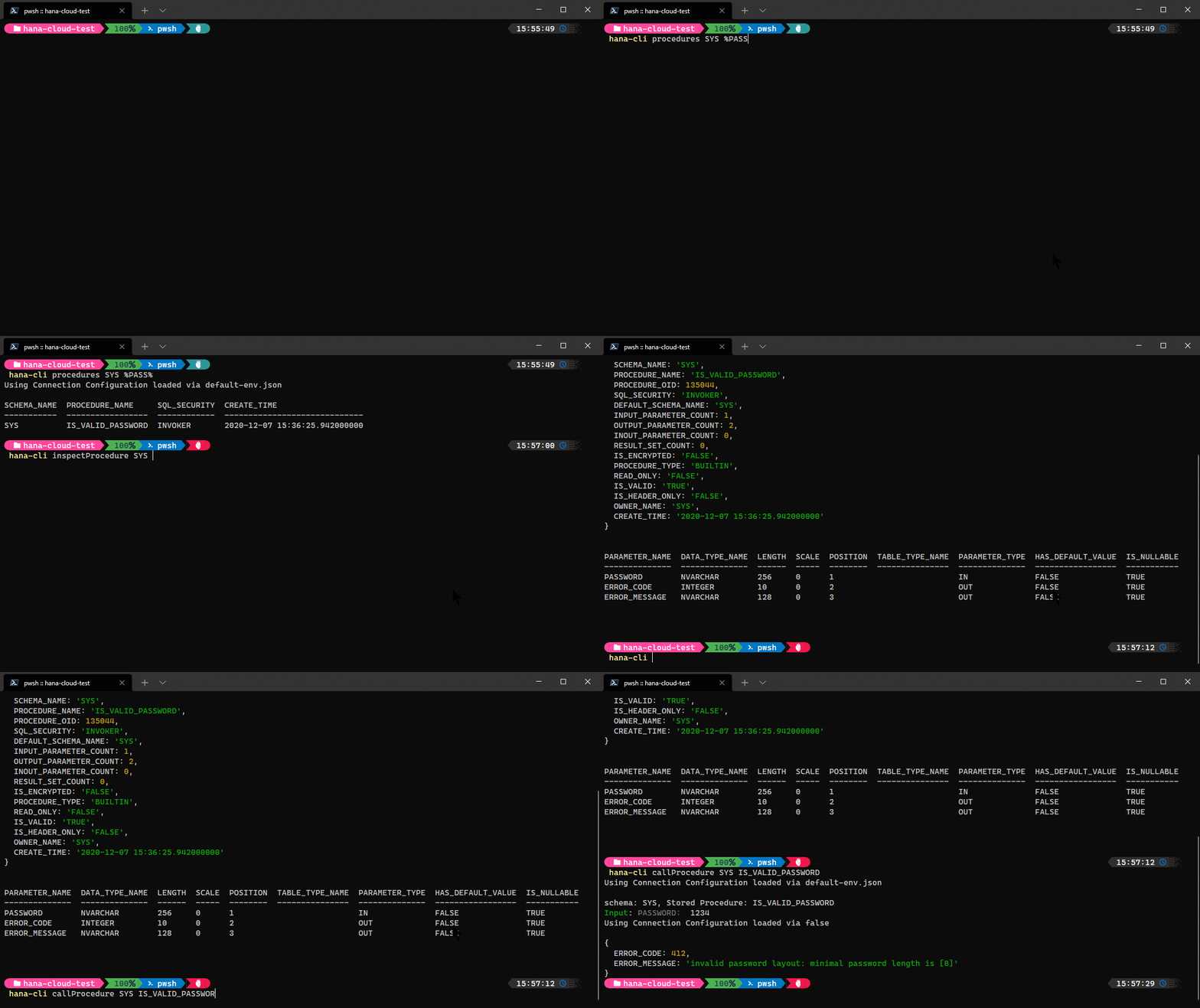
hana-cli callProcedure [schema] [procedure] [aliases: cp, callprocedure, callProc, callproc, callSP, callsp] Call a stored procedure and display the resultsConnection Parameters: -a, --admin, --Admin Connect via admin (default-env-admin.json) [boolean] [default: false] --conn Connection Filename to override default-env.json
Troubleshooting: --disableVerbose, --quiet Disable Verbose output - removes all extra output that is only helpful to human readable interface. Useful for scripting commands. [boolean] [default: false] --debug, --Debug Debug hana-cli itself by adding output of LOTS of intermediate details [boolean] [default: false]
Options: -p, --procedure, --Procedure, --sp Stored Procedure [string] -s, --schema, --Schema schema [string] [default: "CURRENT_SCHEMA"]
certificates
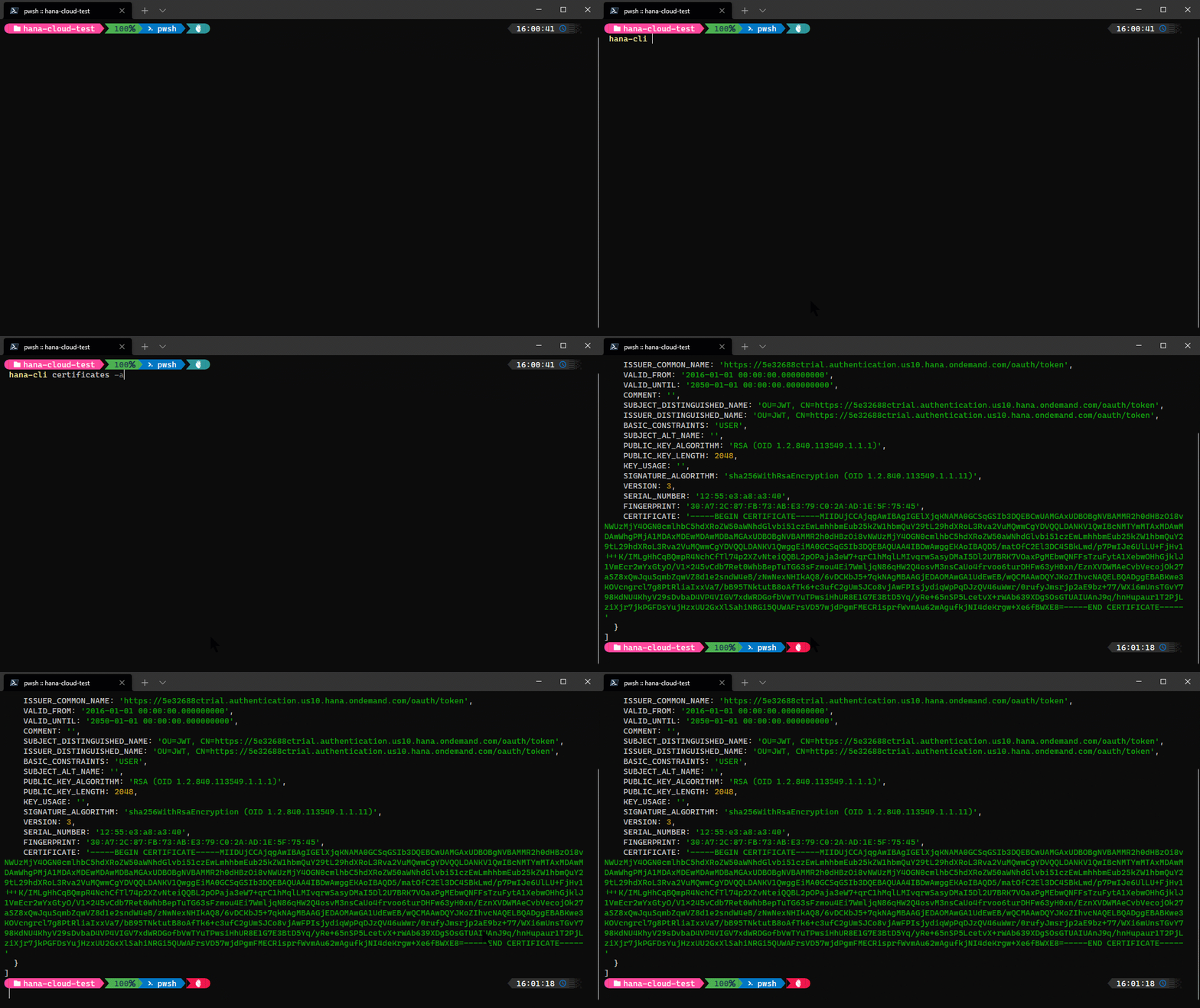
hana-cli certificates [aliases: cert, certs] List System CertificatesConnection Parameters: -a, --admin, --Admin Connect via admin (default-env-admin.json) [boolean] [default: false] --conn Connection Filename to override default-env.json
Troubleshooting: --disableVerbose, --quiet Disable Verbose output - removes all extra output that is only helpful to human readable interface. Useful for scripting commands. [boolean] [default: false] --debug, --Debug Debug hana-cli itself by adding output of LOTS of intermediate details [boolean] [default: false]
cds
hana-cli cds [schema] [table] [aliases: cdsPreview] Display a DB object via CDSConnection Parameters: -a, --admin, --Admin Connect via admin (default-env-admin.json) [boolean] [default: false] --conn Connection Filename to override default-env.json
Troubleshooting: --disableVerbose, --quiet Disable Verbose output - removes all extra output that is only helpful to human readable interface. Useful for scripting commands. [boolean] [default: false] --debug, --Debug Debug hana-cli itself by adding output of LOTS of intermediate details [boolean] [default: false]
Options: -t, --table, --Table Database Table [string] -s, --schema, --Schema schema [string] [default: "CURRENT_SCHEMA"] -v, --view, --View CDS processing for View instead of Table [boolean] [default: false] --useHanaTypes, --hana Use SAP HANA-Specific Data Types See (https://cap. cloud.sap/docs/cds/cdl#predefined-types) [boolean] [default: false] -q, --useQuoted, --quoted, --quotedIdent Use Quoted Identifiers ![non-identif ifiers ier] [boolean] [default: false]
-p, --port Port to run HTTP server for CDS preview [default: false]
About the CDS Command
The cds command is a unique and powerful feature that bridges SAP HANA database objects with the SAP Cloud Application Programming Model (CAP) framework. This command provides an innovative way to instantly preview and interact with existing database tables and views through a fully functional CDS-based service.
Prerequisites:
This command requires the separate installation of the SAP CDS Development Kit (@sap/cds-dk). Install it globally using:
npm install -g @sap/cds-dk
How It Works:
When you execute the cds command against a table or view, the tool performs the following sophisticated operations:
Metadata Extraction: Reads the complete schema metadata from the specified HANA table or view, including column names, data types, keys, and constraints.
Dynamic CDS Entity Generation: Automatically generates a temporary CDS entity definition that mirrors the structure of your database object. This entity is created in-memory and includes:
- Proper data type mappings from HANA types to CDS types
- Preservation of primary keys and nullable constraints
- Optional use of HANA-specific data types when the
--useHanaTypesflag is specified - Quoted identifiers support for non-standard naming conventions
Temporary Service Creation: Creates an ephemeral CAP service that exposes the generated entity through a fully functional OData V4 endpoint.
Local Server Launch: Spins up a local CDS development server (default on a random available port, or specify with
--portparameter) that serves the data from your actual HANA database table/view.Interactive Preview: Opens your default web browser to display the Fiori Elements preview, allowing you to immediately browse, filter, and interact with your data through a modern, responsive UI.
What This Enables:
- Instant Prototyping: Quickly visualize how database tables will look in a Fiori application without writing any CDS or UI code
- Data Exploration: Browse existing database content through an intuitive interface with built-in filtering, sorting, and pagination
- Service Testing: Test OData queries and operations against real data before committing to a formal service design
- Entity Modeling: See how HANA database types translate to CDS types and identify potential modeling improvements
- Demonstration: Showcase database content to stakeholders in a professional, web-based interface
- Development Aid: Validate database structures and data quality during development iterations
Example Usage:
# Preview a table with default CDS types hana-cli cds -t MY_TABLEPreview a view using HANA-specific types on port 4005
hana-cli cds -v MY_VIEW --hana --port 4005
Preview with quoted identifiers for non-standard names
hana-cli cds -t "my-special-table" --quoted
This command effectively transforms any database object into a temporary, fully functional CAP application, demonstrating the power and flexibility of the Cloud Application Programming Model while leveraging your existing HANA assets.
changelog
hana-cli changelog
[aliases: chg]
Open Change Log in browser
Troubleshooting:
--disableVerbose, --quiet  Disable Verbose output - removes all extra output
that is only helpful to human readable interface.
Useful for scripting commands.
[boolean] [default: false]
--debug, --Debug           Debug hana-cli itself by adding output of LOTS of
intermediate details     [boolean] [default: false]
changes
hana-cli changes
[aliases: chg]
Display Change Log in CLI
changesUI
hana-cli changesUI
[aliases: chgUI, chgui, changeLogUI, changelogui]
Display Change Log in Browser UI
completion
hana-cli completion
generate completion script for bash shell
connect
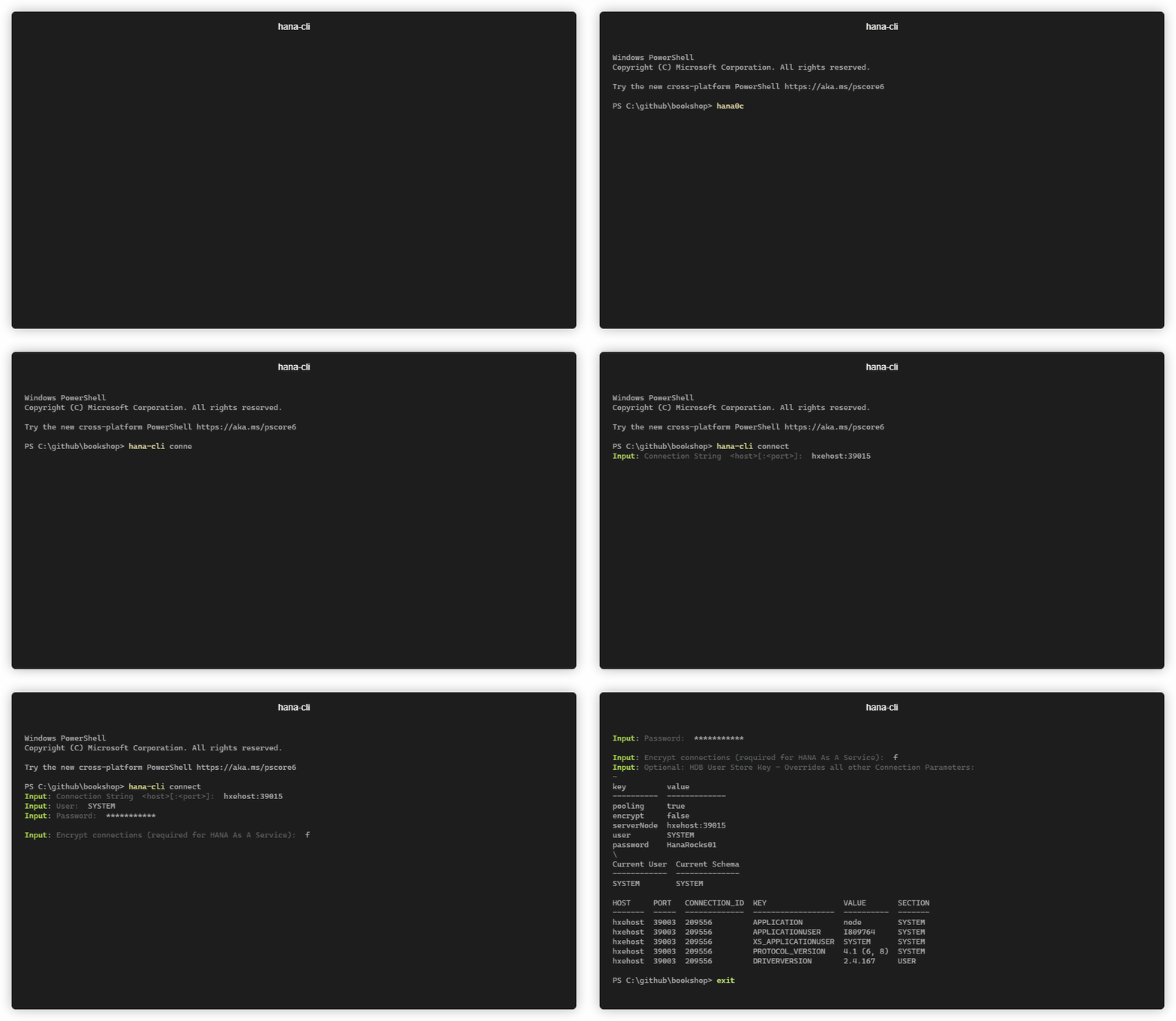
hana-cli connect [user] [password] [aliases: c, login] Connects to an SAP HANA DB and writes connection information to a default-env-admin.jsonTroubleshooting: --disableVerbose, --quiet Disable Verbose output - removes all extra output that is only helpful to human readable interface. Useful for scripting commands. [boolean] [default: false] --debug, --Debug Debug hana-cli itself by adding output of LOTS of intermediate details [boolean] [default: false]
Options: -n, --connection Connection String <host>[:<port>] -u, --user, --User User -p, --password, --Password Password -U, --userstorekey, --UserStoreKey Optional: HDB User Store Key - Overrides all other Connection Parameters -s, --save, --Save Save Credentials to default-env-admin.json [boolean] [default: true] -e, --encrypt, --Encrypt, --ssl Encrypt connections (required for SAP HANA service for SAP BTP or SAP HANA Cloud) [boolean] -t, --trustStore, --Trust, --trust, SSL Trust Store --truststore
containers
hana-cli containers [containerGroup] [container] [aliases: cont, listContainers, listcontainers] List all HDI ContainersConnection Parameters: -a, --admin, --Admin Connect via admin (default-env-admin.json) [boolean] [default: false] --conn Connection Filename to override default-env.json
Troubleshooting: --disableVerbose, --quiet Disable Verbose output - removes all extra output that is only helpful to human readable interface. Useful for scripting commands. [boolean] [default: false] --debug, --Debug Debug hana-cli itself by adding output of LOTS of intermediate details [boolean] [default: false]
Options: -c, --container, --Container Container Name [string] [default: ""] -g, --containerGroup, --Group, --group, Container Group --containergroup [string] [default: ""] -l, --limit Limit results[number] [default: 200]
containersUI
hana-cli containersUI [containerGroup] [container] [aliases: contui, listContainersUI, listcontainersui, containersui] List all HDI Containers in browser UIConnection Parameters: -a, --admin, --Admin Connect via admin (default-env-admin.json) [boolean] [default: false] --conn Connection Filename to override default-env.json
Troubleshooting: --disableVerbose, --quiet Disable Verbose output - removes all extra output that is only helpful to human readable interface. Useful for scripting commands. [boolean] [default: false] --debug, --Debug Debug hana-cli itself by adding output of LOTS of intermediate details [boolean] [default: false]
Options: -c, --container, --Container Container Name [string] [default: ""] -g, --containerGroup, --Group, --group, Container Group --containergroup [string] [default: ""] -l, --limit Limit results[number] [default: 200]
copy2DefaultEnv
hana-cli copy2DefaultEnv
[aliases: copyDefaultEnv, copyDefault-Env, copy2defaultenv, copydefaultenv,
                                                                copydefault-env]
Copy .env contents to default-env.json and reformat
Troubleshooting:
--disableVerbose, --quiet  Disable Verbose output - removes all extra output
that is only helpful to human readable interface.
Useful for scripting commands.
[boolean] [default: false]
--debug, --Debug           Debug hana-cli itself by adding output of LOTS of
intermediate details     [boolean] [default: false]
copy2Env
hana-cli copy2Env [aliases: copyEnv, copyenv, copy2env] Copy default-env.json contents to .env and reformatConnection Parameters: -a, --admin, --Admin Connect via admin (default-env-admin.json) [boolean] [default: false] --conn Connection Filename to override default-env.json
Troubleshooting: --disableVerbose, --quiet Disable Verbose output - removes all extra output that is only helpful to human readable interface. Useful for scripting commands. [boolean] [default: false] --debug, --Debug Debug hana-cli itself by adding output of LOTS of intermediate details [boolean] [default: false]
copy2Secrets
hana-cli copy2Secrets [aliases: secrets, make:secrets] make secrets for Kubernetes deployment (https://www.npmjs.com/package/@sap/xsenv#usage-in-kubernetes)Troubleshooting: --disableVerbose, --quiet Disable Verbose output - removes all extra output that is only helpful to human readable interface. Useful for scripting commands. [boolean] [default: false] --debug, --Debug Debug hana-cli itself by adding output of LOTS of intermediate details [boolean] [default: false]
Options: --envJson, --from-file JSON file containing VCAP_SERVICES variable [string] [default: "default-env.json"] --secretsFolder, --to-folder Folder name for storing secrets [string] [default: "secrets"] --filter List of service instances to process [string]
createGroup
hana-cli createGroup [group] [aliases: cg, cGrp] Create an HDI container groupConnection Parameters: -a, --admin, --Admin Connect via admin (default-env-admin.json) [boolean] [default: false] --conn Connection Filename to override default-env.json
Troubleshooting: --disableVerbose, --quiet Disable Verbose output - removes all extra output that is only helpful to human readable interface. Useful for scripting commands. [boolean] [default: false] --debug, --Debug Debug hana-cli itself by adding output of LOTS of intermediate details [boolean] [default: false]
Options: -g, --group, --Group Container Group Name [string]
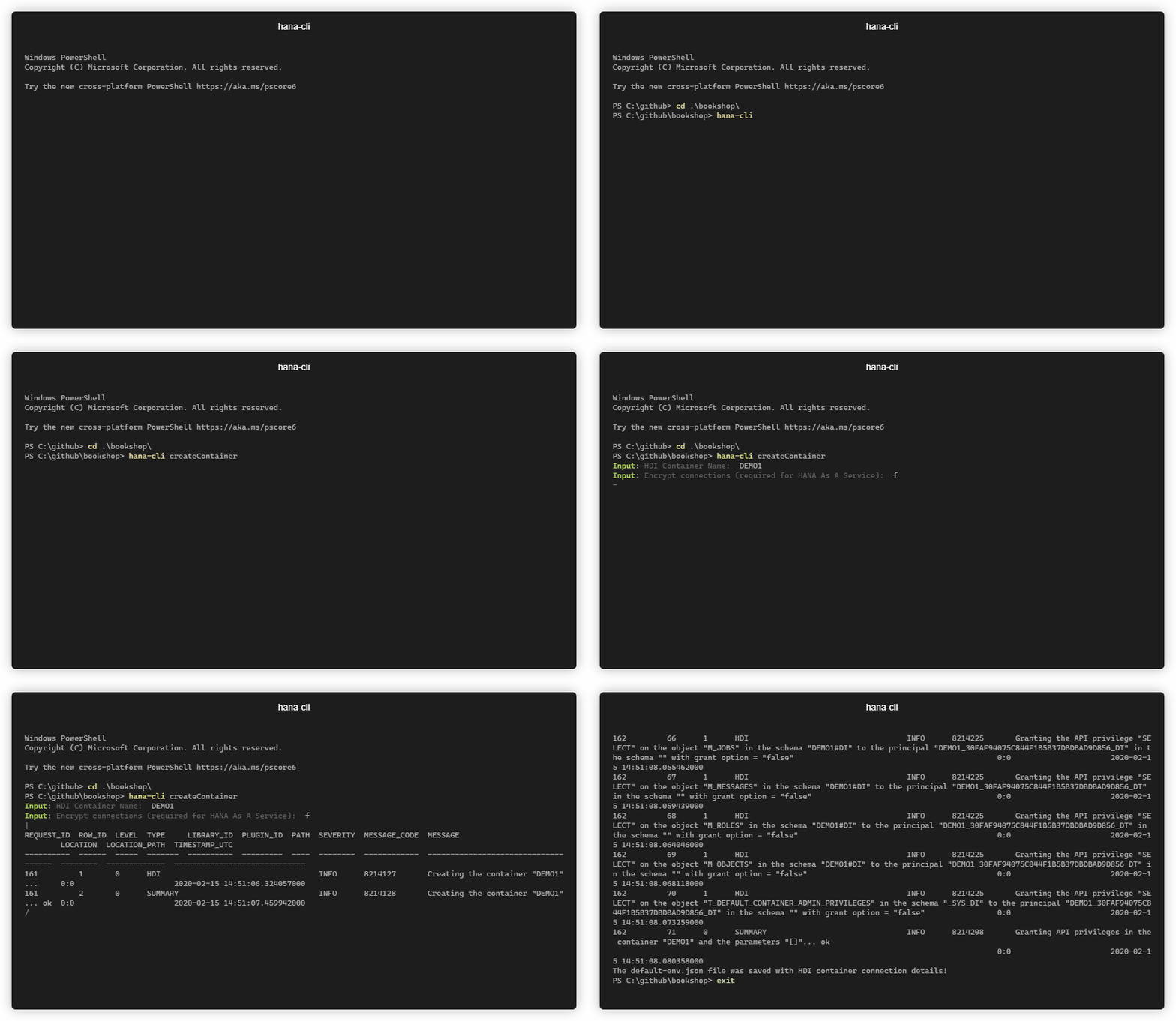
createContainer
hana-cli createContainer [container] [group] [aliases: cc, cCont] Create an HDI Container and populate connection details into default-env.jsonConnection Parameters: -a, --admin, --Admin Connect via admin (default-env-admin.json) [boolean] [default: false] --conn Connection Filename to override default-env.json
Troubleshooting: --disableVerbose, --quiet Disable Verbose output - removes all extra output that is only helpful to human readable interface. Useful for scripting commands. [boolean] [default: false] --debug, --Debug Debug hana-cli itself by adding output of LOTS of intermediate details [boolean] [default: false]
Options: -c, --container, --Container Container Name [string] -g, --group, --Group Container Group Name [string] [default: empty] -s, --save, --Save Save Credentials to default-env.json [boolean] [default: true] -e, --encrypt, --Encrypt, --ssl Encrypt connections (required for SAP HANA service for SAP BTP or SAP HANA Cloud) [boolean] [default: false]
createContainerUsers
hana-cli createContainerUsers [container] [aliases: ccu, cContU] Create new HDI Container technical users for an existing container and populates connection details into default-env.jsonConnection Parameters: -a, --admin, --Admin Connect via admin (default-env-admin.json) [boolean] [default: false] --conn Connection Filename to override default-env.json
Troubleshooting: --disableVerbose, --quiet Disable Verbose output - removes all extra output that is only helpful to human readable interface. Useful for scripting commands. [boolean] [default: false] --debug, --Debug Debug hana-cli itself by adding output of LOTS of intermediate details [boolean] [default: false]
Options: -c, --container, --Container Container Name [string] -s, --save, --Save Save Credentials to default-env.json [boolean] [default: true] -e, --encrypt, --Encrypt, --ssl Encrypt connections (required for SAP HANA service for SAP BTP or SAP HANA Cloud) [boolean] [default: false]
createJWT
hana-cli createJWT [name] [aliases: cJWT, cjwt, cJwt] Create JWT Token and Import Certificate (To obtain the certificate and issuer used in the SQL you need to use the xsuaa service key credentials.url element which should look like this: https://<subdomain>.authentication.<region>.hana.ondemand.com then add /sap/trust/jwt path to it in a browser)Connection Parameters: -a, --admin, --Admin Connect via admin (default-env-admin.json) [boolean] [default: false] --conn Connection Filename to override default-env.json
Troubleshooting: --disableVerbose, --quiet Disable Verbose output - removes all extra output that is only helpful to human readable interface. Useful for scripting commands. [boolean] [default: false] --debug, --Debug Debug hana-cli itself by adding output of LOTS of intermediate details [boolean] [default: false]
Options: -c, --name, --Name JWT Provider Name (Any descriptive Value) [string] -c, --certificate, --Certificate certificate [string] -i, --issuer, --Issuer Certificate Issuer [string]
createModule
hana-cli createModule [aliases: createDB, createDBModule] Create DB ModuleTroubleshooting: --disableVerbose, --quiet Disable Verbose output - removes all extra output that is only helpful to human readable interface. Useful for scripting commands. [boolean] [default: false] --debug, --Debug Debug hana-cli itself by adding output of LOTS of intermediate details [boolean] [default: false]
Options: -f, --folder, --Folder DB Module Folder Name [string] [default: "db"] --hanaCloud, --hc, --hana-cloud, Build Module for SAP HANA Cloud? --hanacloud [boolean] [default: true]
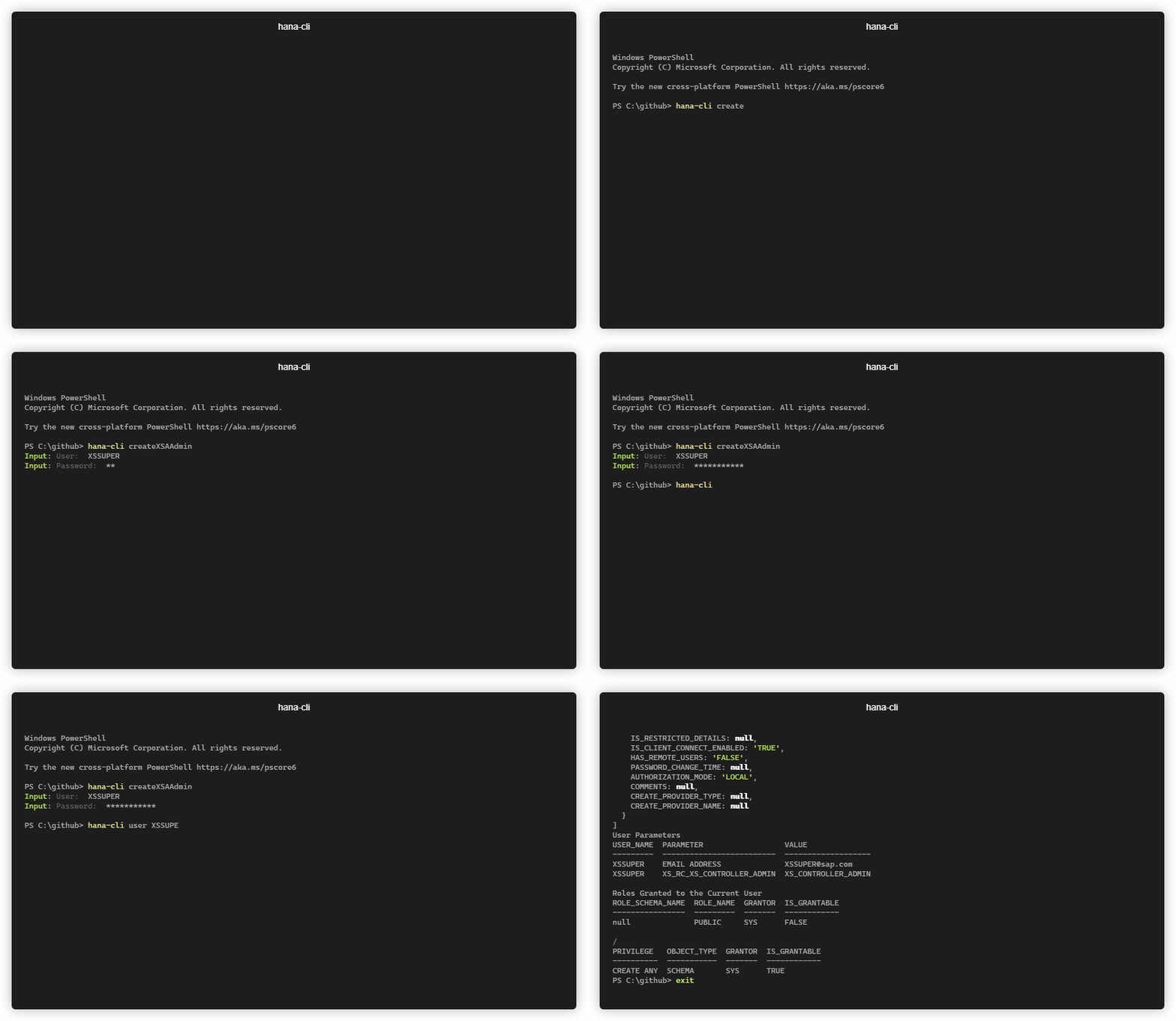
createXSAAdmin
hana-cli createXSAAdmin [user] [password] [aliases: cXSAAdmin, cXSAA, cxsaadmin, cxsaa] Create an SAP HANA DB User which is also an XSA AdminConnection Parameters: -a, --admin, --Admin Connect via admin (default-env-admin.json) [boolean] [default: false] --conn Connection Filename to override default-env.json
Troubleshooting: --disableVerbose, --quiet Disable Verbose output - removes all extra output that is only helpful to human readable interface. Useful for scripting commands. [boolean] [default: false] --debug, --Debug Debug hana-cli itself by adding output of LOTS of intermediate details [boolean] [default: false]
Options: -u, --user, --User User -p, --password, --Password Passwordd
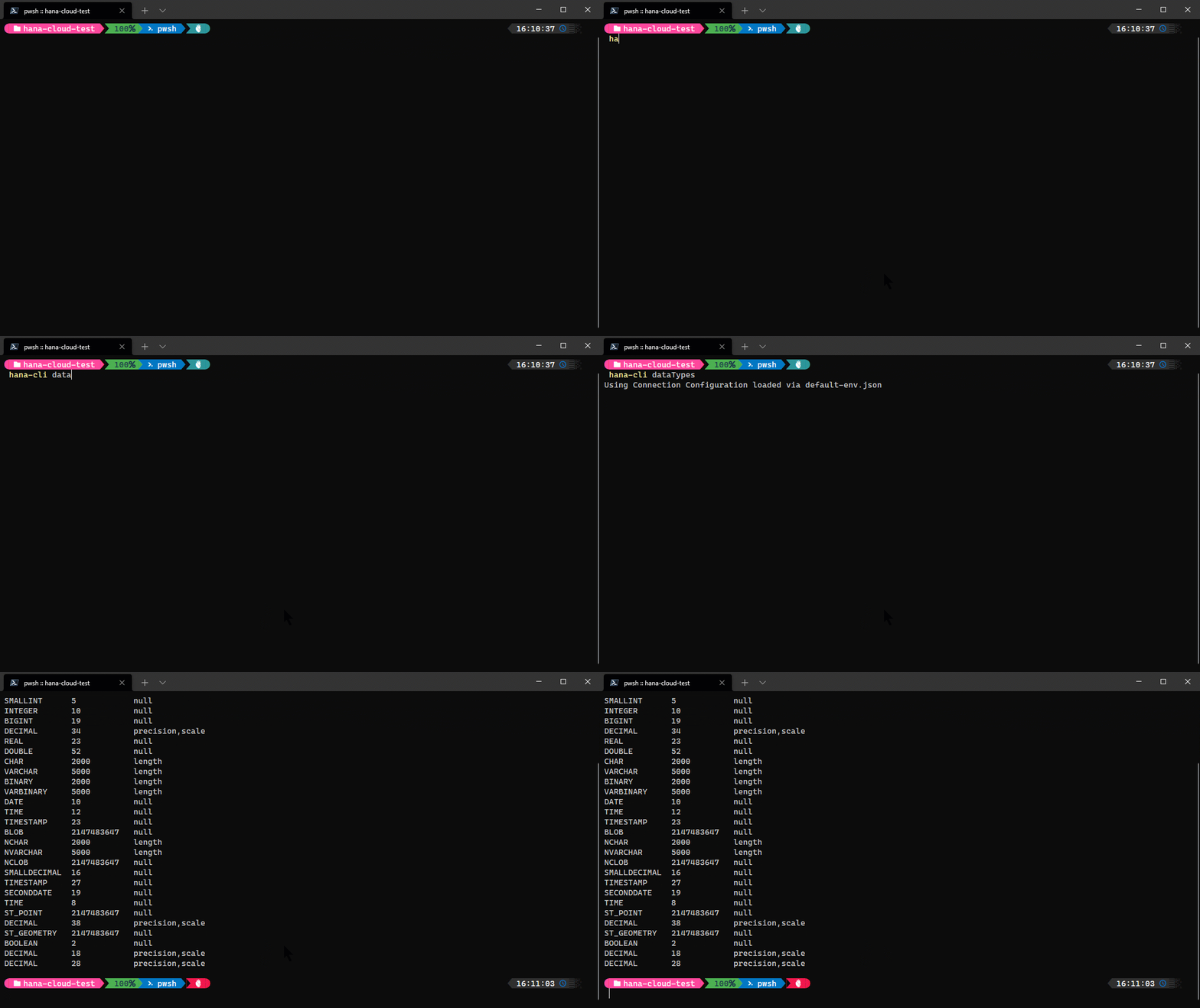
dataTypes
hana-cli dataTypes [aliases: dt, datatypes, dataType, datatype] List of HANA Data Types and their technical detailsConnection Parameters: -a, --admin, --Admin Connect via admin (default-env-admin.json) [boolean] [default: false] --conn Connection Filename to override default-env.json
Troubleshooting: --disableVerbose, --quiet Disable Verbose output - removes all extra output that is only helpful to human readable interface. Useful for scripting commands. [boolean] [default: false] --debug, --Debug Debug hana-cli itself by adding output of LOTS of intermediate details [boolean] [default: false]
dataTypesUI
hana-cli dataTypesUI [aliases: dtui, datatypesui, dataTypeUI, datatypeui] List of HANA Data Types and their technical details in the browser UIConnection Parameters: -a, --admin, --Admin Connect via admin (default-env-admin.json) [boolean] [default: false] --conn Connection Filename to override default-env.json
Troubleshooting: --disableVerbose, --quiet Disable Verbose output - removes all extra output that is only helpful to human readable interface. Useful for scripting commands. [boolean] [default: false] --debug, --Debug Debug hana-cli itself by adding output of LOTS of intermediate details [boolean] [default: false]
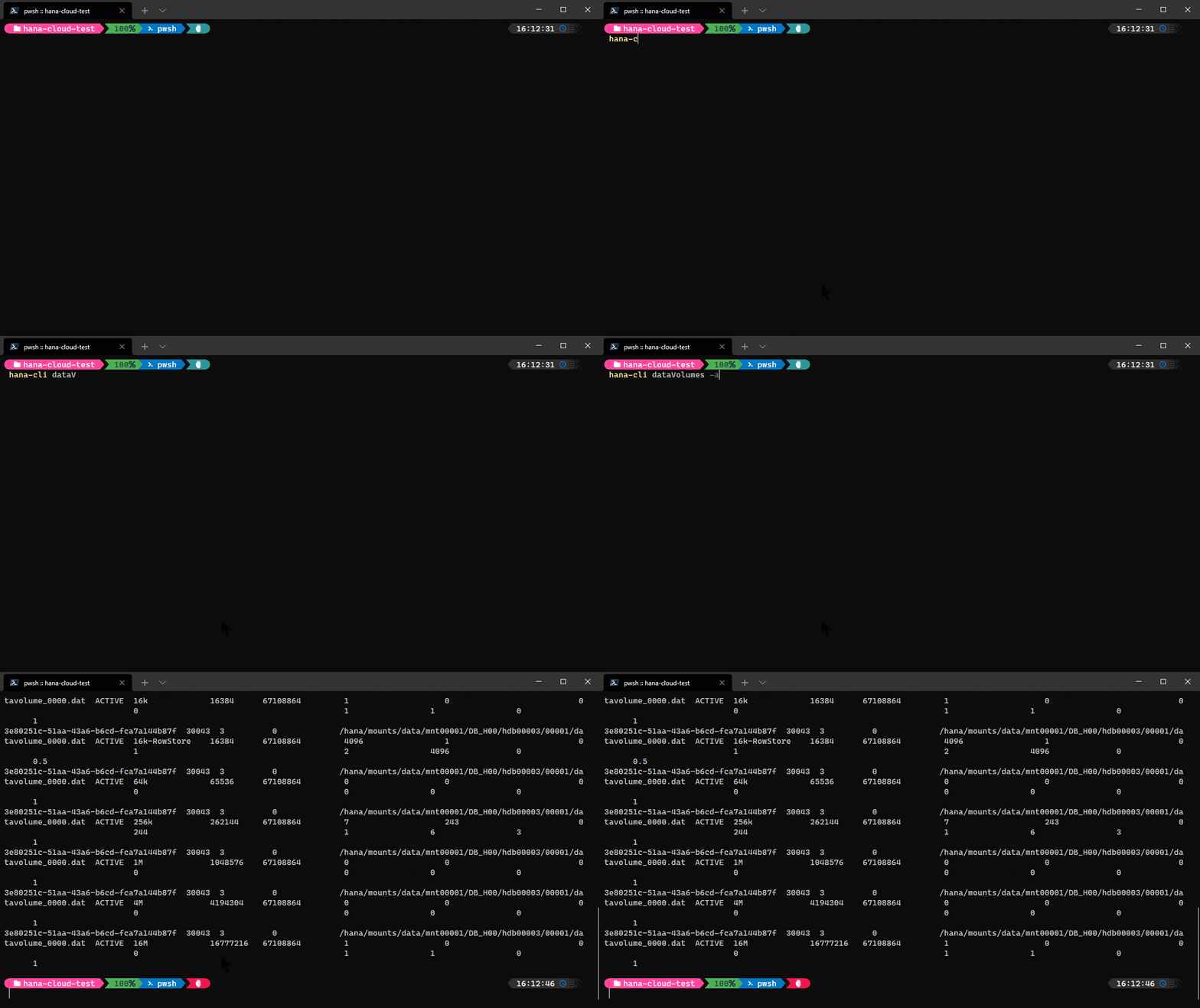
dataVolumes
hana-cli dataVolumes [aliases: dv, datavolumes] Details about the HANA Data VolumesConnection Parameters: -a, --admin, --Admin Connect via admin (default-env-admin.json) [boolean] [default: false] --conn Connection Filename to override default-env.json
Troubleshooting: --disableVerbose, --quiet Disable Verbose output - removes all extra output that is only helpful to human readable interface. Useful for scripting commands. [boolean] [default: false] --debug, --Debug Debug hana-cli itself by adding output of LOTS of intermediate details [boolean] [default: false]
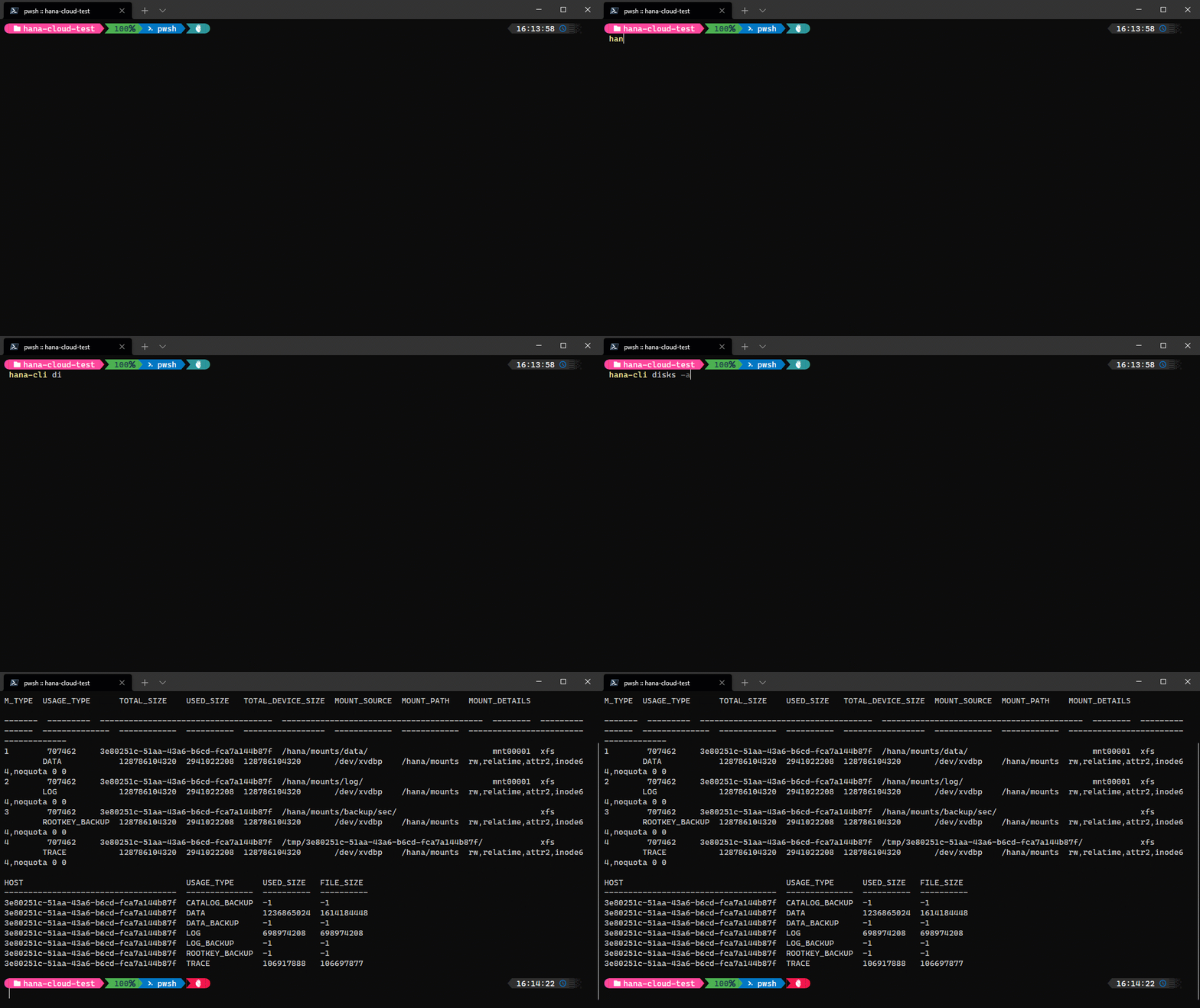
disks
hana-cli disks [aliases: di, Disks] Details about disk devices used by HANAConnection Parameters: -a, --admin, --Admin Connect via admin (default-env-admin.json) [boolean] [default: false] --conn Connection Filename to override default-env.json
Troubleshooting: --disableVerbose, --quiet Disable Verbose output - removes all extra output that is only helpful to human readable interface. Useful for scripting commands. [boolean] [default: false] --debug, --Debug Debug hana-cli itself by adding output of LOTS of intermediate details [boolean] [default: false]
dropContainer
hana-cli dropContainer [container] [group] [aliases: dc, dropC] Drop HDI container and clean up HDI Container usersConnection Parameters: -a, --admin, --Admin Connect via admin (default-env-admin.json) [boolean] [default: false] --conn Connection Filename to override default-env.json
Troubleshooting: --disableVerbose, --quiet Disable Verbose output - removes all extra output that is only helpful to human readable interface. Useful for scripting commands. [boolean] [default: false] --debug, --Debug Debug hana-cli itself by adding output of LOTS of intermediate details [boolean] [default: false]
Options: -c, --container, --Container Container Name [string] -g, --group, --Group Container Group Name [string] [default: empty]
dropGroup
hana-cli dropGroup [group] [aliases: dg, dropG] Drop HDI container groupConnection Parameters: -a, --admin, --Admin Connect via admin (default-env-admin.json) [boolean] [default: false] --conn Connection Filename to override default-env.json
Troubleshooting: --disableVerbose, --quiet Disable Verbose output - removes all extra output that is only helpful to human readable interface. Useful for scripting commands. [boolean] [default: false] --debug, --Debug Debug hana-cli itself by adding output of LOTS of intermediate details [boolean] [default: false]
Options: -g, --group, --Group Container Group Name [string]
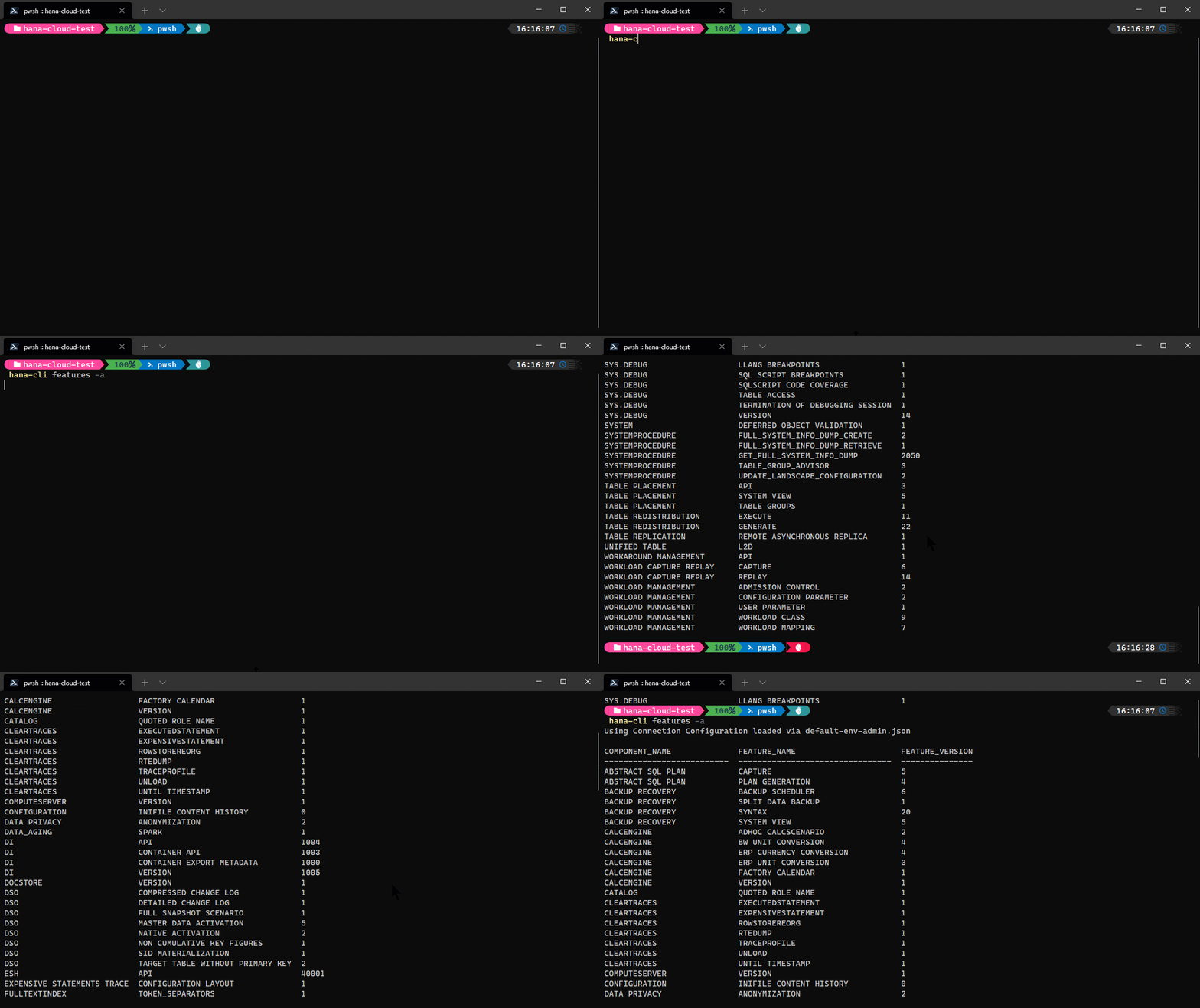
features
hana-cli features [aliases: fe, Features] SAP HANA Features and VersionConnection Parameters: -a, --admin, --Admin Connect via admin (default-env-admin.json) [boolean] [default: false] --conn Connection Filename to override default-env.json
Troubleshooting: --disableVerbose, --quiet Disable Verbose output - removes all extra output that is only helpful to human readable interface. Useful for scripting commands. [boolean] [default: false] --debug, --Debug Debug hana-cli itself by adding output of LOTS of intermediate details [boolean] [default: false]
featuresUI
hana-cli featuresUI [aliases: feui, featuresui, FeaturesUI] dataTypesConnection Parameters: -a, --admin, --Admin Connect via admin (default-env-admin.json) [boolean] [default: false] --conn Connection Filename to override default-env.json
Troubleshooting: --disableVerbose, --quiet Disable Verbose output - removes all extra output that is only helpful to human readable interface. Useful for scripting commands. [boolean] [default: false] --debug, --Debug Debug hana-cli itself by adding output of LOTS of intermediate details [boolean] [default: false]
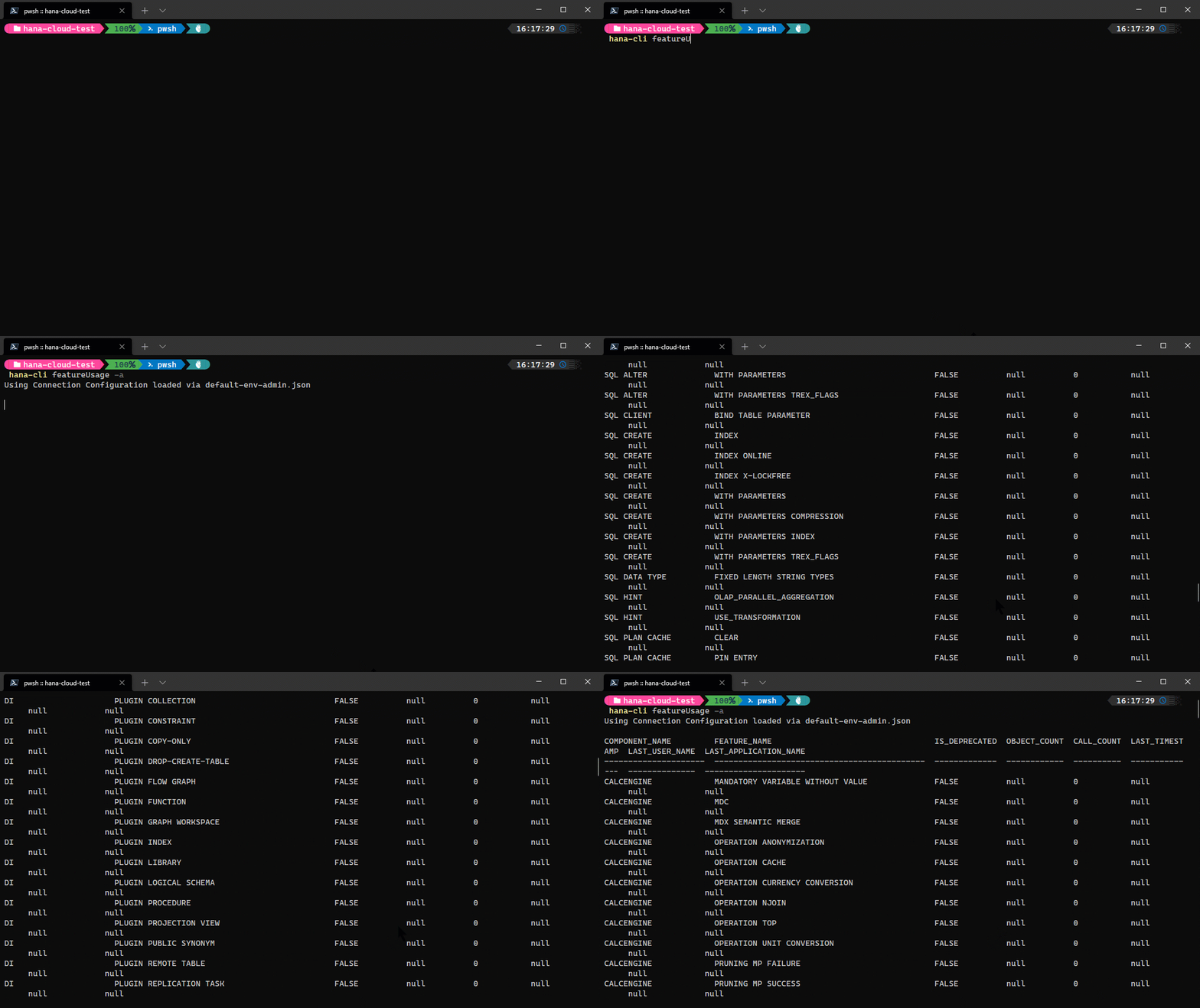
featureUsage
hana-cli featureUsage [aliases: fu, FeaturesUsage] Usage Statistics by FeatureConnection Parameters: -a, --admin, --Admin Connect via admin (default-env-admin.json) [boolean] [default: false] --conn Connection Filename to override default-env.json
Troubleshooting: --disableVerbose, --quiet Disable Verbose output - removes all extra output that is only helpful to human readable interface. Useful for scripting commands. [boolean] [default: false] --debug, --Debug Debug hana-cli itself by adding output of LOTS of intermediate details [boolean] [default: false]
featureUsageUI
hana-cli featureUsageUI [aliases: fuui, featureusageui, FeaturesUsageUI, featuresusageui] Usage Statistics by FeatureConnection Parameters: -a, --admin, --Admin Connect via admin (default-env-admin.json) [boolean] [default: false] --conn Connection Filename to override default-env.json
Troubleshooting: --disableVerbose, --quiet Disable Verbose output - removes all extra output that is only helpful to human readable interface. Useful for scripting commands. [boolean] [default: false] --debug, --Debug Debug hana-cli itself by adding output of LOTS of intermediate details [boolean] [default: false]
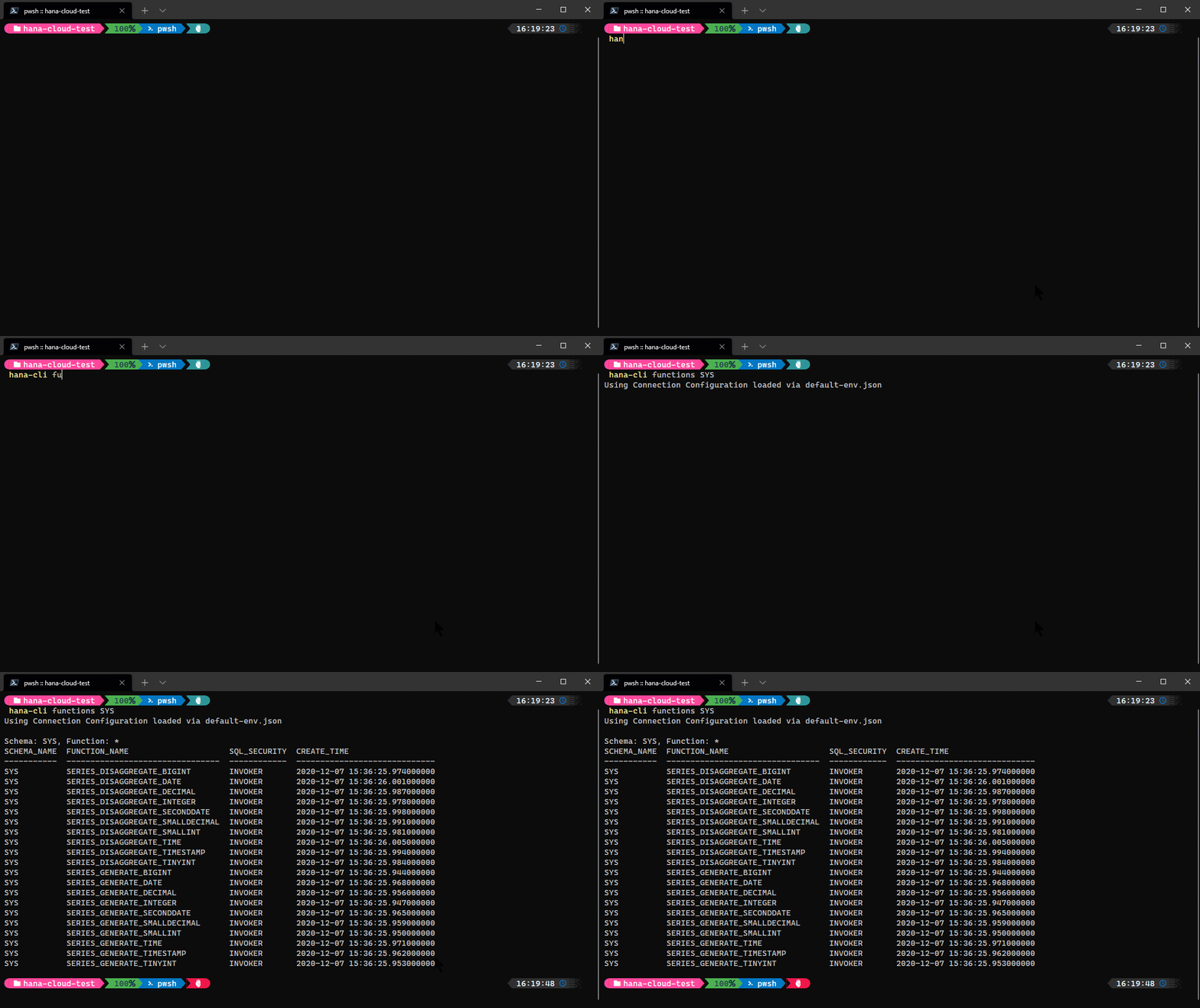
functions
hana-cli functions [schema] [function] [aliases: f, listFuncs, ListFunc, listfuncs, Listfunc, listFunctions, listfunctions] Get a list of all functionsConnection Parameters: -a, --admin, --Admin Connect via admin (default-env-admin.json) [boolean] [default: false] --conn Connection Filename to override default-env.json
Troubleshooting: --disableVerbose, --quiet Disable Verbose output - removes all extra output that is only helpful to human readable interface. Useful for scripting commands. [boolean] [default: false] --debug, --Debug Debug hana-cli itself by adding output of LOTS of intermediate details [boolean] [default: false]
Options: -f, --function, --Function Function [string] [default: "*"] -s, --schema, --Schema schema [string] [default: "CURRENT_SCHEMA"] -l, --limit Limit results [number] [default: 200]
functionsUI
hana-cli functionsUI [schema] [function] [aliases: fui, listFuncsUI, ListFuncUI, listfuncsui, Listfuncui, listFunctionsUI, listfunctionsui] Get a list of all functionsConnection Parameters: -a, --admin, --Admin Connect via admin (default-env-admin.json) [boolean] [default: false] --conn Connection Filename to override default-env.json
Troubleshooting: --disableVerbose, --quiet Disable Verbose output - removes all extra output that is only helpful to human readable interface. Useful for scripting commands. [boolean] [default: false] --debug, --Debug Debug hana-cli itself by adding output of LOTS of intermediate details [boolean] [default: false]
Options: -f, --function, --Function Function [string] [default: "*"] -s, --schema, --Schema schema [string] [default: "CURRENT_SCHEMA"] -l, --limit Limit results [number] [default: 200]
hdi
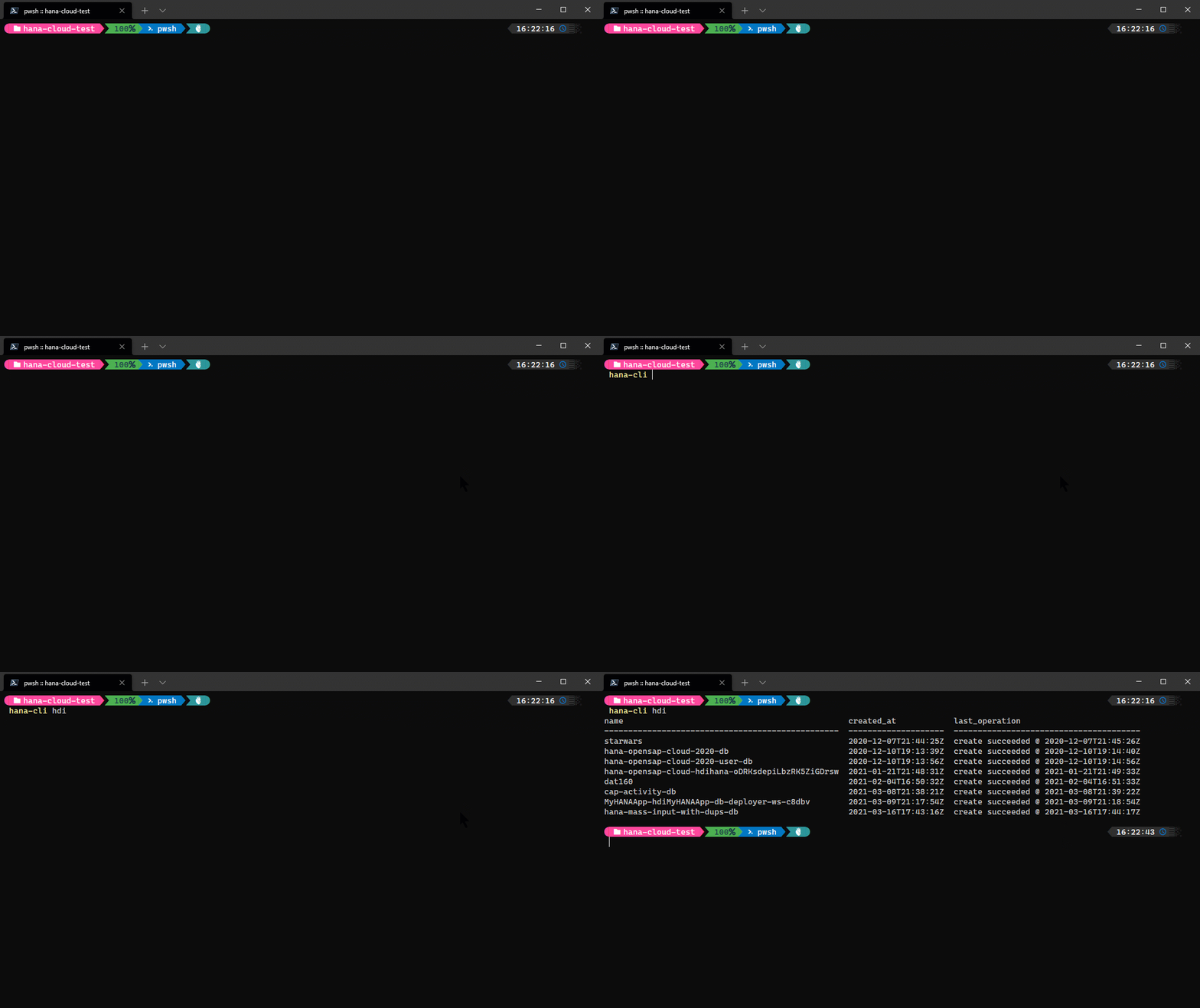
hana-cli hdi
[aliases: hdiInstances, hdiinstances, hdiServices, listhdi, hdiservices, hdis]
List all SAP HANA Cloud HDI service instances in your target Space
Troubleshooting:
--disableVerbose, --quiet  Disable Verbose output - removes all extra output
that is only helpful to human readable interface.
Useful for scripting commands.
[boolean] [default: false]
--debug, --Debug           Debug hana-cli itself by adding output of LOTS of
intermediate details     [boolean] [default: false]
Options:
-c, --cf, --cmd  Cloud Foundry?                      [boolean] [default: true]
hdiUI
hana-cli hdiUI [aliases: hdiInstancesUI, hdiinstancesui, hdiServicesUI, listhdiui, hdiservicesui, hdisui] List all SAP HANA Cloud HDI service instances in your target SpaceTroubleshooting: --disableVerbose, --quiet Disable Verbose output - removes all extra output that is only helpful to human readable interface. Useful for scripting commands. [boolean] [default: false] --debug, --Debug Debug hana-cli itself by adding output of LOTS of intermediate details [boolean] [default: false]
Options: -c, --cf, --cmd Cloud Foundry? [boolean] [default: true]
hc
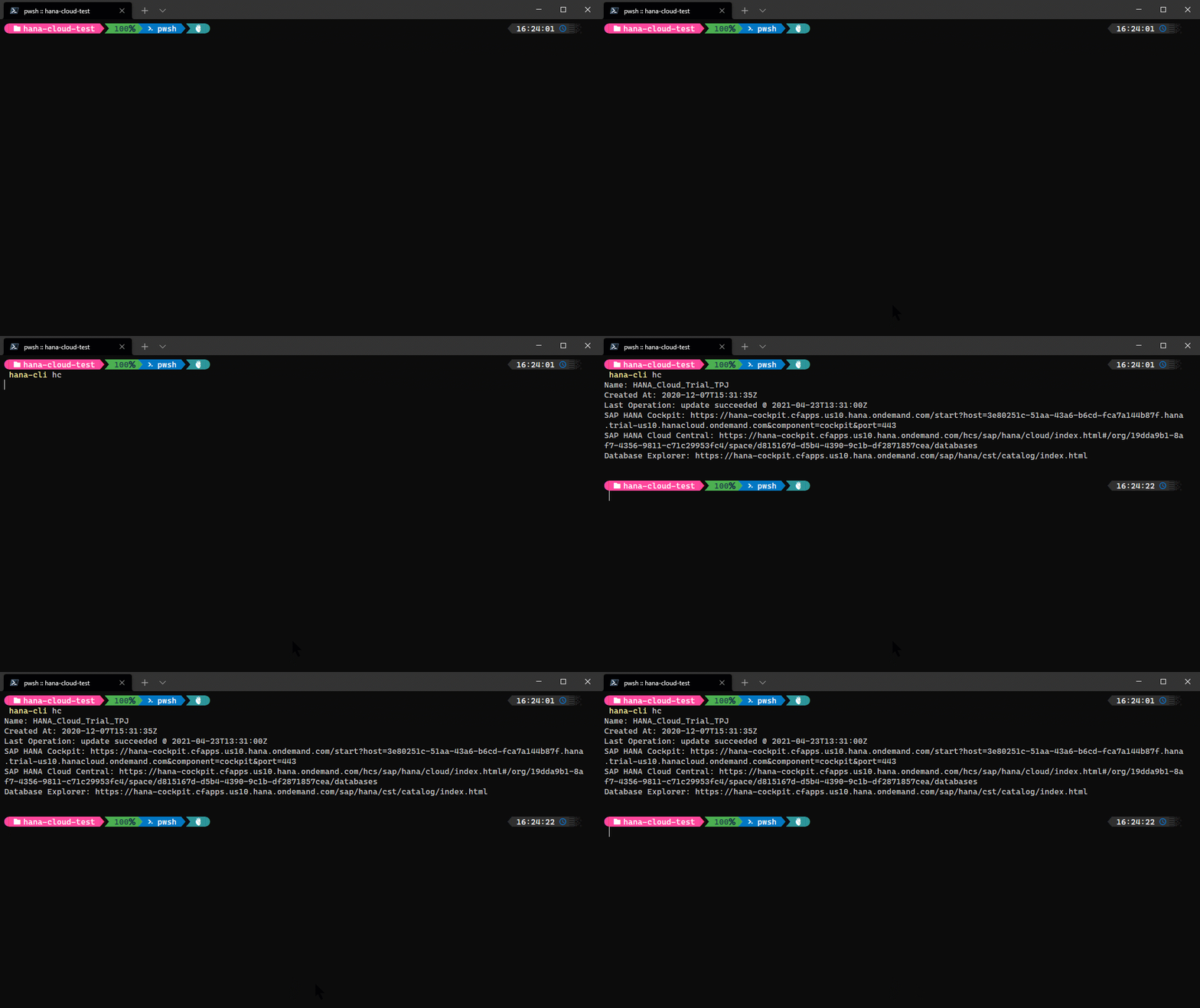
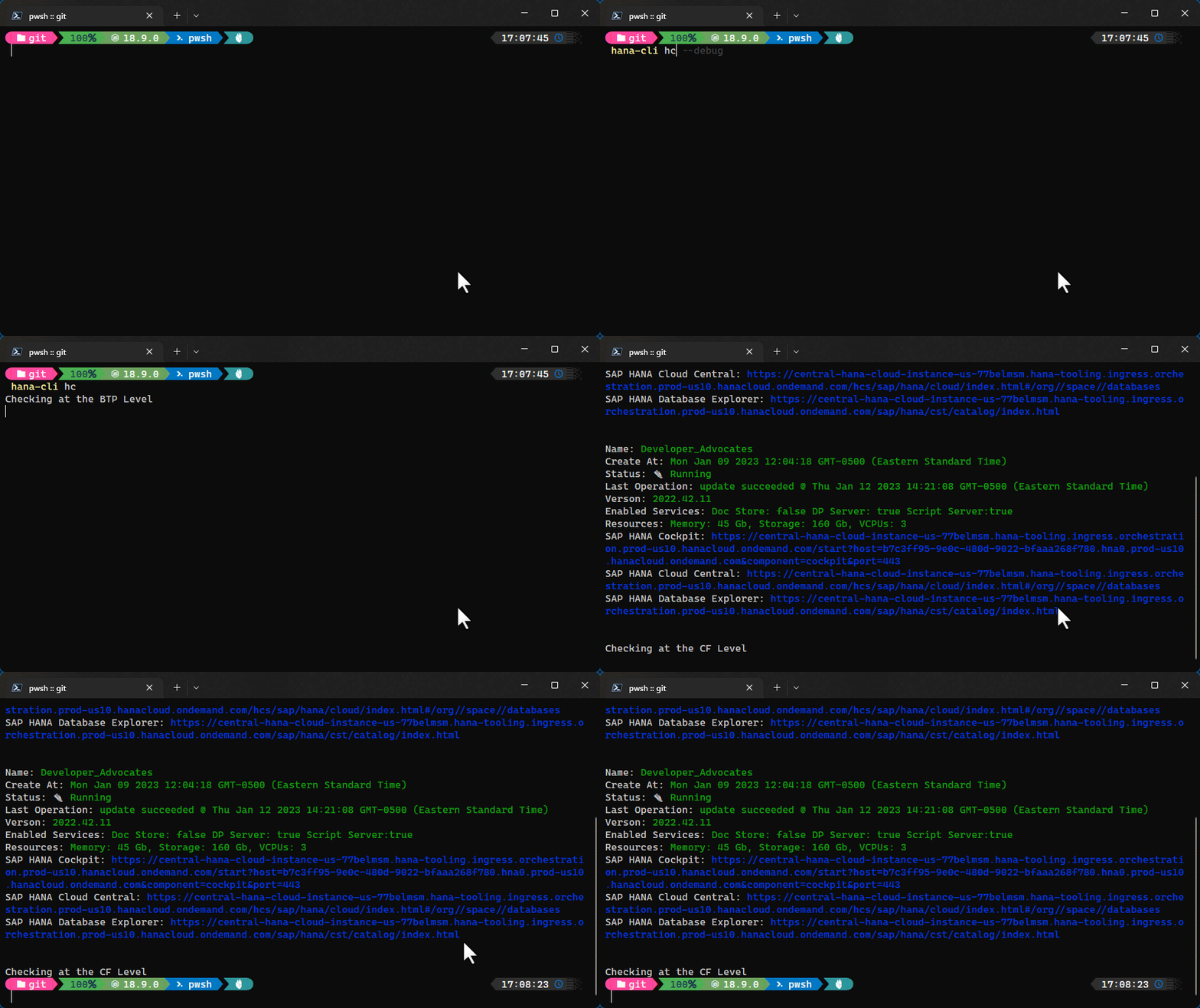
hana-cli hc [name] [aliases: hcInstances, instances, listHC, listhc, hcinstances] List all SAP HANA Cloud instances in your target SpaceTroubleshooting: --disableVerbose, --quiet Disable Verbose output - removes all extra output that is only helpful to human readable interface. Useful for scripting commands. [boolean] [default: false] --debug, --Debug Debug hana-cli itself by adding output of LOTS of intermediate details [boolean] [default: false]
Options: -n, --name SAP HANA Cloud Instance name [string] [default: "default"]
hcStart
hana-cli hcStart [name] [aliases: hcstart, hc_start, start] Start SAP HANA Cloud instanceTroubleshooting: --disableVerbose, --quiet Disable Verbose output - removes all extra output that is only helpful to human readable interface. Useful for scripting commands. [boolean] [default: false] --debug, --Debug Debug hana-cli itself by adding output of LOTS of intermediate details [boolean] [default: false]
Options: -n, --name SAP HANA Cloud Instance name [string] [default: "default"]
hcStop
hana-cli hcStop [name] [aliases: hcstop, hc_stop, stop] Stop SAP HANA Cloud instanceTroubleshooting: --disableVerbose, --quiet Disable Verbose output - removes all extra output that is only helpful to human readable interface. Useful for scripting commands. [boolean] [default: false] --debug, --Debug Debug hana-cli itself by adding output of LOTS of intermediate details [boolean] [default: false]
Options: -n, --name SAP HANA Cloud Instance name [string] [default: "default"]
hdbsql
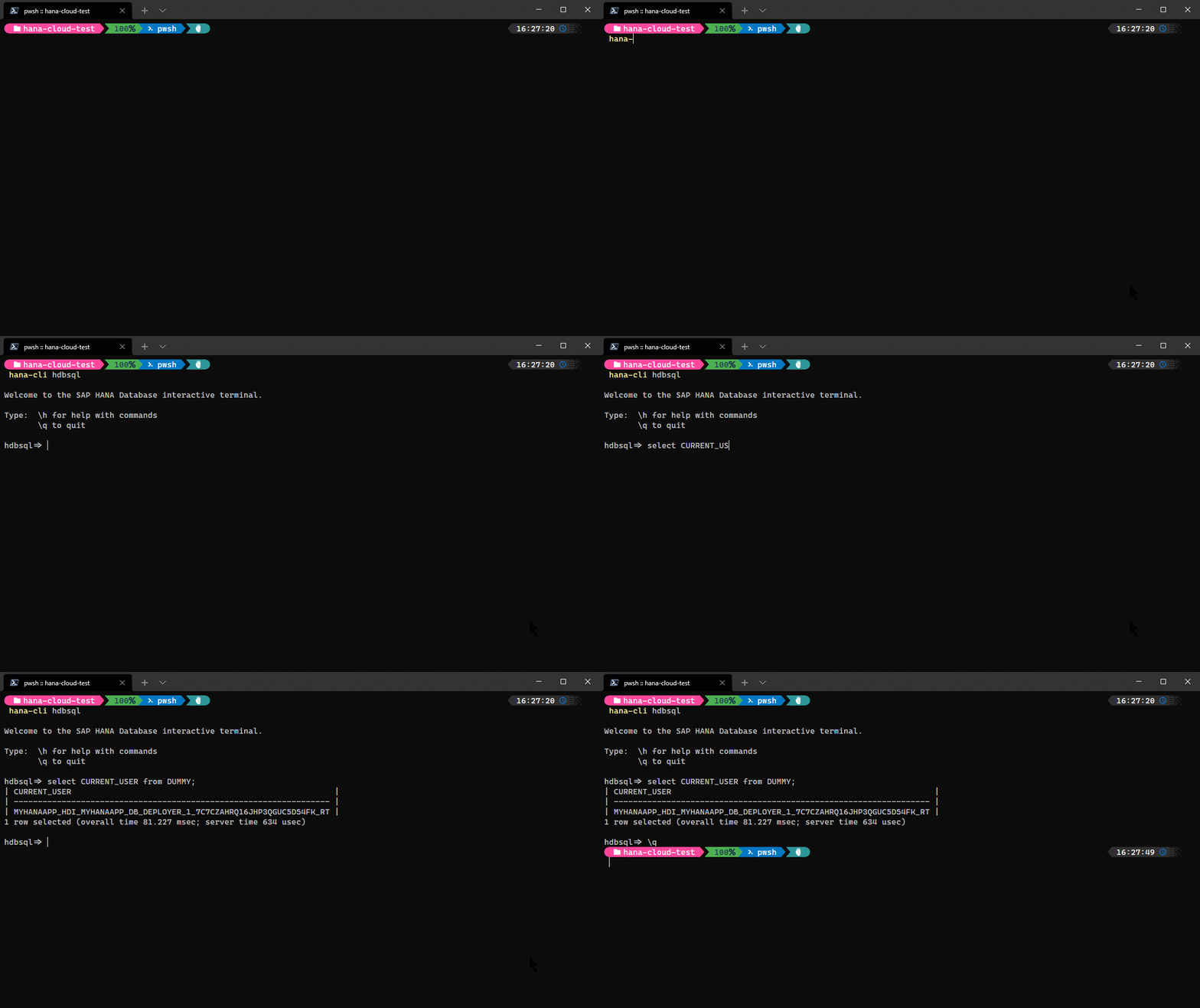
hana-cli hdbsqlLaunch the hdbsql tool (if installed separately) using the locally persisted credentials default-env*.json
Connection Parameters: -a, --admin, --Admin Connect via admin (default-env-admin.json) [boolean] [default: false] --conn Connection Filename to override default-env.json
Troubleshooting: --disableVerbose, --quiet Disable Verbose output - removes all extra output that is only helpful to human readable interface. Useful for scripting commands. [boolean] [default: false] --debug, --Debug Debug hana-cli itself by adding output of LOTS of intermediate details [boolean] [default: false]
help
hana-cli help
List all Commands and their Aliases
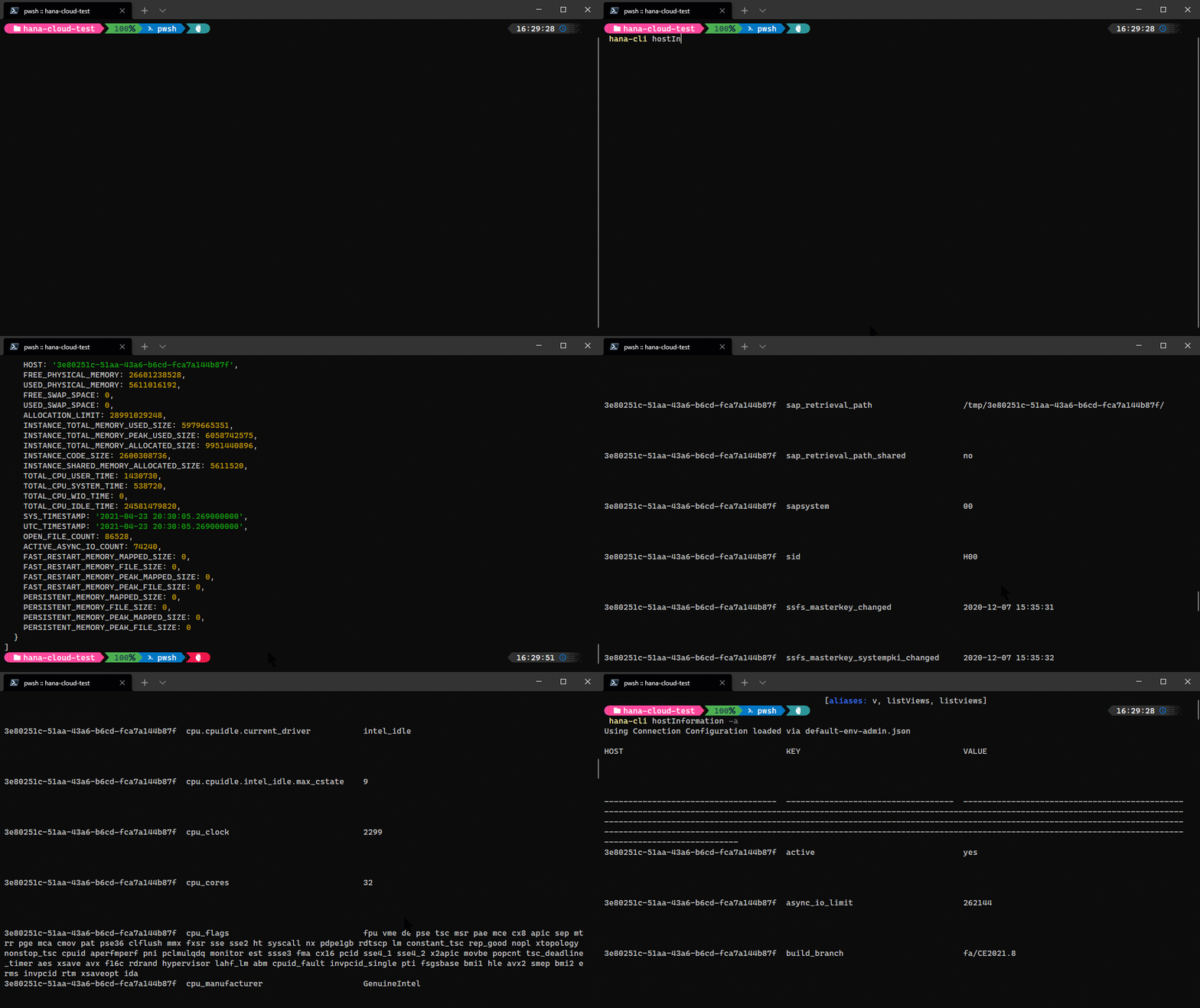
hostInformation
hana-cli hostInformation [aliases: hi, HostInformation, hostInfo, hostinfo] Host technical detailsConnection Parameters: -a, --admin, --Admin Connect via admin (default-env-admin.json) [boolean] [default: false] --conn Connection Filename to override default-env.json
Troubleshooting: --disableVerbose, --quiet Disable Verbose output - removes all extra output that is only helpful to human readable interface. Useful for scripting commands. [boolean] [default: false] --debug, --Debug Debug hana-cli itself by adding output of LOTS of intermediate details [boolean] [default: false]
indexes
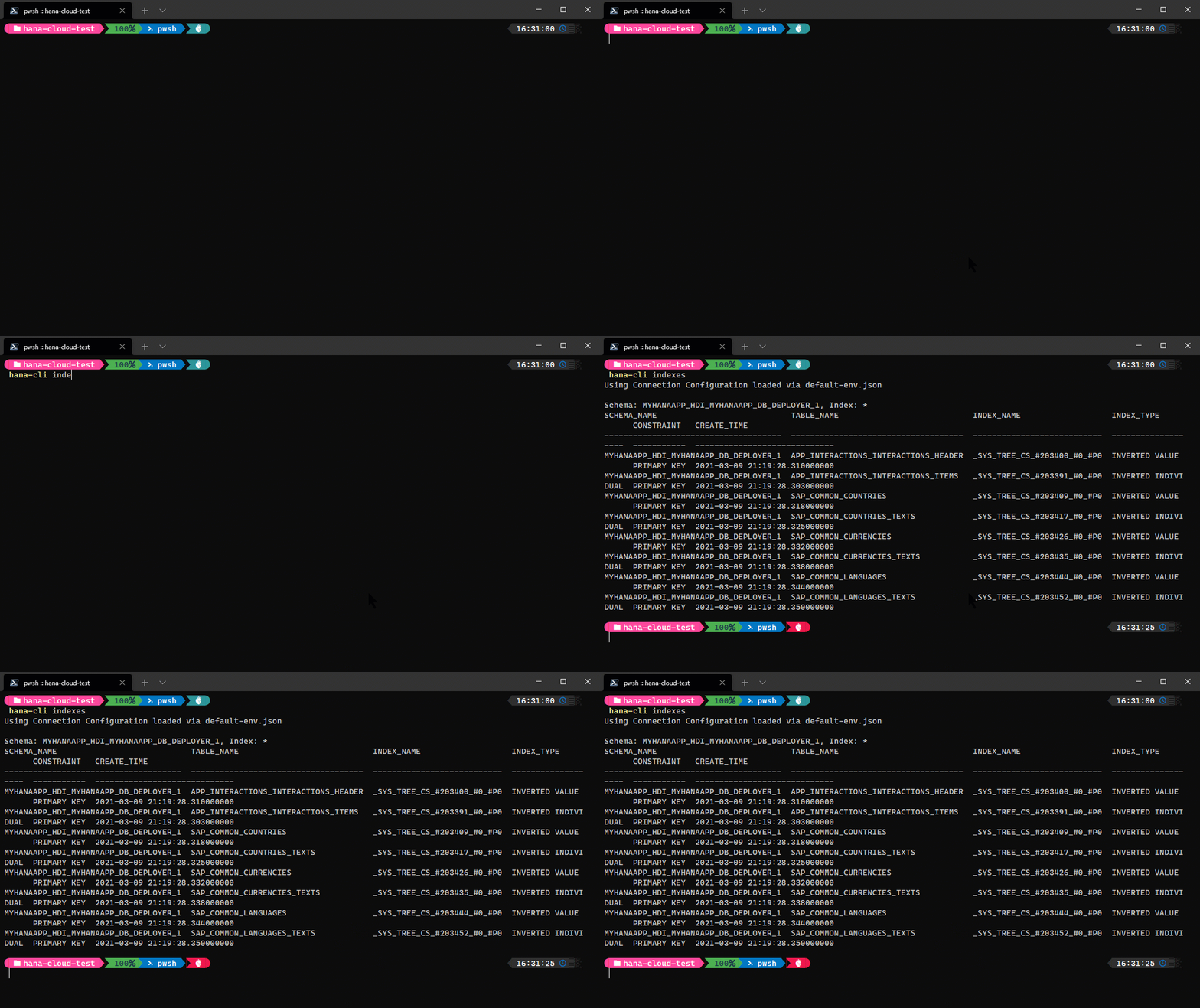
hana-cli indexes [schema] [indexes] [aliases: ind, listIndexes, ListInd, listind, Listind, listfindexes] Get a list of indexesConnection Parameters: -a, --admin, --Admin Connect via admin (default-env-admin.json) [boolean] [default: false] --conn Connection Filename to override default-env.json
Troubleshooting: --disableVerbose, --quiet Disable Verbose output - removes all extra output that is only helpful to human readable interface. Useful for scripting commands. [boolean] [default: false] --debug, --Debug Debug hana-cli itself by adding output of LOTS of intermediate details [boolean] [default: false]
Options: -i, --indexes, --Indexes Function [string] [default: "*"] -s, --schema, --Schema schema [string] [default: "CURRENT_SCHEMA"] -l, --limit Limit results [number] [default: 200]
indexesUI
hana-cli indexesUI [schema] [indexes] [aliases: indUI, listIndexesUI, ListIndUI, listindui, Listindui, listfindexesui, indexesui] Get a list of indexesConnection Parameters: -a, --admin, --Admin Connect via admin (default-env-admin.json) [boolean] [default: false] --conn Connection Filename to override default-env.json
Troubleshooting: --disableVerbose, --quiet Disable Verbose output - removes all extra output that is only helpful to human readable interface. Useful for scripting commands. [boolean] [default: false] --debug, --Debug Debug hana-cli itself by adding output of LOTS of intermediate details [boolean] [default: false]
Options: -i, --indexes, --Indexes Function [string] [default: "*"] -s, --schema, --Schema schema [string] [default: "CURRENT_SCHEMA"] -l, --limit Limit results [number] [default: 200]
iniContents
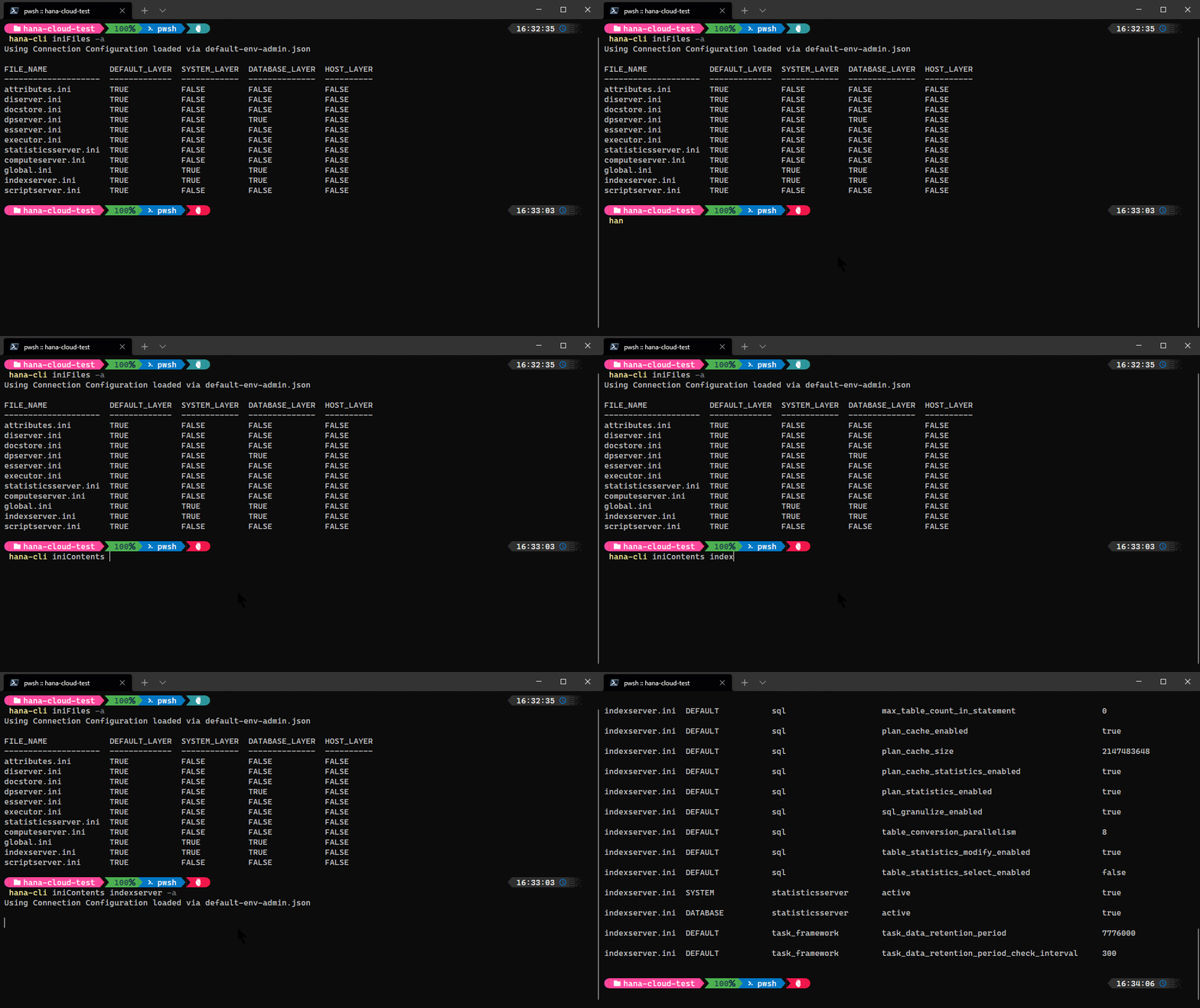
hana-cli iniContents [file] [section] [aliases: if, inifiles, ini] Contents of INI Configuration (filtered by File Name)Connection Parameters: -a, --admin, --Admin Connect via admin (default-env-admin.json) [boolean] [default: false] --conn Connection Filename to override default-env.json
Troubleshooting: --disableVerbose, --quiet Disable Verbose output - removes all extra output that is only helpful to human readable interface. Useful for scripting commands. [boolean] [default: false] --debug, --Debug Debug hana-cli itself by adding output of LOTS of intermediate details [boolean] [default: false]
Options: -f, --file, --File File Name [string] [default: ""] -s, --section, --Section Section [string] [default: ""] -l, --limit Limit results [number] [default: 200]
iniFiles
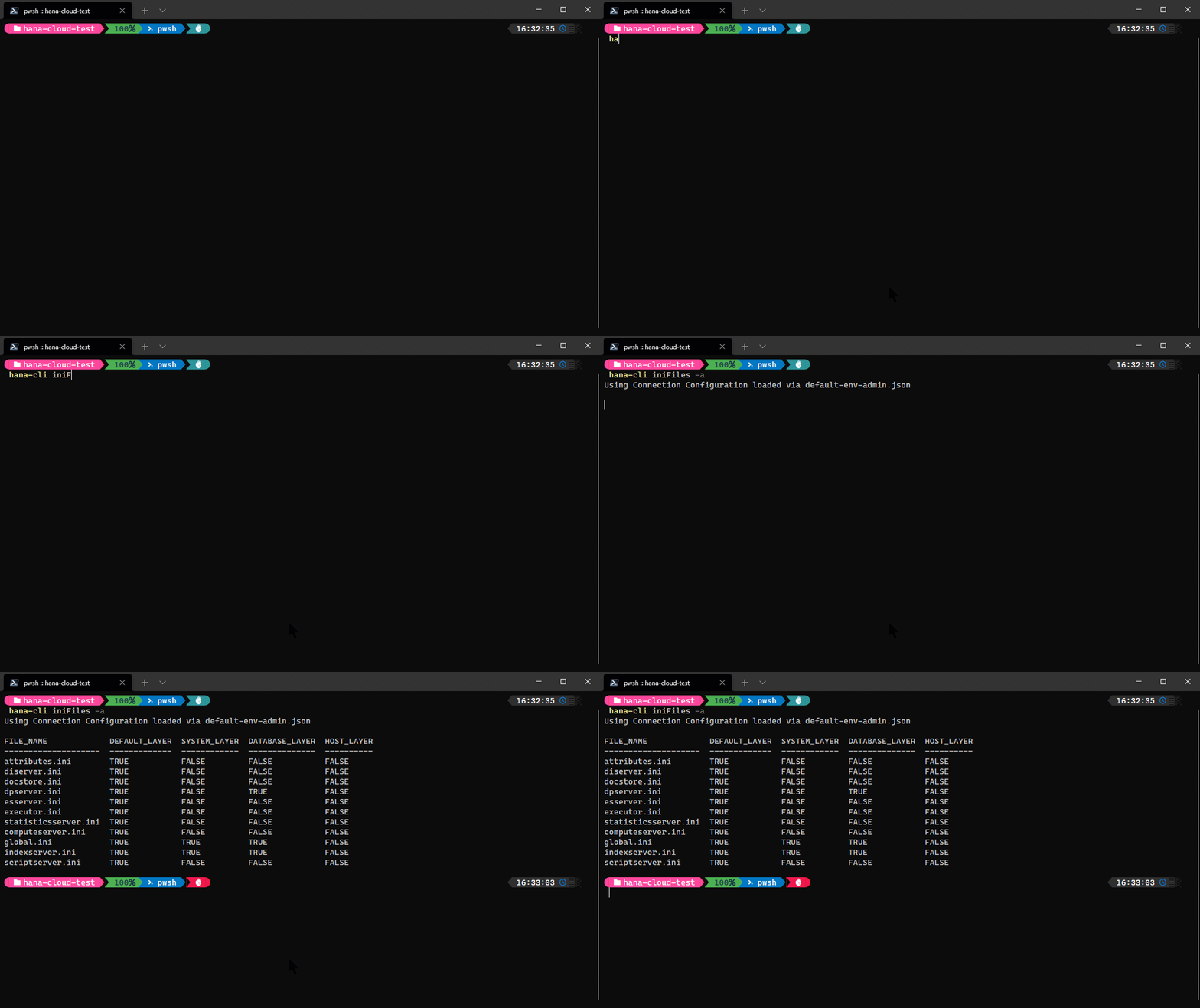
hana-cli iniFiles [aliases: if, inifiles, ini] List of INI Configuration Files for SAP HANAConnection Parameters: -a, --admin, --Admin Connect via admin (default-env-admin.json) [boolean] [default: false] --conn Connection Filename to override default-env.json
Troubleshooting: --disableVerbose, --quiet Disable Verbose output - removes all extra output that is only helpful to human readable interface. Useful for scripting commands. [boolean] [default: false] --debug, --Debug Debug hana-cli itself by adding output of LOTS of intermediate details [boolean] [default: false]
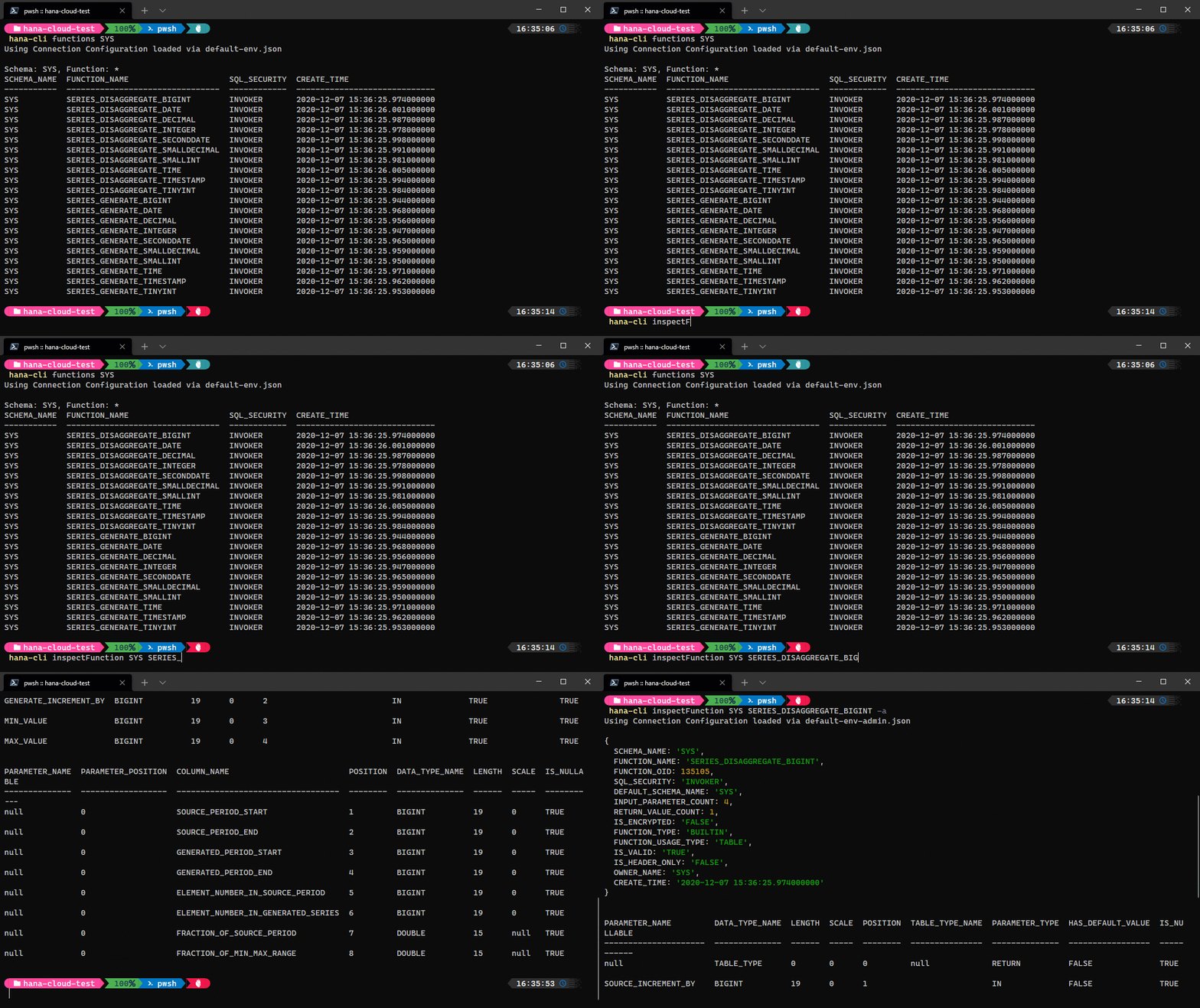
inspectFunction
hana-cli inspectFunction [schema] [function] [aliases: if, function, insFunc, inspectfunction] Return metadata about a FunctionConnection Parameters: -a, --admin, --Admin Connect via admin (default-env-admin.json) [boolean] [default: false] --conn Connection Filename to override default-env.json
Troubleshooting: --disableVerbose, --quiet Disable Verbose output - removes all extra output that is only helpful to human readable interface. Useful for scripting commands. [boolean] [default: false] --debug, --Debug Debug hana-cli itself by adding output of LOTS of intermediate details [boolean] [default: false]
Options: -f, --function, --Function Function [string] -s, --schema, --Schema schema [string] [default: "CURRENT_SCHEMA"] -o, --output, --Output Output Format for inspection [string] [choices: "tbl", "sql"] [default: "tbl"]
inspectIndex
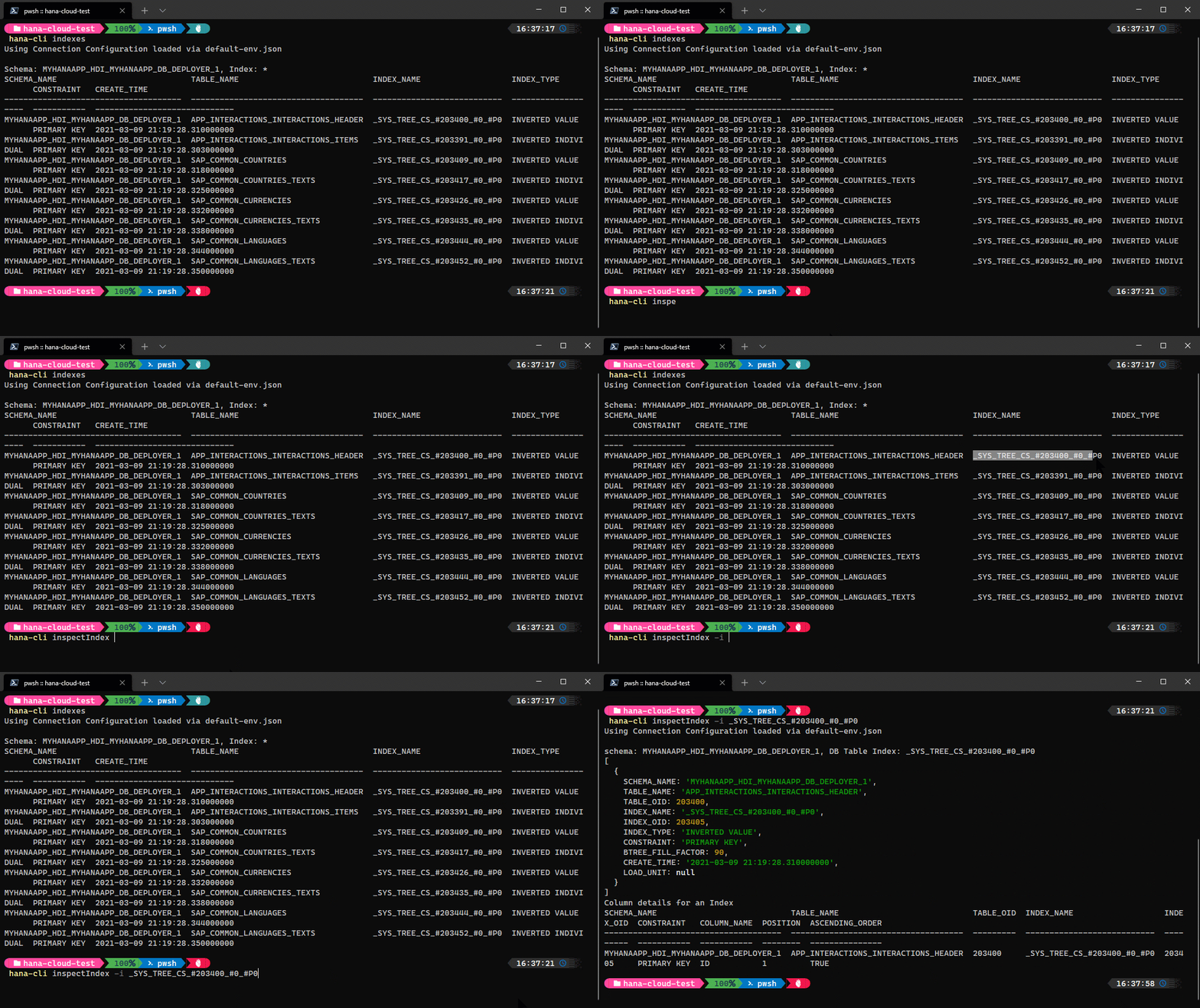
hana-cli inspectIndex [schema] [index] [aliases: ii, index, insIndex, inspectindex] Return metadata about an IndexConnection Parameters: -a, --admin, --Admin Connect via admin (default-env-admin.json) [boolean] [default: false] --conn Connection Filename to override default-env.json
Troubleshooting: --disableVerbose, --quiet Disable Verbose output - removes all extra output that is only helpful to human readable interface. Useful for scripting commands. [boolean] [default: false] --debug, --Debug Debug hana-cli itself by adding output of LOTS of intermediate details [boolean] [default: false]
Options: -i, --index, --Index DB Table Index [string] -s, --schema, --Schema schema [string] [default: "CURRENT_SCHEMA"]
inspectJWT
hana-cli inspectJWT [aliases: jwt, ijwt, iJWT, iJwt] Inspect JWT Token ConfigurationConnection Parameters: -a, --admin, --Admin Connect via admin (default-env-admin.json) [boolean] [default: false] --conn Connection Filename to override default-env.json
Troubleshooting: --disableVerbose, --quiet Disable Verbose output - removes all extra output that is only helpful to human readable interface. Useful for scripting commands. [boolean] [default: false] --debug, --Debug Debug hana-cli itself by adding output of LOTS of intermediate details [boolean] [default: false]
inspectLibMember
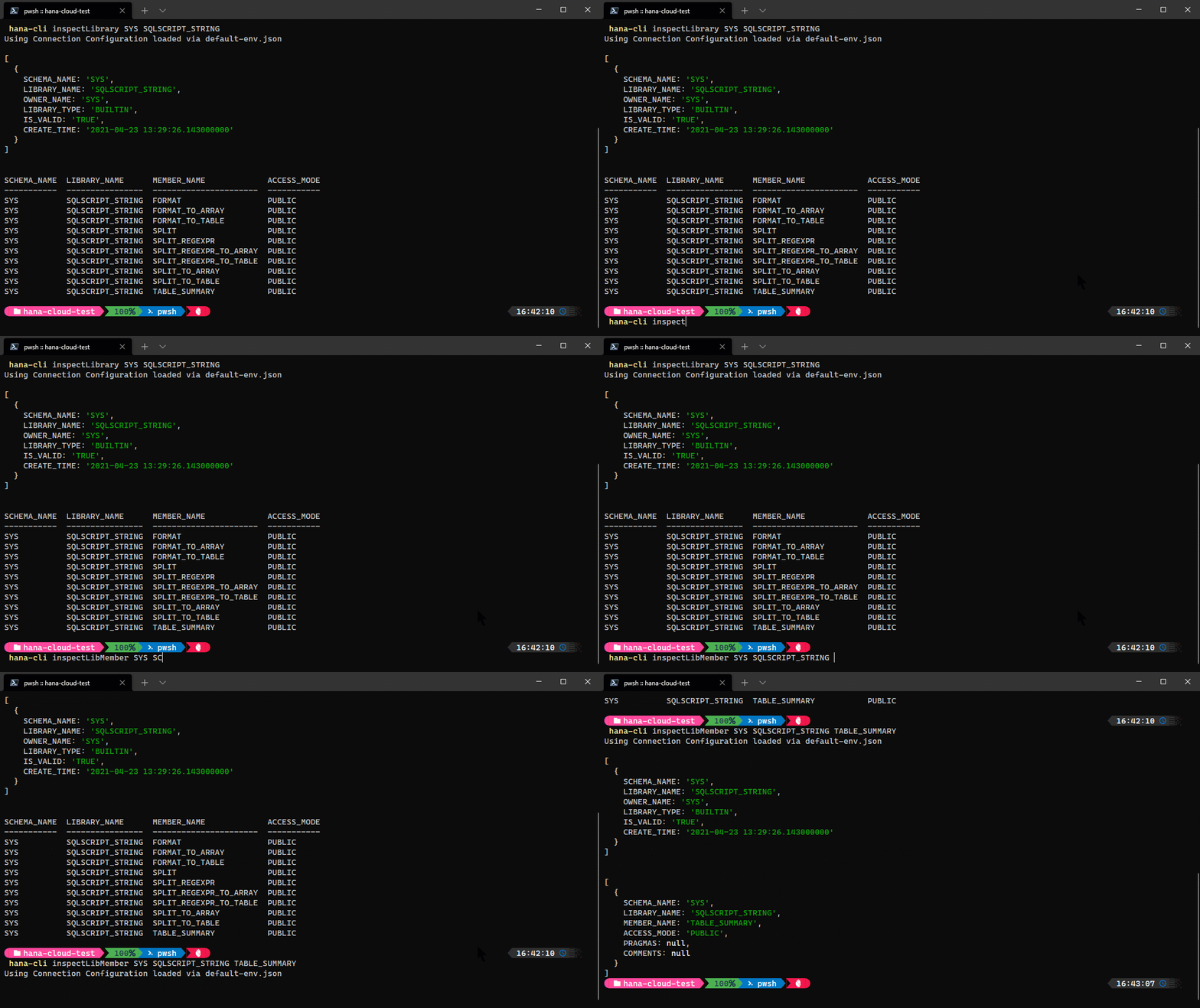
hana-cli inspectLibMember [schema] [library] [libraryMem] [aliases: ilm, libraryMember, librarymember, insLibMem, inspectlibrarymember] Return metata about a Library MemberConnection Parameters: -a, --admin, --Admin Connect via admin (default-env-admin.json) [boolean] [default: false] --conn Connection Filename to override default-env.json
Troubleshooting: --disableVerbose, --quiet Disable Verbose output - removes all extra output that is only helpful to human readable interface. Useful for scripting commands. [boolean] [default: false] --debug, --Debug Debug hana-cli itself by adding output of LOTS of intermediate details [boolean] [default: false]
Options: --library, --lib, --Library Library [string] -m, --libraryMem, --libMem, Library Member --LibraryMember [string] -s, --schema, --Schema schema [string] [default: "CURRENT_SCHEMA"] -o, --output, --Output Output Format for inspection [string] [choices: "tbl", "sql"] [default: "tbl"]
inspectLibrary
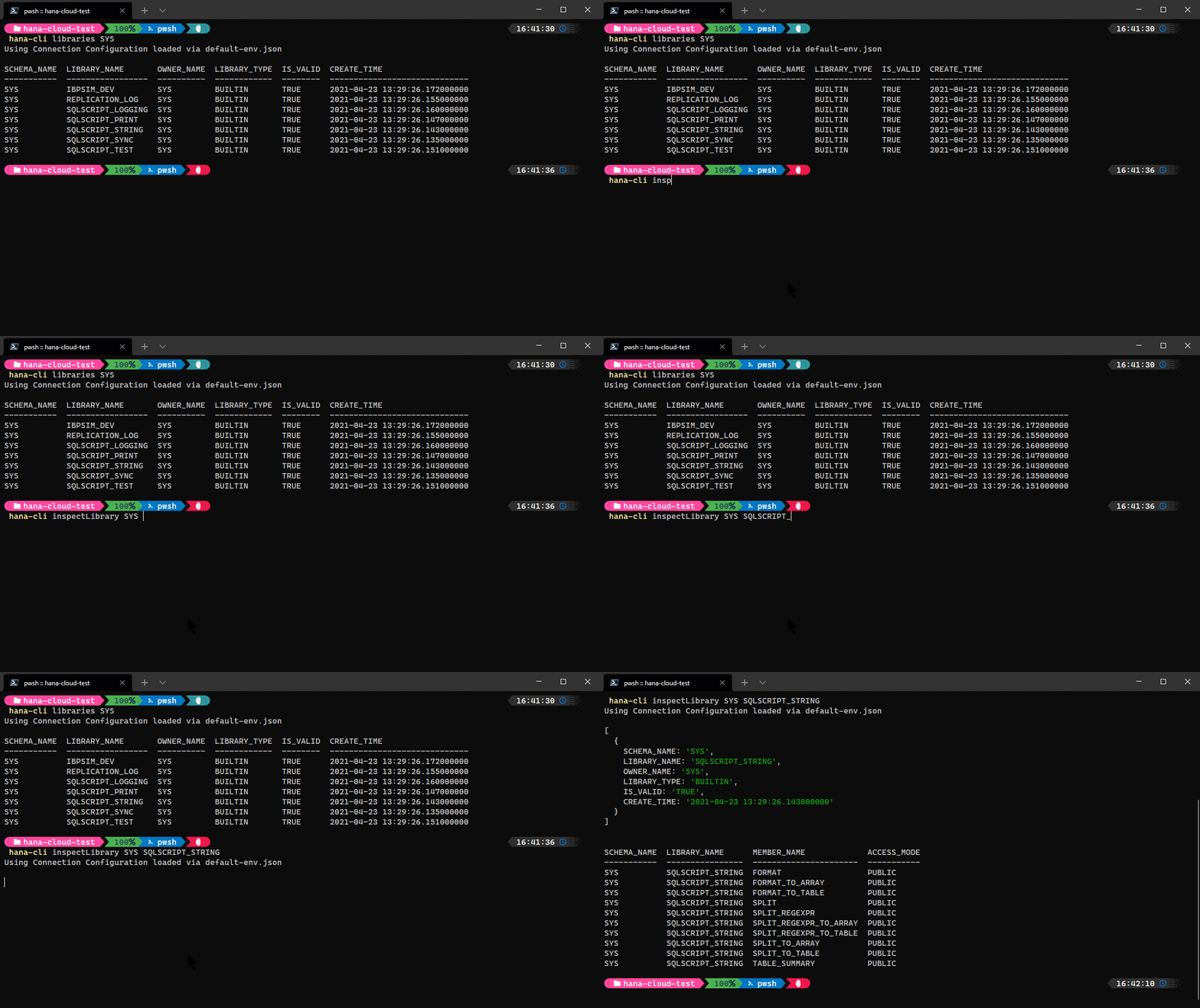
hana-cli inspectLibrary [schema] [library] [aliases: il, library, insLib, inspectlibrary] Return metadata about a LibraryConnection Parameters: -a, --admin, --Admin Connect via admin (default-env-admin.json) [boolean] [default: false] --conn Connection Filename to override default-env.json
Troubleshooting: --disableVerbose, --quiet Disable Verbose output - removes all extra output that is only helpful to human readable interface. Useful for scripting commands. [boolean] [default: false] --debug, --Debug Debug hana-cli itself by adding output of LOTS of intermediate details [boolean] [default: false]
Options: --library, --lib, --Library Library [string] -s, --schema, --Schema schema [string] [default: "CURRENT_SCHEMA"] -o, --output, --Output Output Format for inspection [string] [choices: "tbl", "sql"] [default: "tbl"]
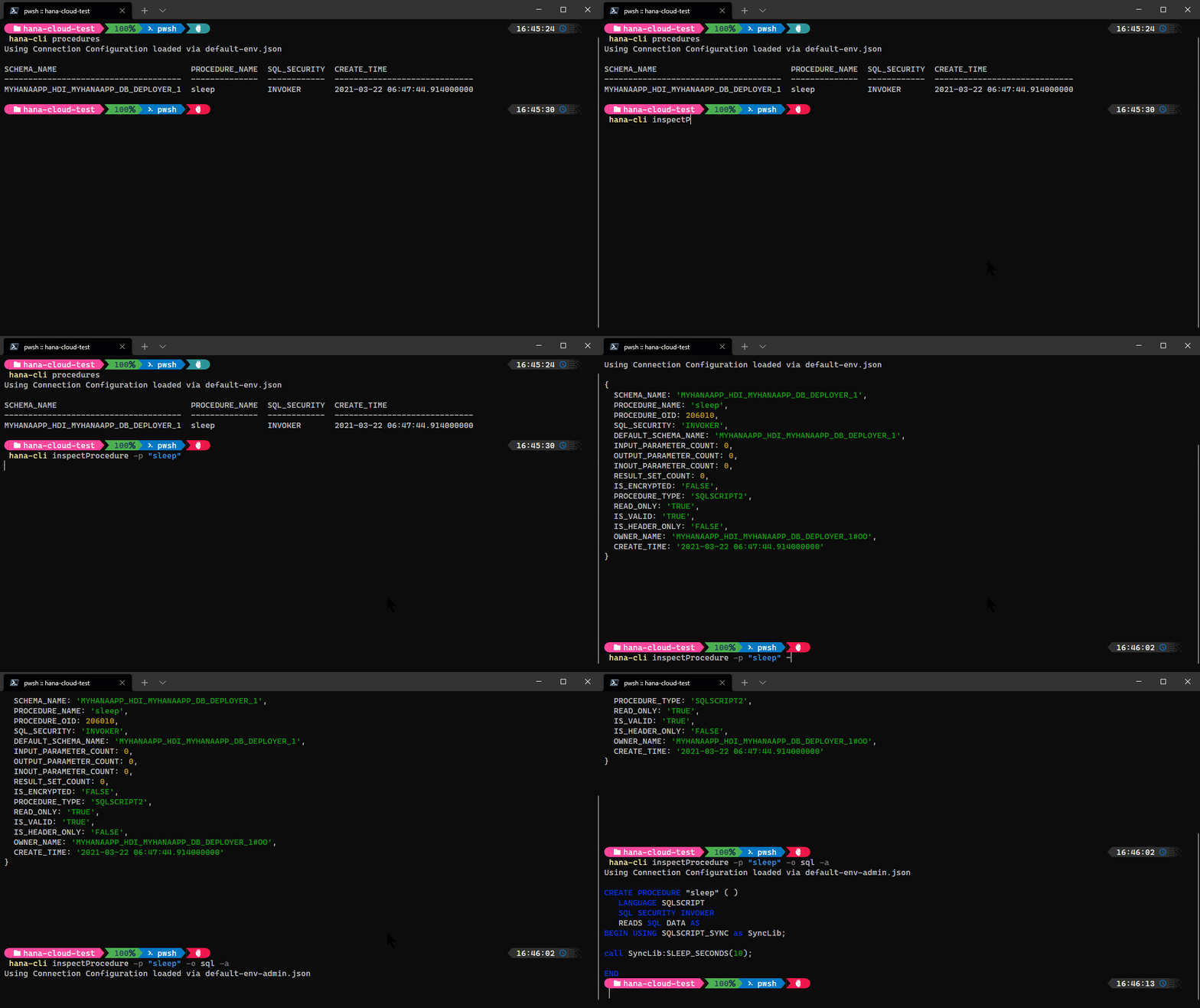
inspectProcedure
hana-cli inspectProcedure [schema] [procedure] [aliases: ip, procedure, insProc, inspectprocedure, inspectsp] Return metadata about a Stored ProcedureConnection Parameters: -a, --admin, --Admin Connect via admin (default-env-admin.json) [boolean] [default: false] --conn Connection Filename to override default-env.json
Troubleshooting: --disableVerbose, --quiet Disable Verbose output - removes all extra output that is only helpful to human readable interface. Useful for scripting commands. [boolean] [default: false] --debug, --Debug Debug hana-cli itself by adding output of LOTS of intermediate details [boolean] [default: false]
Options: -p, --procedure, --Procedure, --sp Stored Procedure [string] -s, --schema, --Schema schema [string] [default: "CURRENT_SCHEMA"] -o, --output, --Output Output Format for inspection [string] [choices: "tbl", "sql"] [default: "tbl"]
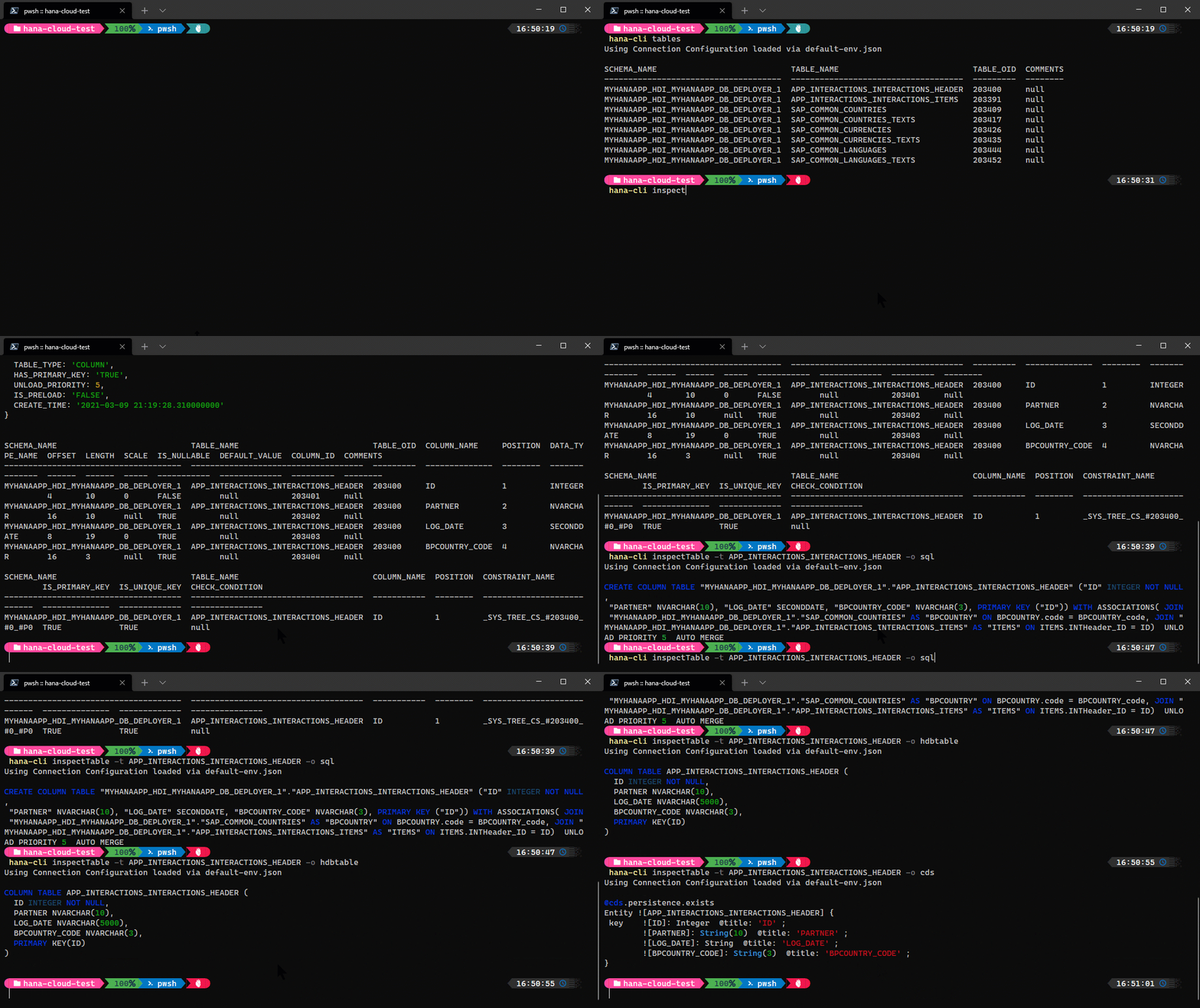
inspectTable
hana-cli inspectTable [schema] [table] [aliases: it, table, insTbl, inspecttable, inspectable] Return metadata about a DB tableConnection Parameters: -a, --admin, --Admin Connect via admin (default-env-admin.json) [boolean] [default: false] --conn Connection Filename to override default-env.json
Troubleshooting: --disableVerbose, --quiet Disable Verbose output - removes all extra output that is only helpful to human readable interface. Useful for scripting commands. [boolean] [default: false] --debug, --Debug Debug hana-cli itself by adding output of LOTS of intermediate details [boolean] [default: false]
Options: -t, --table, --Table Database Table [string] -s, --schema, --Schema schema [string] [default: "CURRENT_SCHEMA"] -o, --output, --Output Output Format for inspection [string] [choices: "tbl", "sql", "sqlite", "cds", "json", "yaml", "cdl", "annos", "edm", "edmx", "swgr", "openapi", "hdbtable", "hdbmigrationtable", "hdbcds", "jsdoc"] [default: "tbl"] --useHanaTypes, --hana Use SAP HANA-Specific Data Types See (https://cap. cloud.sap/docs/cds/cdl#predefined-types) [boolean] [default: false] --useExists, --exists, --persistence Use Persistence Exists Annotation [boolean] [default: true] -q, --useQuoted, --quoted, --quotedIdent Use Quoted Identifiers ![non-identif ifiers ier] [boolean] [default: false]
inspectTableUI
hana-cli inspectTableUI [schema] [table] [aliases: itui, tableUI, tableui, insTblUI, inspecttableui, inspectableui] Return metadata about a DB tableConnection Parameters: -a, --admin, --Admin Connect via admin (default-env-admin.json) [boolean] [default: false] --conn Connection Filename to override default-env.json
Troubleshooting: --disableVerbose, --quiet Disable Verbose output - removes all extra output that is only helpful to human readable interface. Useful for scripting commands. [boolean] [default: false] --debug, --Debug Debug hana-cli itself by adding output of LOTS of intermediate details [boolean] [default: false]
Options: -t, --table, --Table Database Table [string] -s, --schema, --Schema schema [string] [default: "CURRENT_SCHEMA"] -o, --output, --Output Output Format for inspection [string] [choices: "tbl", "sql", "sqlite", "cds", "json", "yaml", "cdl", "annos", "edm", "edmx", "swgr", "openapi", "hdbtable", "hdbmigrationtable", "hdbcds", "jsdoc", "graphql", "postgres"] [default: "tbl"] --useHanaTypes, --hana Use SAP HANA-Specific Data Types See (https://cap.cloud.sap/docs/cds/cdl# predefined-types) [boolean] [default: false] --useExists, --exists, --persistence Use Persistence Exists Annotation [boolean] [default: true] -q, --useQuoted, --quoted, Use Quoted Identifiers --quotedIdentifiers ![non-identifier] [boolean] [default: false] --noColons Replace :: in table/view path with dot [boolean] [default: false]
inspectTrigger
hana-cli inspectTrigger [schema] [trigger] [aliases: itrig, trigger, insTrig, inspecttrigger, inspectrigger] Return metadata about a TriggerConnection Parameters: -a, --admin, --Admin Connect via admin (default-env-admin.json) [boolean] [default: false] --conn Connection Filename to override default-env.json
Troubleshooting: --disableVerbose, --quiet Disable Verbose output - removes all extra output that is only helpful to human readable interface. Useful for scripting commands. [boolean] [default: false] --debug, --Debug Debug hana-cli itself by adding output of LOTS of intermediate details [boolean] [default: false]
Options: -t, --trigger, --Trigger Sequence [string] [default: "*"] -s, --schema, --Schema schema [string] [default: "CURRENT_SCHEMA"] -o, --output, --Output Output Format for inspection [string] [choices: "tbl", "sql"] [default: "tbl"]
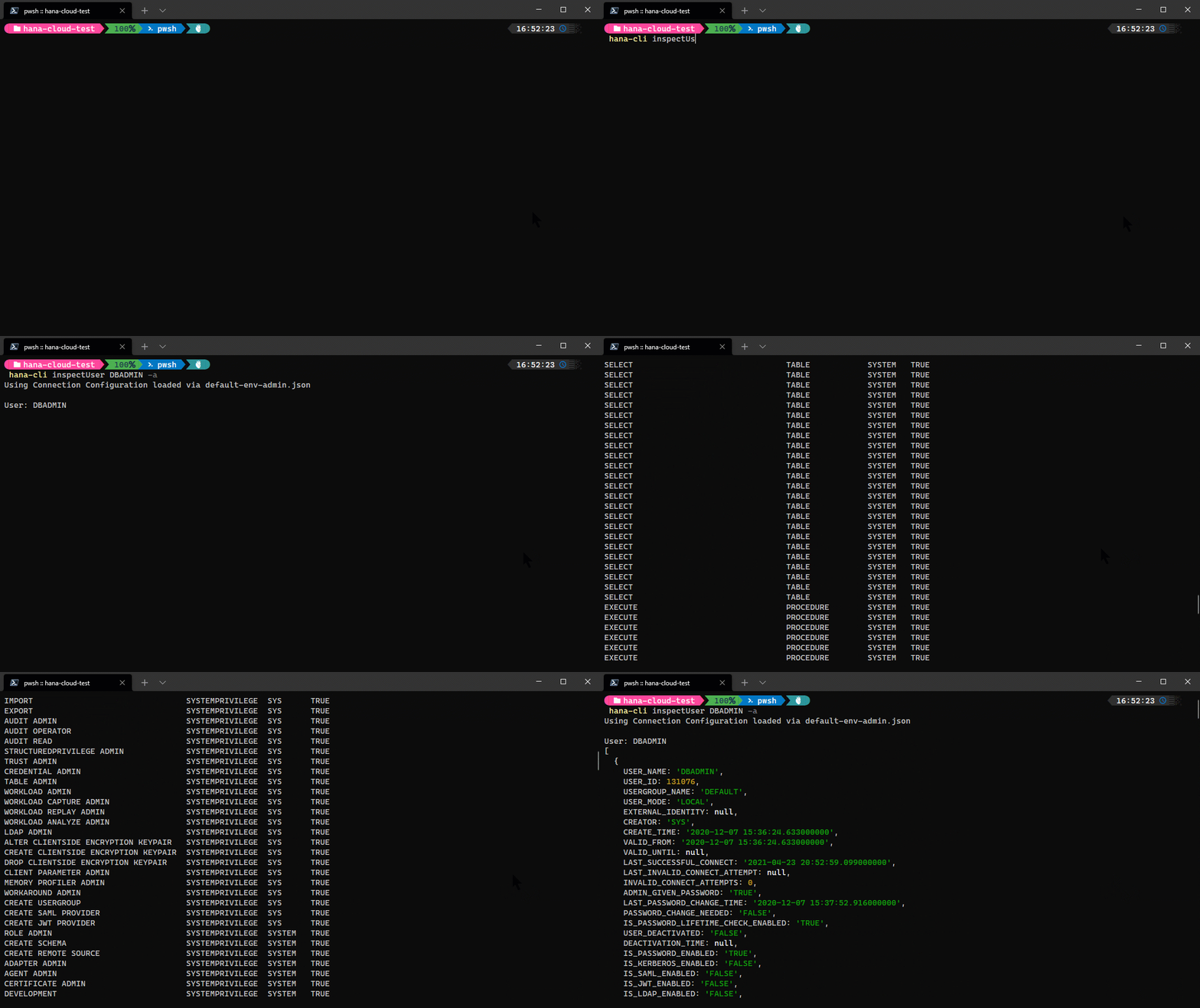
inspectUser
hana-cli inspectUser [user] [aliases: iu, user, insUser, inspectuser] Return metadata about a UserConnection Parameters: -a, --admin, --Admin Connect via admin (default-env-admin.json) [boolean] [default: false] --conn Connection Filename to override default-env.json
Troubleshooting: --disableVerbose, --quiet Disable Verbose output - removes all extra output that is only helpful to human readable interface. Useful for scripting commands. [boolean] [default: false] --debug, --Debug Debug hana-cli itself by adding output of LOTS of intermediate details [boolean] [default: false]
Options: -u, --user, --User User [string]
inspectView
hana-cli inspectView [schema] [view] [aliases: iv, view, insVew, inspectview] Return metadata about a DB viewConnection Parameters: -a, --admin, --Admin Connect via admin (default-env-admin.json) [boolean] [default: false] --conn Connection Filename to override default-env.json
Troubleshooting: --disableVerbose, --quiet Disable Verbose output - removes all extra output that is only helpful to human readable interface. Useful for scripting commands. [boolean] [default: false] --debug, --Debug Debug hana-cli itself by adding output of LOTS of intermediate details [boolean] [default: false]
Options: -v, --view, --View Database View [string] -s, --schema, --Schema schema [string] [default: "CURRENT_SCHEMA"] -o, --output, --Output Output Format for inspection [string] [choices: "tbl", "sql", "sqlite", "cds", "json", "yaml", "cdl", "annos", "edm", "edmx", "swgr", "openapi", "hdbview", "hdbcds", "jsdoc", "graphql", "postgres"] [default: "tbl"] --useHanaTypes, --hana Use SAP HANA-Specific Data Types See (https://cap. cloud.sap/docs/cds/cdl#predefined-types) [boolean] [default: false] --useExists, --exists, --persistence Use Persistence Exists Annotation [boolean] [default: true] -q, --useQuoted, --quoted, --quotedIdent Use Quoted Identifiers ![non-identif ifiers ier] [boolean] [default: false]
issue
Report an Issue with the hana-cli
Troubleshooting:
--disableVerbose, --quiet  Disable Verbose output - removes all extra output t
hat is only helpful to human readable interface. Us
eful for scripting commands.
[boolean] [default: false]
--debug, --Debug           Debug hana-cli itself by adding output of LOTS of i
ntermediate details      [boolean] [default: false]
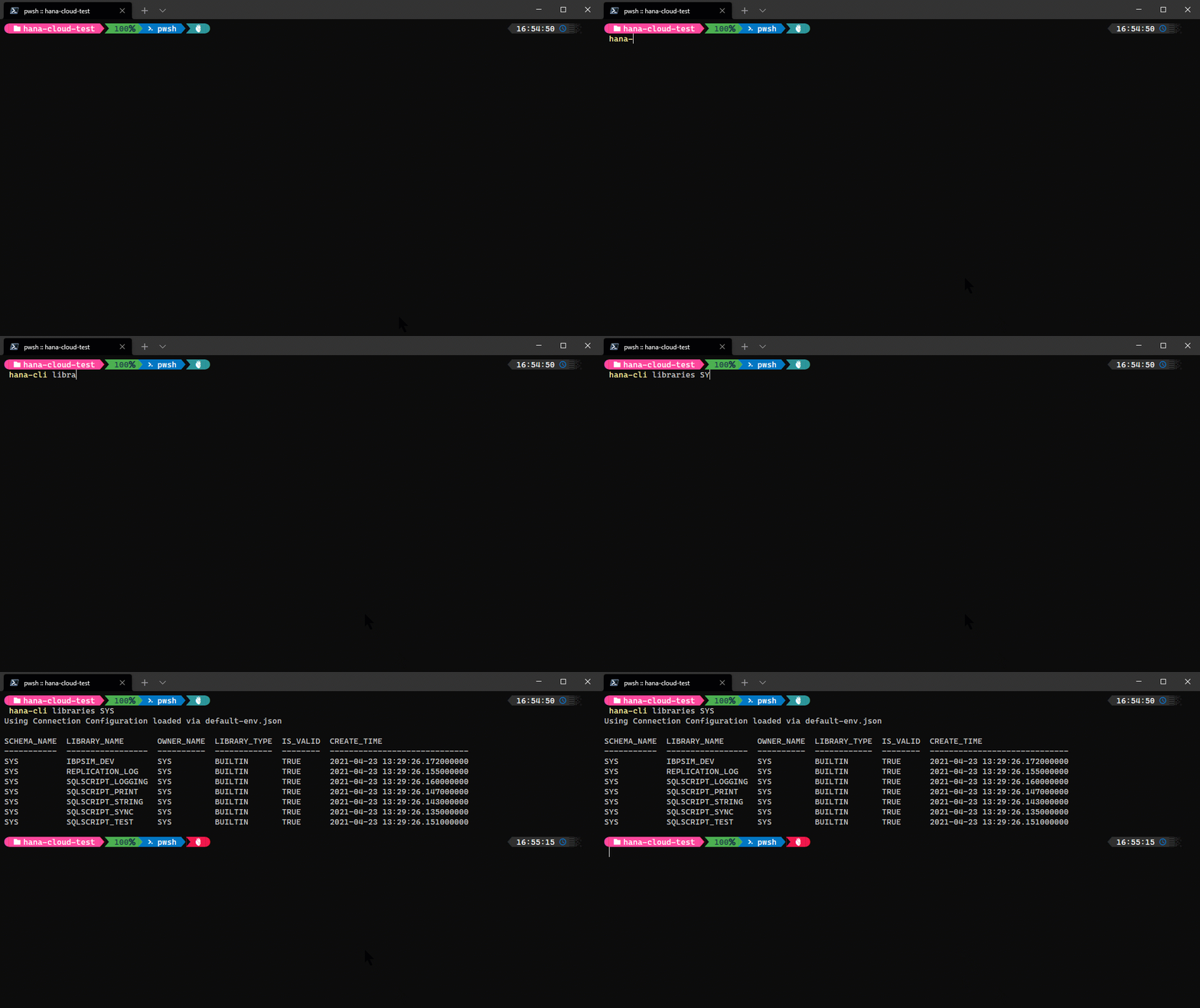
libraries
hana-cli libraries [schema] [library] [aliases: l, listLibs, ListLibs, listlibs, ListLib, listLibraries, listlibraries] Get a list of all librariesConnection Parameters: -a, --admin, --Admin Connect via admin (default-env-admin.json) [boolean] [default: false] --conn Connection Filename to override default-env.json
Troubleshooting: --disableVerbose, --quiet Disable Verbose output - removes all extra output that is only helpful to human readable interface. Useful for scripting commands. [boolean] [default: false] --debug, --Debug Debug hana-cli itself by adding output of LOTS of intermediate details [boolean] [default: false]
Options: --library, --lib, --Library Library [string] [default: "*"] -s, --schema, --Schema schema [string] [default: "CURRENT_SCHEMA"] -l, --limit Limit results [number] [default: 200]
massConvert
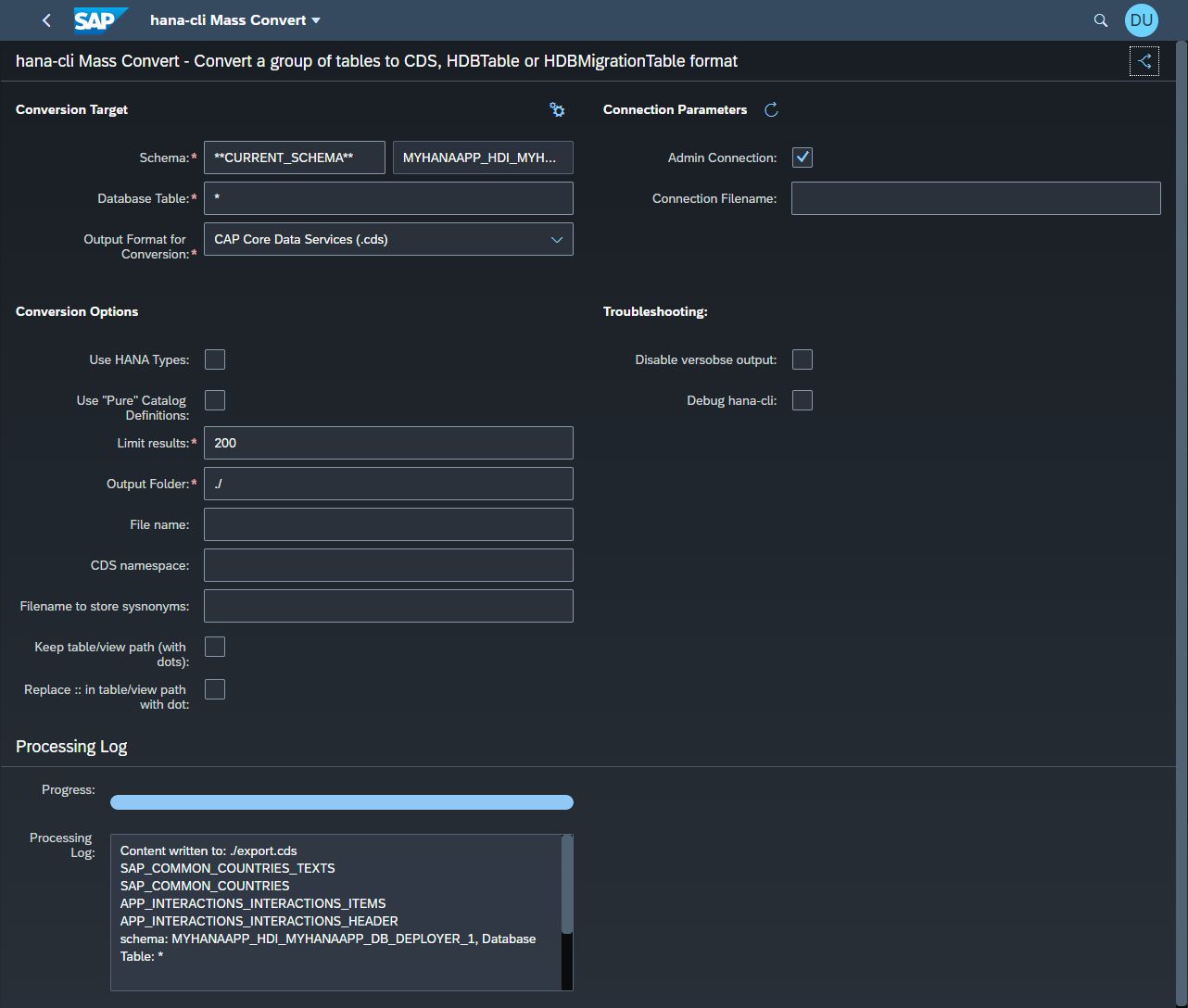
hana-cli massConvert [schema] [table]Convert a group of tables to CDS or HDBTable format
Connection Parameters: -a, --admin, --Admin Connect via admin (default-env-admin.json) [boolean] [default: false] --conn Connection Filename to override default-env.json
Troubleshooting: --disableVerbose, --quiet Disable Verbose output - removes all extra output that is only helpful to human readable interface. Useful for scripting commands. [boolean] [default: false] --debug, --Debug Debug hana-cli itself by adding output of LOTS of intermediate details [boolean] [default: false]
Options: -t, --table, --Table Database Table[string] [default: "*"] -s, --schema, --Schema schema [string] [default: "CURRENT_SCHEMA"] -l, --limit Limit results [number] [default: 200] -f, --folder, --Folder DB Module Folder Name [string] [default: "./"] -n, --filename, --Filename File name [string] -o, --output, --Output Output Format for inspection [string] [choices: "hdbtable", "cds", "hdbmigrationtable"] [default: "cds"] --useHanaTypes, --hana Use SAP HANA-Specific Data Types See (https://cap.cloud.sap/docs/cds/cdl#p redefined-types) [boolean] [default: false] --useCatalogPure, --catalog, --pure Use "Pure" catalog definitions in a massConvert. Will include additional metadata such as Associations and Merge settings but will also include some references that are incompatible with HDI [boolean] [default: false] --useExists, --exists, --persistence Use Persistence Exists Annotation [boolean] [default: true] -q, --useQuoted, --quoted, --quotedIdent Use Quoted Identifiers ![non-identif ifiers ier] [boolean] [default: false]
--namespace, --ns CDS namespace [string] [default: ""] --synonyms Filename to store sysnonyms [string] [default: ""] --keepPath Keep table/view path (with dots) [boolean] [default: false] --noColons Replace :: in table/view path with dot [boolean] [default: false]
massConvertUI
hana-cli massConvertUI [schema] [table]Convert a group of tables to CDS or HDBTable format via a browser based UI
Connection Parameters: -a, --admin, --Admin Connect via admin (default-env-admin.json) [boolean] [default: false] --conn Connection Filename to override default-env.json
Troubleshooting: --disableVerbose, --quiet Disable Verbose output - removes all extra output that is only helpful to human readable interface. Useful for scripting commands. [boolean] [default: false] --debug, --Debug Debug hana-cli itself by adding output of LOTS of intermediate details [boolean] [default: false]
Options: -t, --table, --Table Database Table[string] [default: "*"] -s, --schema, --Schema schema [string] [default: "CURRENT_SCHEMA"] -l, --limit Limit results [number] [default: 200] -f, --folder, --Folder DB Module Folder Name [string] [default: "./"] -n, --filename, --Filename File name [string] -o, --output, --Output Output Format for inspection [string] [choices: "hdbtable", "cds", "hdbmigrationtable"] [default: "cds"] --useHanaTypes, --hana Use SAP HANA-Specific Data Types See (https://cap.cloud.sap/docs/cds/cdl#p redefined-types) [boolean] [default: false] --useCatalogPure, --catalog, --pure Use "Pure" catalog definitions in a massConvert. Will include additional metadata such as Associations and Merge settings but will also include some references that are incompatible with HDI [boolean] [default: false] --namespace, --ns CDS namespace [string] [default: ""] --synonyms Filename to store sysnonyms [string] [default: ""] --keepPath Keep table/view path (with dots) [boolean] [default: false] --noColons Replace :: in table/view path with dot [boolean] [default: false]
massRename
hana-cli massRename [aliases: mr, massrename, massRN, massrn] Mass Rename fields based upon a CDS-based massExport fileConnection Parameters: -a, --admin, --Admin Connect via admin (default-env-admin.json) [boolean] [default: false] --conn Connection Filename to override default-env.json
Troubleshooting: --disableVerbose, --quiet Disable Verbose output - removes all extra output that is only helpful to human readable interface. Useful for scripting commands. [boolean] [default: false] --debug, --Debug Debug hana-cli itself by adding output of LOTS of intermediate details [boolean] [default: false]
massUsers
hana-cli massUsers [user] [password] [aliases: massUser, mUsers, mUser, mu] Mass Create 50 Developer Users (for workshops)Connection Parameters: -a, --admin, --Admin Connect via admin (default-env-admin.json) [boolean] [default: false] --conn Connection Filename to override default-env.json
Troubleshooting: --disableVerbose, --quiet Disable Verbose output - removes all extra output that is only helpful to human readable interface. Useful for scripting commands. [boolean] [default: false] --debug, --Debug Debug hana-cli itself by adding output of LOTS of intermediate details [boolean] [default: false]
Options: -u, --user, --User User -p, --password, --Password Password
objects
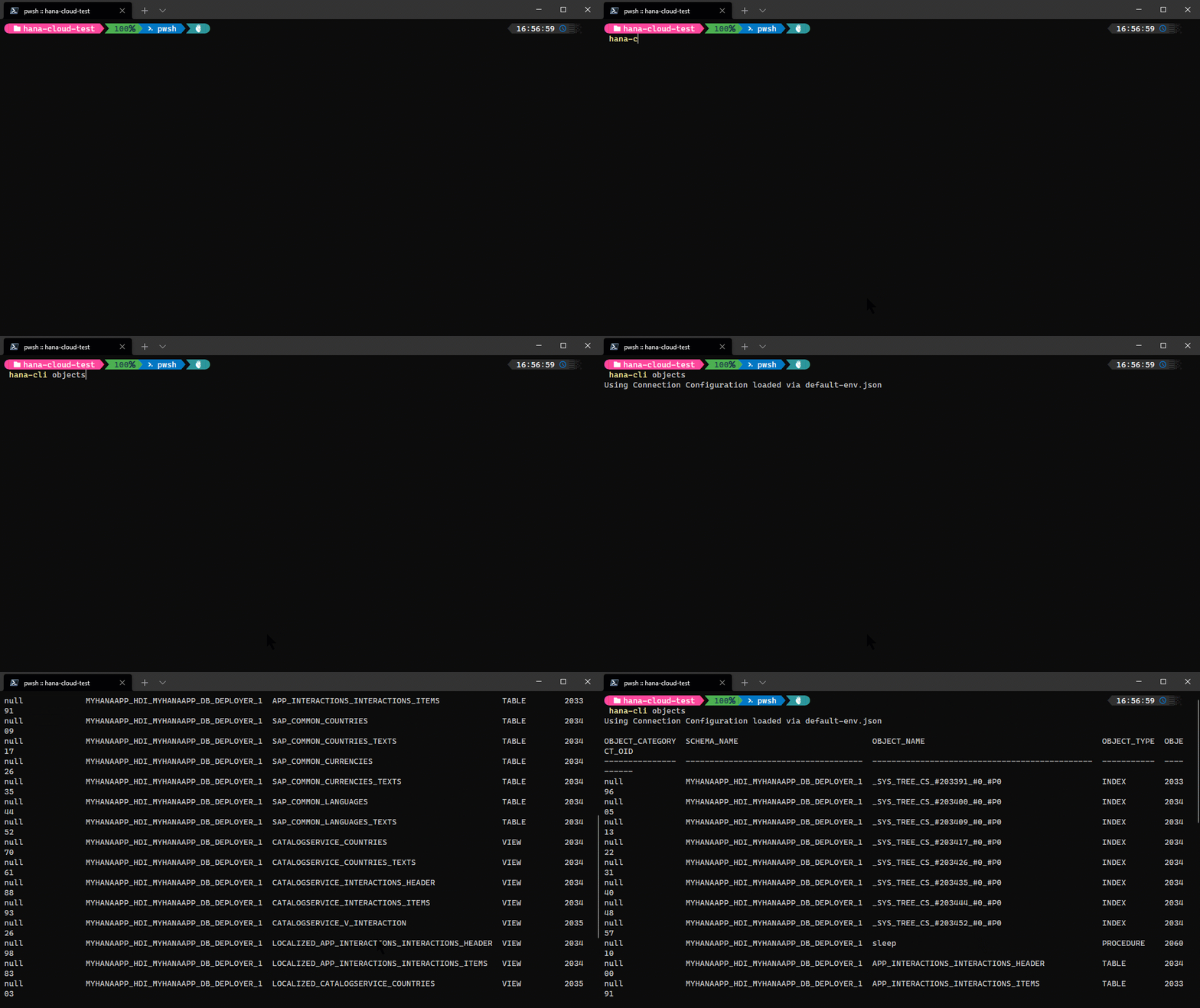
hana-cli objects [schema] [object] [aliases: o, listObjects, listobjects] Search across all object typesConnection Parameters: -a, --admin, --Admin Connect via admin (default-env-admin.json) [boolean] [default: false] --conn Connection Filename to override default-env.json
Troubleshooting: --disableVerbose, --quiet Disable Verbose output - removes all extra output that is only helpful to human readable interface. Useful for scripting commands. [boolean] [default: false] --debug, --Debug Debug hana-cli itself by adding output of LOTS of intermediate details [boolean] [default: false]
Options: -o, --object, --Object DB Object [string] [default: "*"] -s, --schema, --Schema schema [string] [default: "CURRENT_SCHEMA"] -l, --limit Limit results [number] [default: 200]
openbas
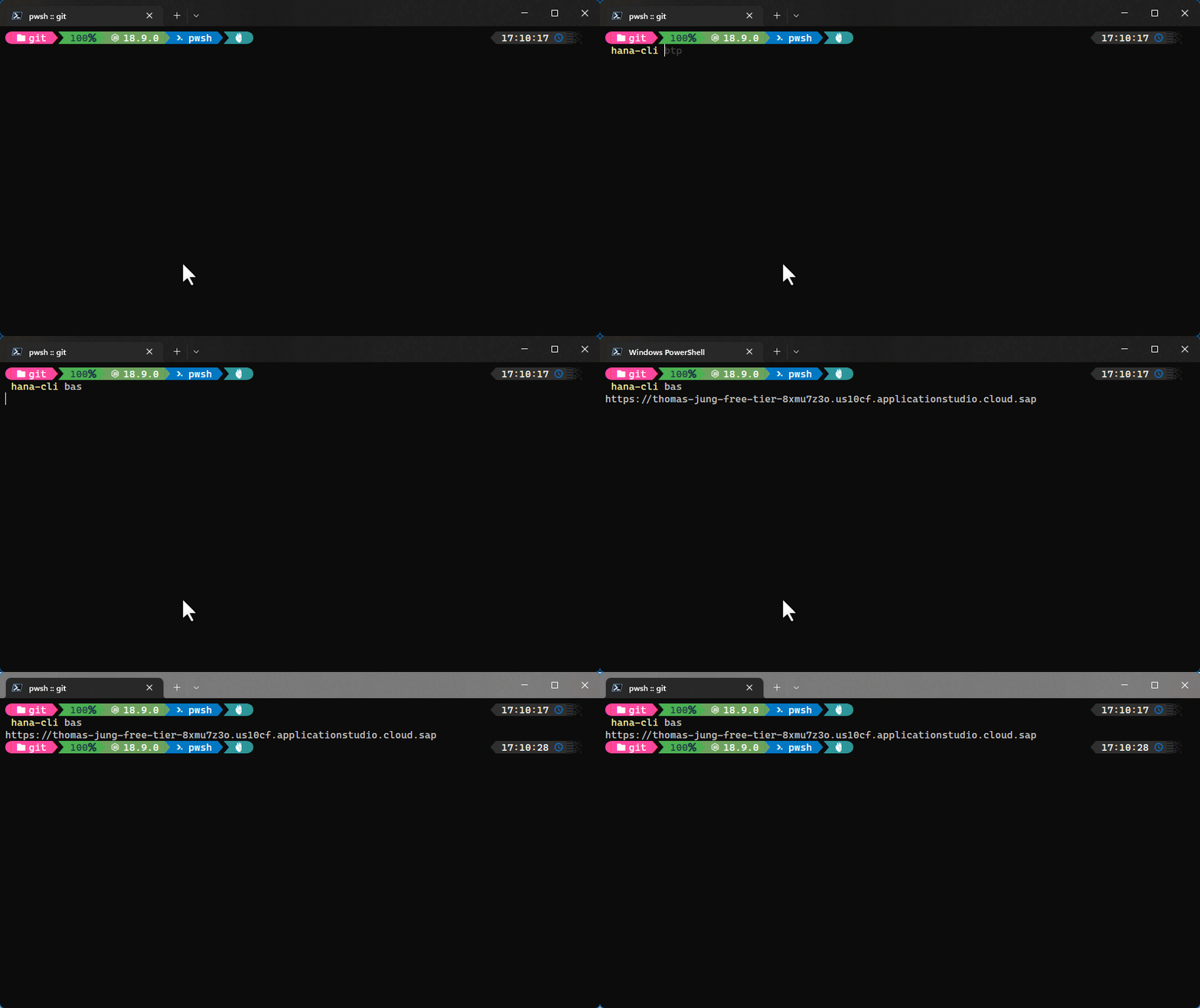
hana-cli openbasOpen SAP Business Appplication Studio
Troubleshooting: --disableVerbose, --quiet Disable Verbose output - removes all extra output t hat is only helpful to human readable interface. Us eful for scripting commands. [boolean] [default: false] --debug, --Debug Debug hana-cli itself by adding output of LOTS of i ntermediate details [boolean] [default: false]
openDBX
hana-cli opendbx [aliases: open, openDBX, opendb, openDBExplorer, opendbexplorer] Open DB ExplorerConnection Parameters: -a, --admin, --Admin Connect via admin (default-env-admin.json) [boolean] [default: false] --conn Connection Filename to override default-env.json
Troubleshooting: --disableVerbose, --quiet Disable Verbose output - removes all extra output that is only helpful to human readable interface. Useful for scripting commands. [boolean] [default: false] --debug, --Debug Debug hana-cli itself by adding output of LOTS of intermediate details [boolean] [default: false]
ports
hana-cli portsDisplay port assignments for internal SAP HANA services
Connection Parameters: -a, --admin, --Admin Connect via admin (default-env-admin.json) [boolean] [default: false] --conn Connection Filename to override default-env.json
Troubleshooting: --disableVerbose, --quiet Disable Verbose output - removes all extra output that is only helpful to human readable interface. Useful for scripting commands. [boolean] [default: false] --debug, --Debug Debug hana-cli itself by adding output of LOTS of intermediate details [boolean] [default: false]
privilegeError
hana-cli privilegeError [guid] [aliases: pe, privilegeerror, privilegerror, getInsuffficientPrivilegeErrorDetails] Get Insufficient Privilege Error DetailsConnection Parameters: -a, --admin, --Admin Connect via admin (default-env-admin.json) [boolean] [default: false] --conn Connection Filename to override default-env.json
Troubleshooting: --disableVerbose, --quiet Disable Verbose output - removes all extra output that is only helpful to human readable interface. Useful for scripting commands. [boolean] [default: false] --debug, --Debug Debug hana-cli itself by adding output of LOTS of intermediate details [boolean] [default: false]
Options: -g, --guid, --error GUID from original error message [string]

procedures
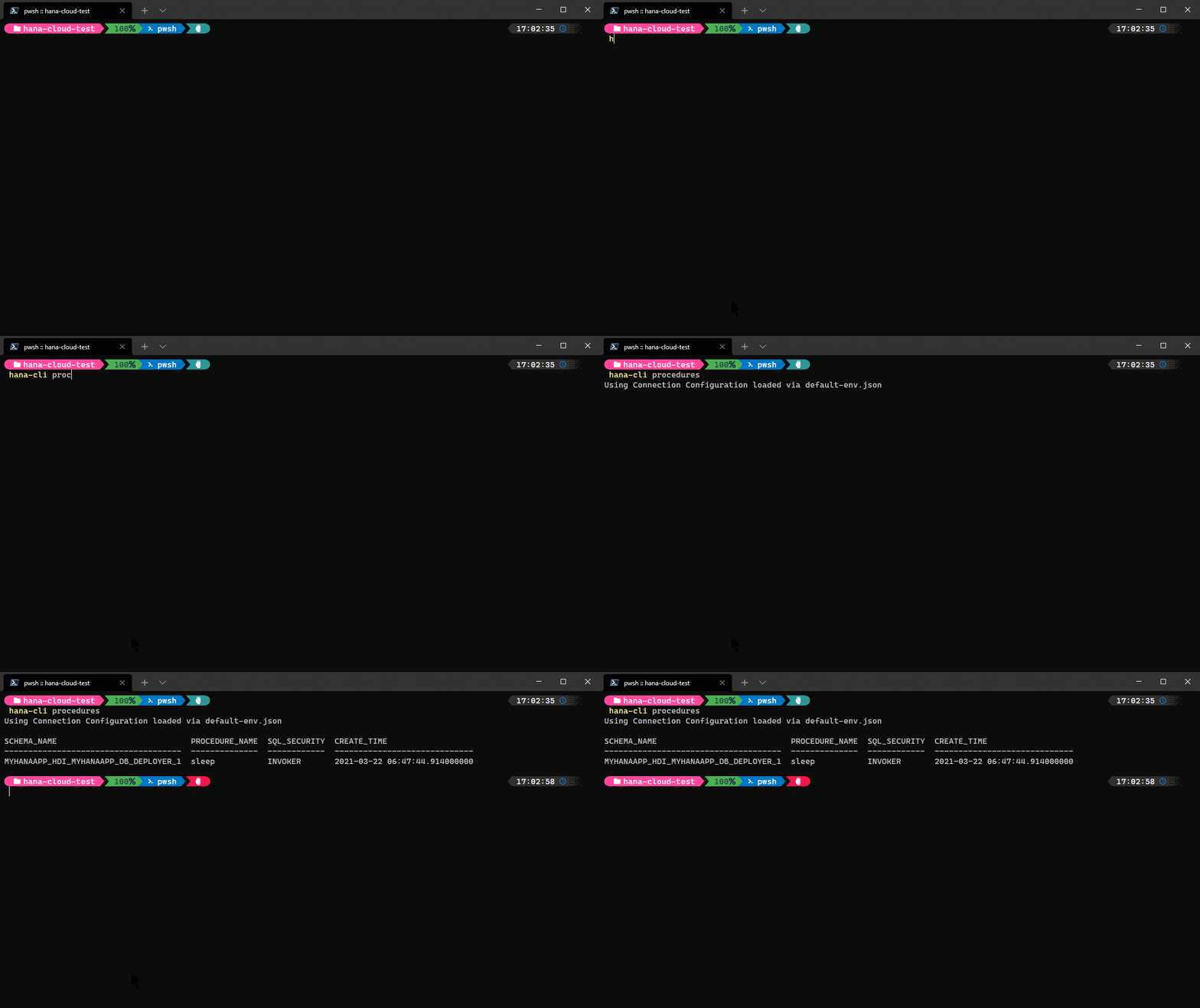
hana-cli procedures [schema] [procedure] [aliases: p, listProcs, ListProc, listprocs, Listproc, listProcedures, listprocedures] Get a list of all stored proceduresConnection Parameters: -a, --admin, --Admin Connect via admin (default-env-admin.json) [boolean] [default: false] --conn Connection Filename to override default-env.json
Troubleshooting: --disableVerbose, --quiet Disable Verbose output - removes all extra output that is only helpful to human readable interface. Useful for scripting commands. [boolean] [default: false] --debug, --Debug Debug hana-cli itself by adding output of LOTS of intermediate details [boolean] [default: false]
Options: -p, --procedure, --Procedure Stored Procedure [string] [default: "*"] -s, --schema, --Schema schema [string] [default: "CURRENT_SCHEMA"] -l, --limit Limit results [number] [default: 200]
querySimple
hana-cli querySimple [aliases: qs, querysimple] Execute single SQL command and output resultsConnection Parameters: -a, --admin, --Admin Connect via admin (default-env-admin.json) [boolean] [default: false] --conn Connection Filename to override default-env.json
Troubleshooting: --disableVerbose, --quiet Disable Verbose output - removes all extra output that is only helpful to human readable interface. Useful for scripting commands. [boolean] [default: false] --debug, --Debug Debug hana-cli itself by adding output of LOTS of intermediate details [boolean] [default: false]
Options: -q, --query, --Query SQL Statement [string] -f, --folder, --Folder DB Module Folder Name [string] [default: "./"] -n, --filename, --Filename File name [string] -o, --output, --Output Output Type for Query Results [string] [choices: "table", "json", "excel", "csv"] [default: "table"]

querySimpleUI
hana-cli querySimpleUI [aliases: qsui, querysimpleui, queryUI, sqlUI] Execute single SQL command and output results via HTML UIConnection Parameters: -a, --admin, --Admin Connect via admin (default-env-admin.json) [boolean] [default: false] --conn Connection Filename to override default-env.json
Troubleshooting: --disableVerbose, --quiet Disable Verbose output - removes all extra output that is only helpful to human readable interface. Useful for scripting commands. [boolean] [default: false] --debug, --Debug Debug hana-cli itself by adding output of LOTS of intermediate details [boolean] [default: false]
Options: -q, --query, --Query SQL Statement [string] -f, --folder, --Folder DB Module Folder Name [string] [default: "./"] -n, --filename, --Filename File name [string] -o, --output, --Output Output Type for Query Results [string] [choices: "table", "json", "excel", "csv"] [default: "table"]
readMe
hana-cli readMe
Display Read Me in CLI
readMeUI
hana-cli readMeUI
Display Read Me in Browser UI
readme
hana-cli readme
[aliases: openreadme, openReadme, openReadMe, openHelp, openhelp]
Open Readme Documentation in browser
reclaim
hana-cli reclaim [aliases: re] Reclaim LOB, Log, and Data Volume spaceConnection Parameters: -a, --admin, --Admin Connect via admin (default-env-admin.json) [boolean] [default: false] --conn Connection Filename to override default-env.json
Troubleshooting: --disableVerbose, --quiet Disable Verbose output - removes all extra output that is only helpful to human readable interface. Useful for scripting commands. [boolean] [default: false] --debug, --Debug Debug hana-cli itself by adding output of LOTS of intermediate details [boolean] [default: false]
rick
hana-cli rick
For expert users only
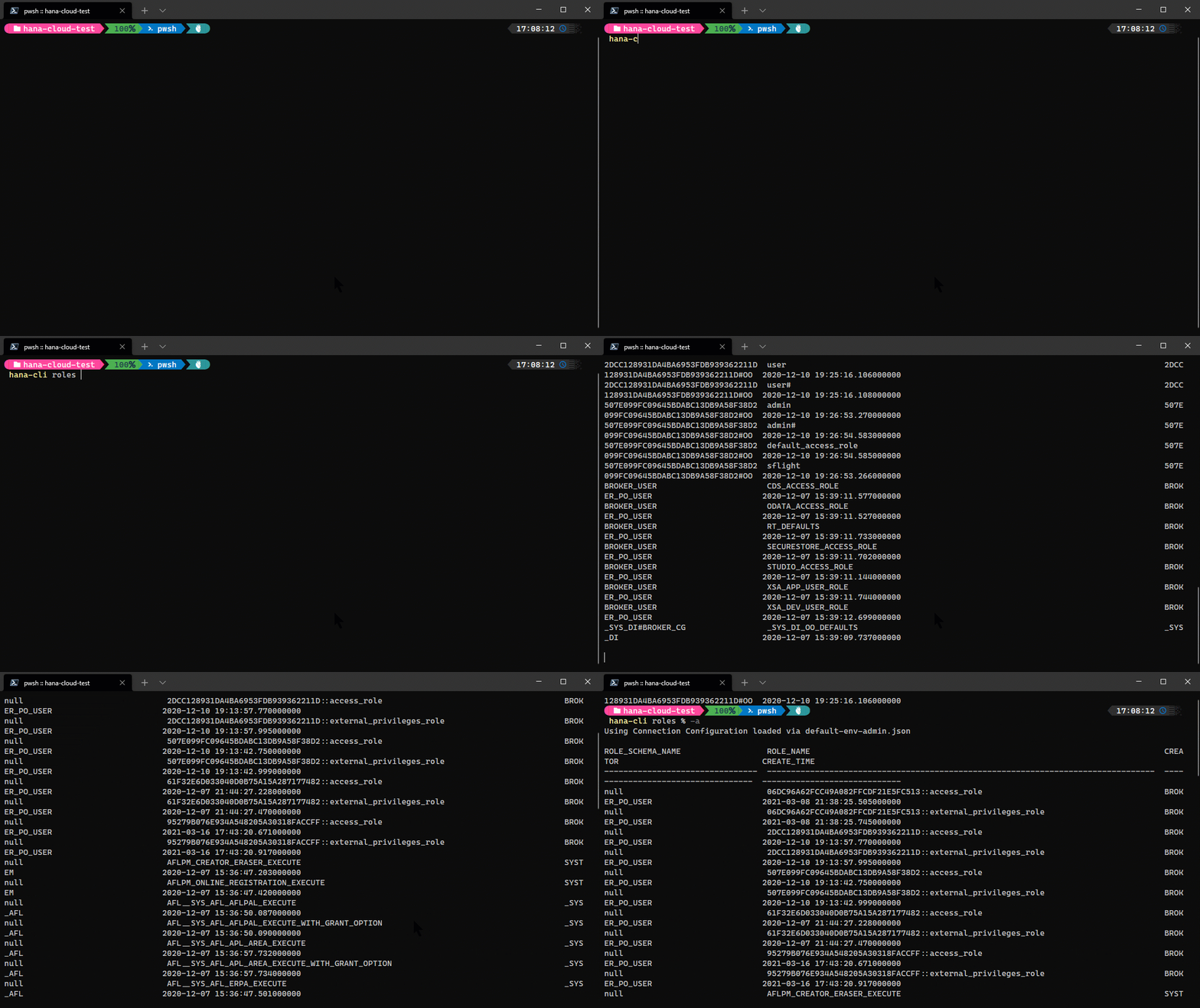
roles
hana-cli roles [schema] [role] [aliases: tc, traceContents, traceContent, tracecontent] Get a list of rolesConnection Parameters: -a, --admin, --Admin Connect via admin (default-env-admin.json) [boolean] [default: false] --conn Connection Filename to override default-env.json
Troubleshooting: --disableVerbose, --quiet Disable Verbose output - removes all extra output that is only helpful to human readable interface. Useful for scripting commands. [boolean] [default: false] --debug, --Debug Debug hana-cli itself by adding output of LOTS of intermediate details [boolean] [default: false]
Options: -r, --role, --Role Database Role [string] [default: "*"] -s, --schema, --Schema schema [string] [default: "CURRENT_SCHEMA"] -l, --limit Limit results [number] [default: 200]
sbss
hana-cli sbss                             List all SAP HANA Cloud SBSS service
                                           instances in your target Space
[aliases: sbssInstances, sbssinstances, sbssServices, listsbss, sbssservices,
                                                                       sbsss]
Troubleshooting:
      --disableVerbose, --quiet  Disable Verbose output - removes all extra
                                 output that is only helpful to human readable
                                 interface. Useful for scripting commands.
                                                      [boolean] [default: false]
      --debug, --Debug           Debug hana-cli itself by adding output of LOTS
                                 of intermediate details
                                                      [boolean] [default: false]
Options:
-c, --cf, --cmd  Cloud Foundry?                      [boolean] [default: true]
sbssUI
hana-cli sbssUI [aliases: sbssInstancesUI, sbssinstancesui, sbssServicesUI, listsbssui, sbssservicesui, sbsssui] List all SAP HANA Cloud SBSS service instances in your target SpaceTroubleshooting: --disableVerbose, --quiet Disable Verbose output - removes all extra output that is only helpful to human readable interface. Useful for scripting commands. [boolean] [default: false] --debug, --Debug Debug hana-cli itself by adding output of LOTS of intermediate details [boolean] [default: false]
Options: -c, --cf, --cmd Cloud Foundry? [boolean] [default: true]
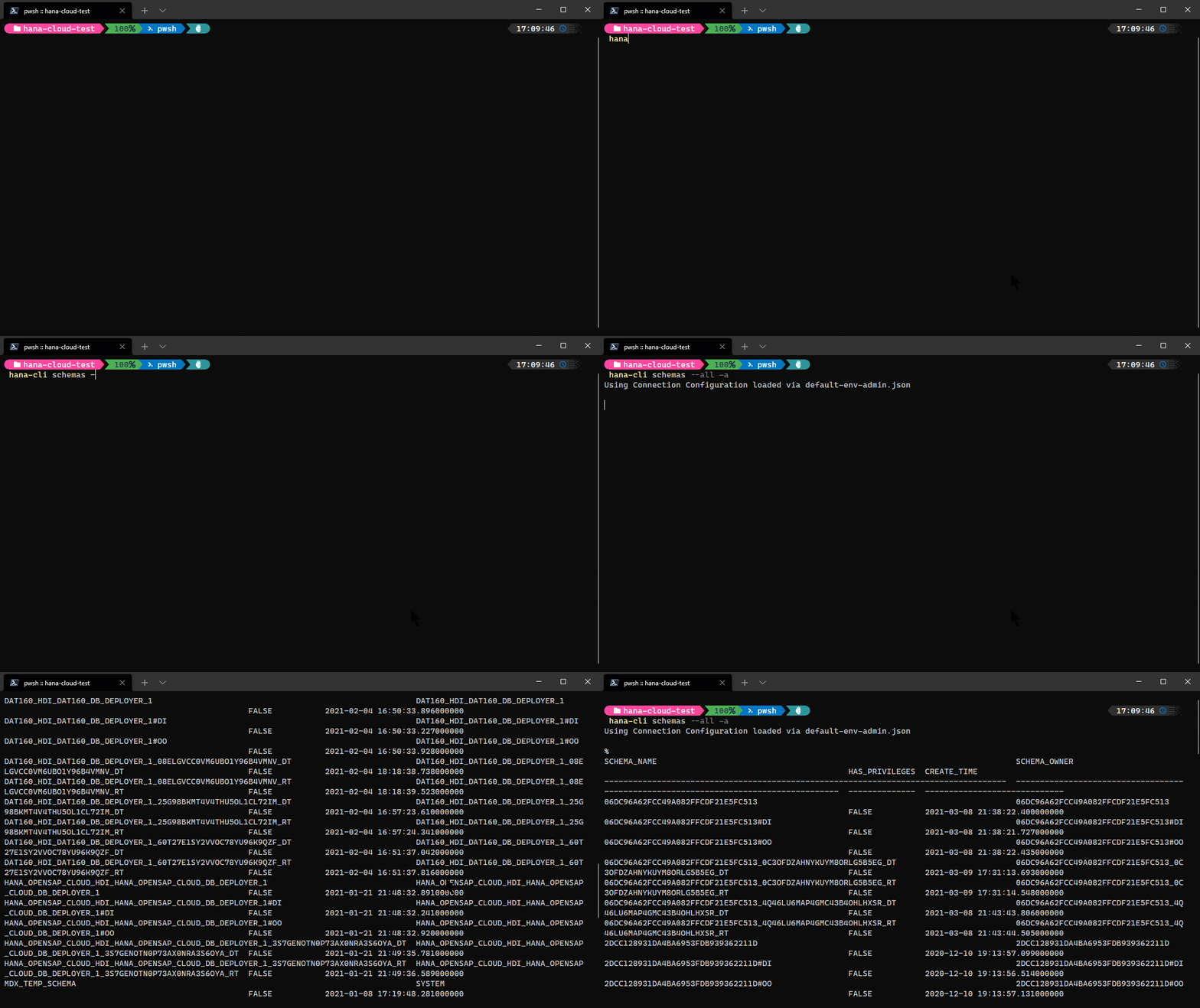
schemas
hana-cli schemas [schema] [aliases: sch, getSchemas, listSchemas] Get a list of all schemasConnection Parameters: -a, --admin, --Admin Connect via admin (default-env-admin.json) [boolean] [default: false] --conn Connection Filename to override default-env.json
Troubleshooting: --disableVerbose, --quiet Disable Verbose output - removes all extra output that is only helpful to human readable interface. Useful for scripting commands. [boolean] [default: false] --debug, --Debug Debug hana-cli itself by adding output of LOTS of intermediate details [boolean] [default: false]
Options: -s, --schema, --schemas schema [string] [default: "*"] -l, --limit Limit results [number] [default: 200] --all, --al, --allSchemas Show all schemas regardless of permissions [boolean] [default: false]
schemasUI
hana-cli schemasUI [schema] [aliases: schui, getSchemasUI, listSchemasUI, schemasui] Get a list of all schemas in the Browser UIConnection Parameters: -a, --admin, --Admin Connect via admin (default-env-admin.json) [boolean] [default: false] --conn Connection Filename to override default-env.json
Troubleshooting: --disableVerbose, --quiet Disable Verbose output - removes all extra output that is only helpful to human readable interface. Useful for scripting commands. [boolean] [default: false] --debug, --Debug Debug hana-cli itself by adding output of LOTS of intermediate details [boolean] [default: false]
Options: -s, --schema, --schemas schema [string] [default: "*"] -l, --limit Limit results [number] [default: 200] --all, --al, --allSchemas Show all schemas regardless of permissions [boolean] [default: false]
schemaInstances
hana-cli schemaInstances                  List all SAP HANA Cloud Schema
                                            service instances in your target
                                            Space
         [aliases: schemainstances, schemaServices, listschemas, schemaservices]
Troubleshooting:
      --disableVerbose, --quiet  Disable Verbose output - removes all extra
                                 output that is only helpful to human readable
                                 interface. Useful for scripting commands.
                                                      [boolean] [default: false]
      --debug, --Debug           Debug hana-cli itself by adding output of LOTS
                                 of intermediate details
                                                      [boolean] [default: false]
Options:
-c, --cf, --cmd  Cloud Foundry?                      [boolean] [default: true]
schemaInstancesUI
hana-cli schemaInstancesUI [aliases: schemainstancesui, schemaServicesUI, listschemasui, schemaservicesui] List all SAP HANA Cloud Schema service instances in your target SpaceTroubleshooting: --disableVerbose, --quiet Disable Verbose output - removes all extra output that is only helpful to human readable interface. Useful for scripting commands. [boolean] [default: false] --debug, --Debug Debug hana-cli itself by adding output of LOTS of intermediate details [boolean] [default: false]
Options: -c, --cf, --cmd Cloud Foundry? [boolean] [default: true]
securestore
hana-cli securestore                      List all SAP HANA Cloud SecureStore
                                            service instances in your target
                                            Space
      [aliases: secureStoreInstances, securestoreinstances, secureStoreServices,
                             listSecureStore, securestoreservices, securestores]
Troubleshooting:
      --disableVerbose, --quiet  Disable Verbose output - removes all extra
                                 output that is only helpful to human readable
                                 interface. Useful for scripting commands.
                                                      [boolean] [default: false]
      --debug, --Debug           Debug hana-cli itself by adding output of LOTS
                                 of intermediate details
                                                      [boolean] [default: false]
Options:
-c, --cf, --cmd  Cloud Foundry?                      [boolean] [default: true]
securestoreUI
hana-cli securestoreUI [aliases: secureStoreInstancesUI, secureStoreUI, securestoreinstancesui, secureStoreServicesUI, listSecureStoreUI, securestoreservicesui, securestoresui] List all SAP HANA Cloud SecureStore service instances in your target SpaceTroubleshooting: --disableVerbose, --quiet Disable Verbose output - removes all extra output that is only helpful to human readable interface. Useful for scripting commands. [boolean] [default: false] --debug, --Debug Debug hana-cli itself by adding output of LOTS of intermediate details [boolean] [default: false]
Options: -c, --cf, --cmd Cloud Foundry? [boolean] [default: true]
serviceKey
hana-cli serviceKey [instance] [key] [aliases: key, servicekey, service-key] Connect and write default-env.json via service keyTroubleshooting: --disableVerbose, --quiet Disable Verbose output - removes all extra output that is only helpful to human readable interface. Useful for scripting commands. [boolean] [default: false] --debug, --Debug Debug hana-cli itself by adding output of LOTS of intermediate details [boolean] [default: false]
Options: -i, --instance, --Instance CF/XS Service Instance Name -e, --encrypt, --Encrypt, --ssl Encrypt connections (required for SAP HANA service for SAP BTP or SAP HANA Cloud)[boolean] [default: true] -v, --validate, --Validate, Validate Certificate --validateCertificate [boolean] [default: false] -c, --cf, --cmd Cloud Foundry? [boolean] [default: true] -s, --save, --Save Save Credentials to default-env.json [boolean] [default: true]
sequences
hana-cli sequences [schema] [sequence] [aliases: seq, listSeqs, ListSeqs, listseqs, Listseq, listSequences] Get a list of all squencesConnection Parameters: -a, --admin, --Admin Connect via admin (default-env-admin.json) [boolean] [default: false] --conn Connection Filename to override default-env.json
Troubleshooting: --disableVerbose, --quiet Disable Verbose output - removes all extra output that is only helpful to human readable interface. Useful for scripting commands. [boolean] [default: false] --debug, --Debug Debug hana-cli itself by adding output of LOTS of intermediate details [boolean] [default: false]
Options: --sequence, --seq, --Sequence Sequence [string] [default: "*"] -s, --schema, --Schema schema [string] [default: "CURRENT_SCHEMA"] -l, --limit Limit results [number] [default: 200]
status
hana-cli status [aliases: s, whoami] Get Connection StatusConnection Parameters: -a, --admin, --Admin Connect via admin (default-env-admin.json) [boolean] [default: false] --conn Connection Filename to override default-env.json
Troubleshooting: --disableVerbose, --quiet Disable Verbose output - removes all extra output that is only helpful to human readable interface. Useful for scripting commands. [boolean] [default: false] --debug, --Debug Debug hana-cli itself by adding output of LOTS of intermediate details [boolean] [default: false]
Options: -p, --priv, --privileges Includes Privileges in Output (will be long) [boolean] [default: false]
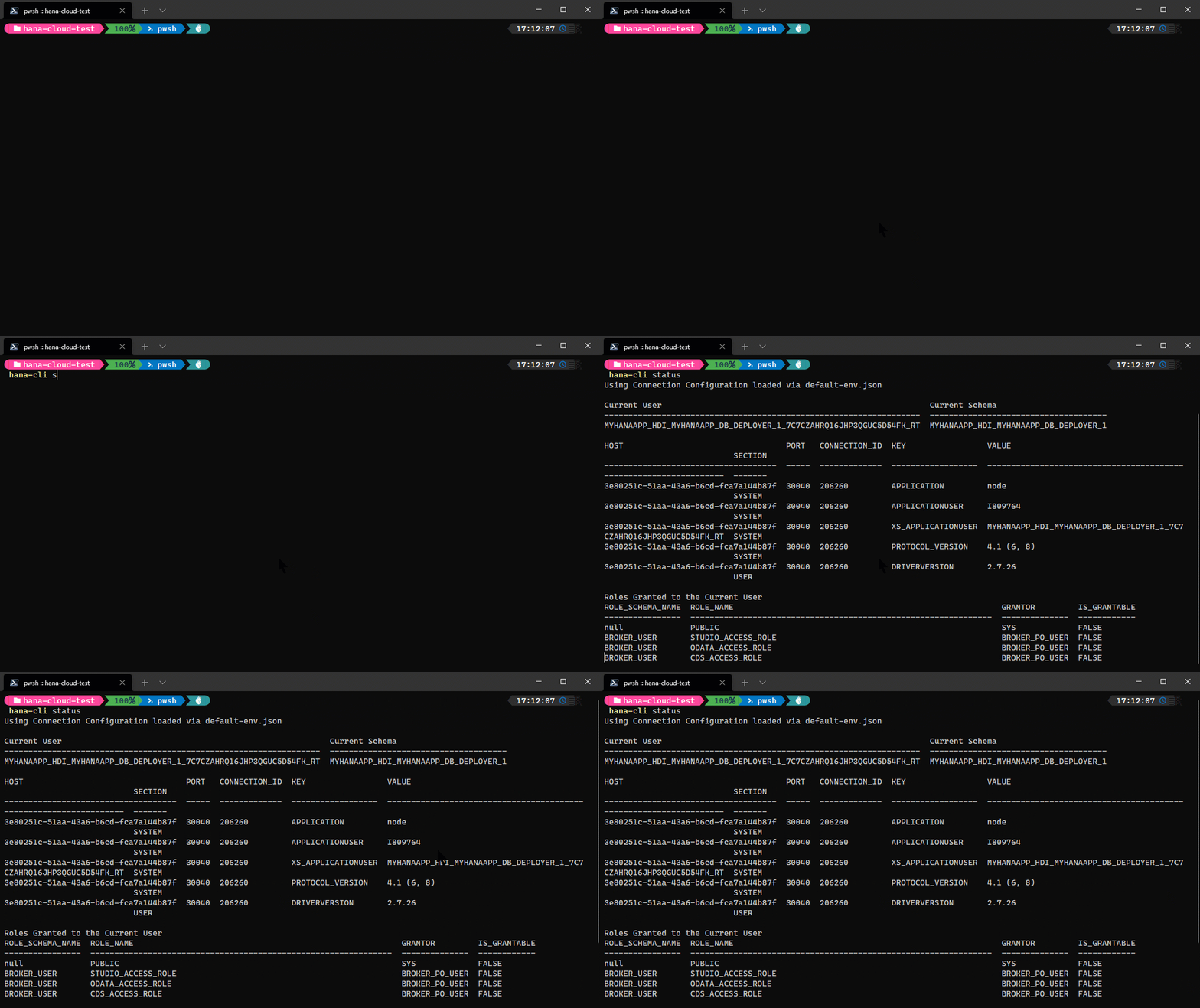
sub
BTP Active Subscriptions and their URL
Troubleshooting:
--disableVerbose, --quiet  Disable Verbose output - removes all extra output t
hat is only helpful to human readable interface. Us
eful for scripting commands.
[boolean] [default: false]
--debug, --Debug           Debug hana-cli itself by adding output of LOTS of i
ntermediate details      [boolean] [default: false]
synonyms
hana-cli synonyms [schema] [synonym] [target] [aliases: syn, listSynonyms, listsynonyms] List of all synonymsConnection Parameters: -a, --admin, --Admin Connect via admin (default-env-admin.json) [boolean] [default: false] --conn Connection Filename to override default-env.json
Troubleshooting: --disableVerbose, --quiet Disable Verbose output - removes all extra output that is only helpful to human readable interface. Useful for scripting commands. [boolean] [default: false] --debug, --Debug Debug hana-cli itself by adding output of LOTS of intermediate details [boolean] [default: false]
Options: --synonym, --syn, --Synonym Database Synonym [string] [default: ""] -t, --target, --Target Target object [string] [default: ""] -s, --schema, --Schema schema [string] [default: "CURRENT_SCHEMA"] -l, --limit Limit results [number] [default: 200]
systemInfo
hana-cli systemInfo [aliases: sys, sysinfo, sysInfo, systeminfo] General System DetailsConnection Parameters: -a, --admin, --Admin Connect via admin (default-env-admin.json) [boolean] [default: false] --conn Connection Filename to override default-env.json
Troubleshooting: --disableVerbose, --quiet Disable Verbose output - removes all extra output that is only helpful to human readable interface. Useful for scripting commands. [boolean] [default: false] --debug, --Debug Debug hana-cli itself by adding output of LOTS of intermediate details [boolean] [default: false]
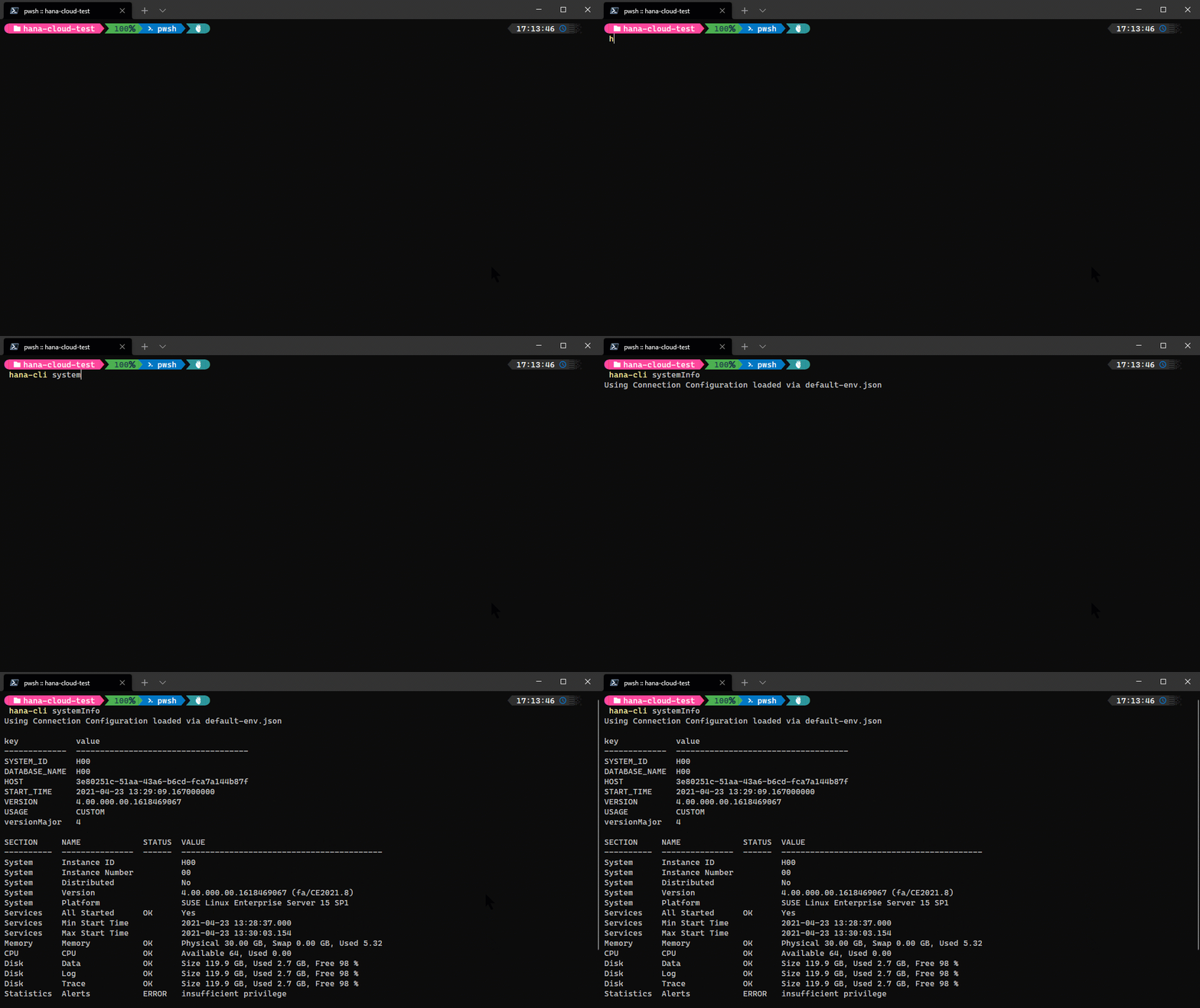
systemInfoUI
hana-cli systemInfoUI [aliases: sysUI, sysinfoui, sysInfoUI, systeminfoui] General System Details displayed in a Web BrowserConnection Parameters: -a, --admin, --Admin Connect via admin (default-env-admin.json) [boolean] [default: false] --conn Connection Filename to override default-env.json
Troubleshooting: --disableVerbose, --quiet Disable Verbose output - removes all extra output that is only helpful to human readable interface. Useful for scripting commands. [boolean] [default: false] --debug, --Debug Debug hana-cli itself by adding output of LOTS of intermediate details [boolean] [default: false]
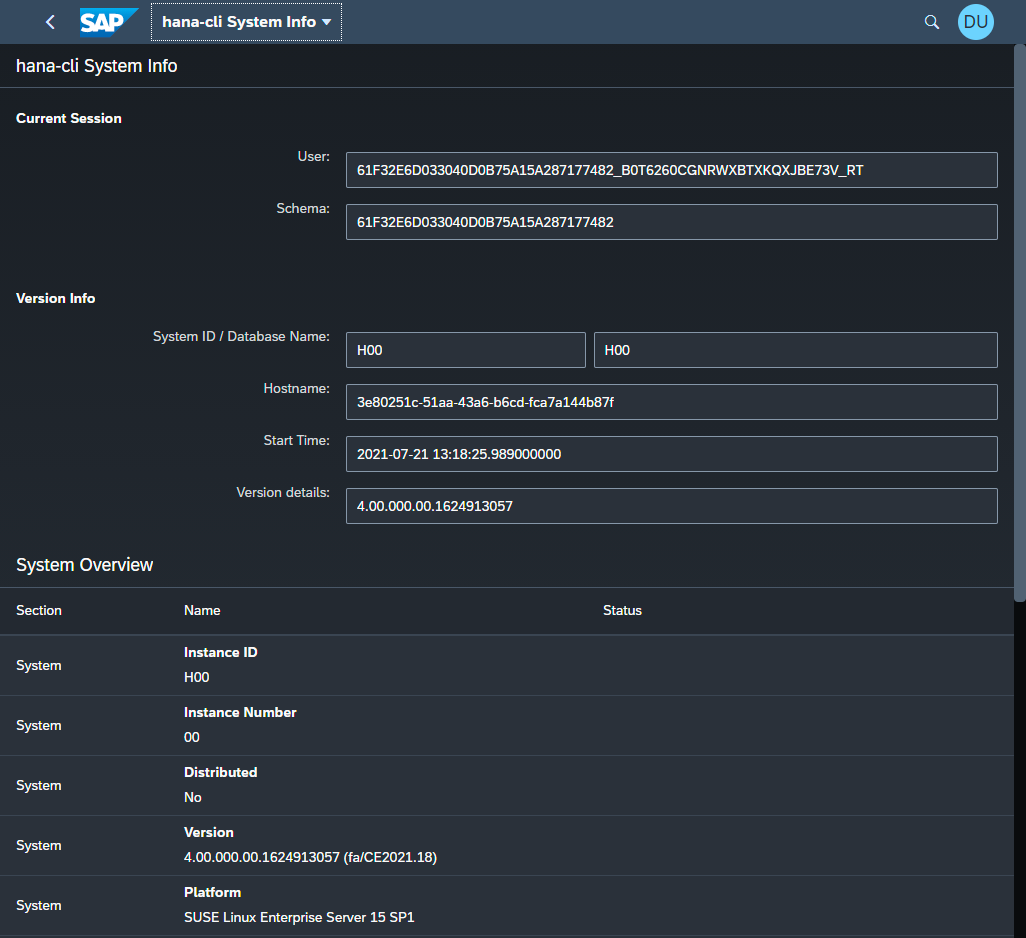
tables
hana-cli tables [schema] [table] [aliases: t, listTables, listtables] Get a list of all tablesConnection Parameters: -a, --admin, --Admin Connect via admin (default-env-admin.json) [boolean] [default: false] --conn Connection Filename to override default-env.json
Troubleshooting: --disableVerbose, --quiet Disable Verbose output - removes all extra output that is only helpful to human readable interface. Useful for scripting commands. [boolean] [default: false] --debug, --Debug Debug hana-cli itself by adding output of LOTS of intermediate details [boolean] [default: false]
Options: -t, --table, --Table Database Table [string] [default: "*"] -s, --schema, --Schema schema [string] [default: "CURRENT_SCHEMA"] -l, --limit Limit results [number] [default: 200]
tablesPG
hana-cli tablesPG [schema] [table] [aliases: tablespg, tablespostgres, tablesPostgres, tables-postgres, tables-postgressql, tablesPOSTGRES] tablesPGTroubleshooting: --disableVerbose, --quiet Disable Verbose output - removes all extra output that is only helpful to human readable interface. Useful for scripting commands. [boolean] [default: false] --debug, --Debug Debug hana-cli itself by adding output of LOTS of intermediate details [boolean] [default: false]
Options: -t, --table, --Table Database Table [string] [default: "*"] -s, --schema, --Schema schema [string] [default: "CURRENT_SCHEMA"] -p, --profile, --Profile CDS Profile [string] [default: "pg"] -l, --limit Limit results [number] [default: 200]
tablesSQLite
hana-cli tablesSQLite [table] [aliases: tablessqlite, tablesqlite, tablesSqlite, tables-sqlite, tables-sql, tablesSQL] Get a list of all tables from PostgresTroubleshooting: --disableVerbose, --quiet Disable Verbose output - removes all extra output that is only helpful to human readable interface. Useful for scripting commands. [boolean] [default: false] --debug, --Debug Debug hana-cli itself by adding output of LOTS of intermediate details [boolean] [default: false]
Options: -t, --table, --Table Database Table [string] [default: "*"] -p, --profile, --Profile CDS Profile [string] [default: "sqlite"] -l, --limit Limit results [number] [default: 200]
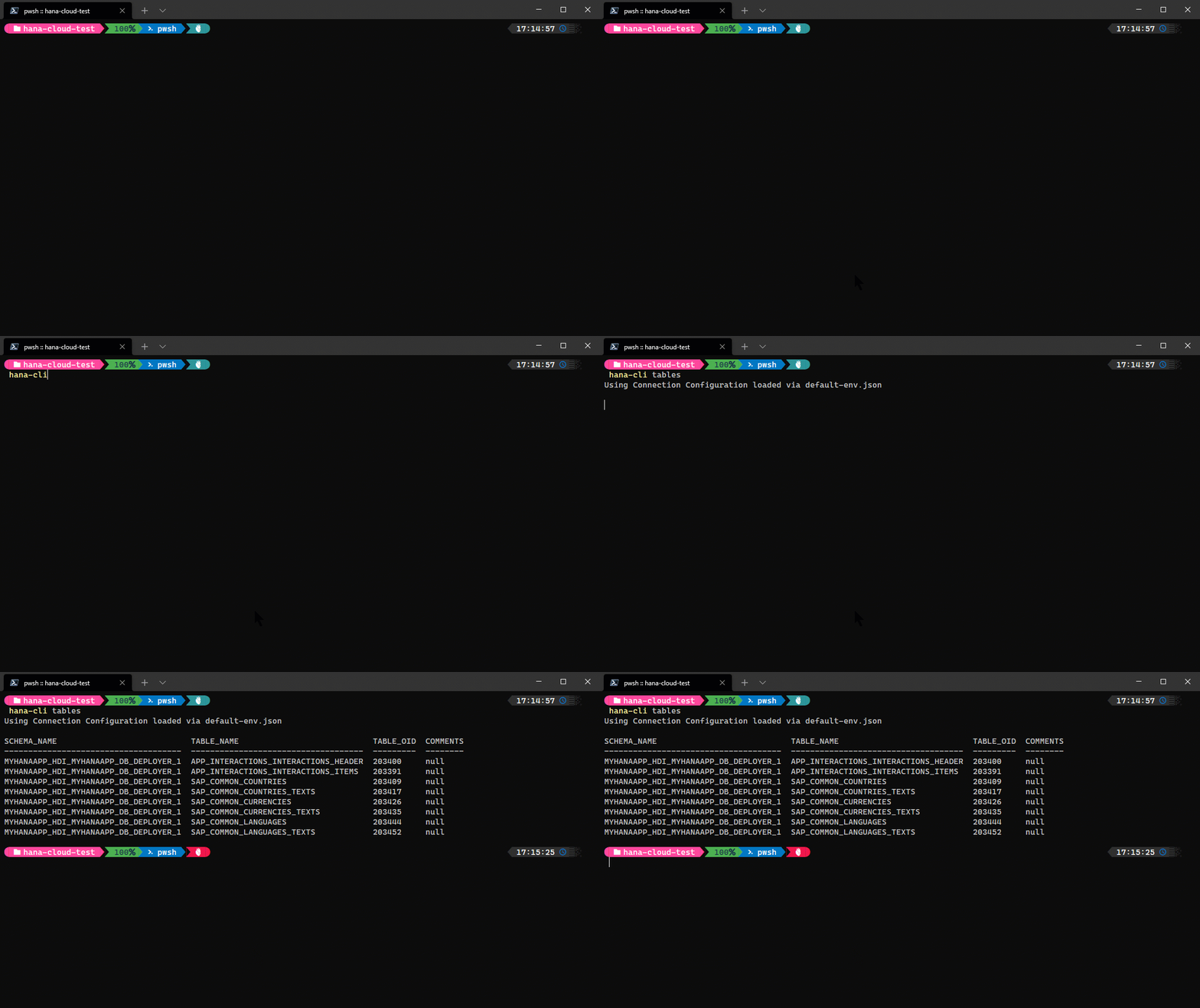
tablesUI
hana-cli tablesUI [schema] [table] [aliases: tui, listTablesUI, listtablesui, tablesui] Get a list of all tables in browser based UIConnection Parameters: -a, --admin, --Admin Connect via admin (default-env-admin.json) [boolean] [default: false] --conn Connection Filename to override default-env.json
Troubleshooting: --disableVerbose, --quiet Disable Verbose output - removes all extra output that is only helpful to human readable interface. Useful for scripting commands. [boolean] [default: false] --debug, --Debug Debug hana-cli itself by adding output of LOTS of intermediate details [boolean] [default: false]
Options: -t, --table, --Table Database Table [string] [default: "*"] -s, --schema, --Schema schema [string] [default: "CURRENT_SCHEMA"] -l, --limit Limit results [number] [default: 200]
traces
hana-cli traces [aliases: tf, Traces] List all trace filesConnection Parameters: -a, --admin, --Admin Connect via admin (default-env-admin.json) [boolean] [default: false] --conn Connection Filename to override default-env.json
Troubleshooting: --disableVerbose, --quiet Disable Verbose output - removes all extra output that is only helpful to human readable interface. Useful for scripting commands. [boolean] [default: false] --debug, --Debug Debug hana-cli itself by adding output of LOTS of intermediate details [boolean] [default: false]
traceContents
hana-cli traceContents [host] [file] [aliases: tc, traceContents, traceContent, tracecontent] Contents of a selected trace file - Reading from the end of the file backwardsConnection Parameters: -a, --admin, --Admin Connect via admin (default-env-admin.json) [boolean] [default: false] --conn Connection Filename to override default-env.json
Troubleshooting: --disableVerbose, --quiet Disable Verbose output - removes all extra output that is only helpful to human readable interface. Useful for scripting commands. [boolean] [default: false] --debug, --Debug Debug hana-cli itself by adding output of LOTS of intermediate details [boolean] [default: false]
Options: --host, --ho, --Host Hostname [string] -f, --file, --File File Name [string] -l, --limit Limit results [number] [default: 2000]
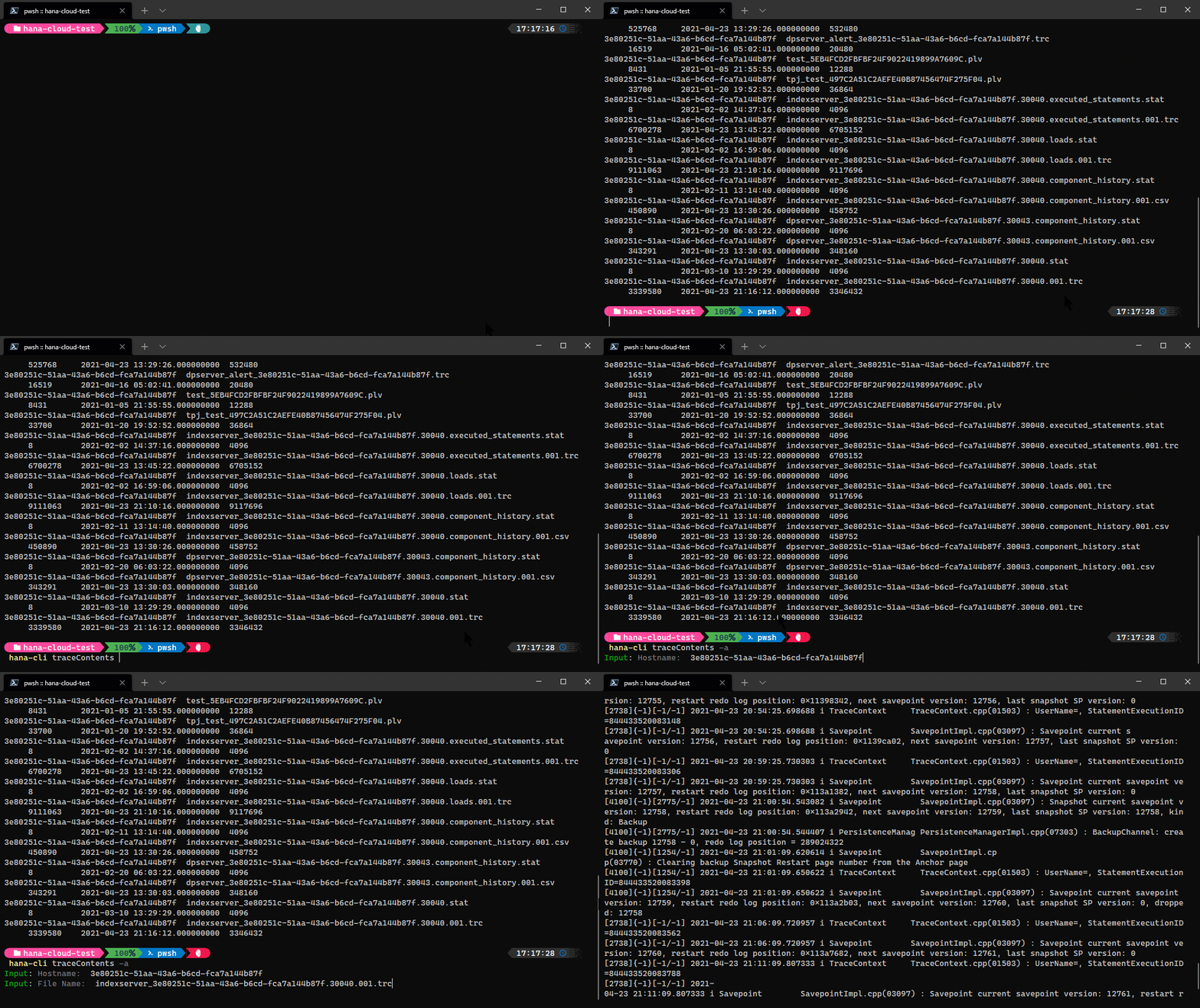
triggers
hana-cli triggers [schema] [trigger] [target] [aliases: trig, listTriggers, ListTrigs, listtrigs, Listtrig, listrig] List of all triggersConnection Parameters: -a, --admin, --Admin Connect via admin (default-env-admin.json) [boolean] [default: false] --conn Connection Filename to override default-env.json
Troubleshooting: --disableVerbose, --quiet Disable Verbose output - removes all extra output that is only helpful to human readable interface. Useful for scripting commands. [boolean] [default: false] --debug, --Debug Debug hana-cli itself by adding output of LOTS of intermediate details [boolean] [default: false]
Options: -t, --trigger, --Trigger Sequence [string] [default: ""] --target, --to, --Target Target object [string] [default: ""] -s, --schema, --Schema schema [string] [default: "CURRENT_SCHEMA"] -l, --limit Limit results [number] [default: 200]
UI
hana-cli UI
[aliases: ui, gui, GUI, launchpad, LaunchPad, launchPad]
Launch Browser Based UI Version of hana-cli
Troubleshooting:
--disableVerbose, --quiet  Disable Verbose output - removes all extra output
that is only helpful to human readable interface.
Useful for scripting commands.
[boolean] [default: false]
--debug, --Debug           Debug hana-cli itself by adding output of LOTS of
intermediate details     [boolean] [default: false]
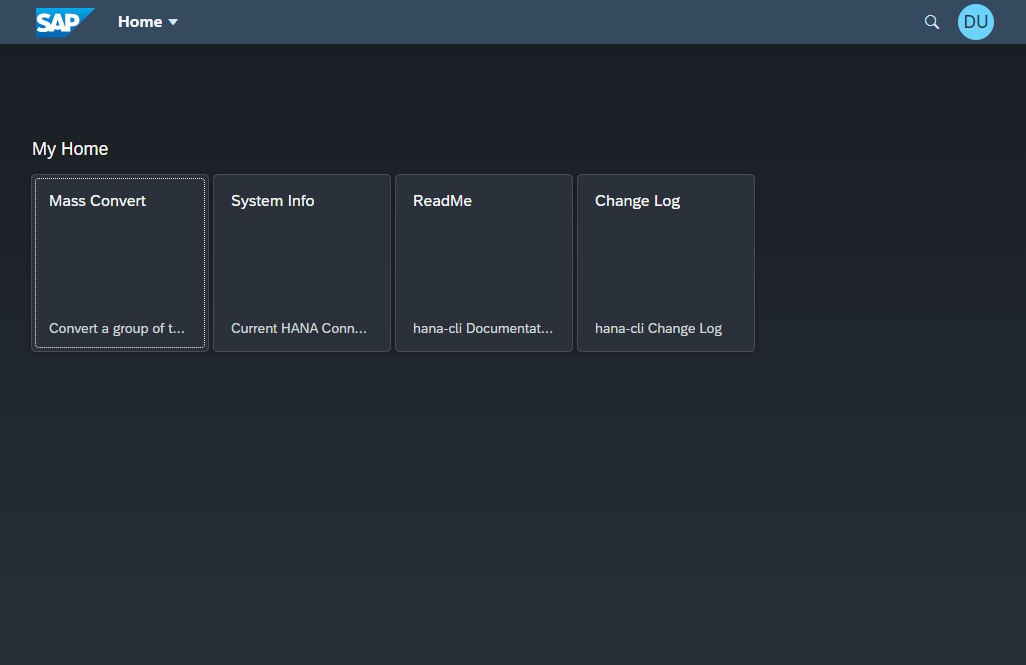
About the UI Command
The UI command represents a comprehensive web-based interface to hana-cli, transforming the command-line tool into a full-featured web application. This command launches a sophisticated local web server that provides browser-based access to most hana-cli functionality through an interactive, modern UI.
Architecture and Technology Stack:
The UI command is built on a robust technology stack that combines several key components:
Express.js Web Server: At its core, the UI runs on an Express.js server that handles HTTP requests, serves static assets, and manages API endpoints. The server automatically binds to an available port (typically starting from 4000) and opens your default browser to the application.
WebSocket Integration: Real-time communication is enabled through WebSocket connections, allowing for:
- Live updates of command execution status
- Streaming output from long-running operations
- Instant feedback without page refreshes
- Push notifications for completed tasks
SAP CDS Integration: For database object previews, the UI seamlessly integrates with the SAP Cloud Application Programming Model (requires
@sap/cds-dk):- Dynamic OData service generation for tables and views
- Embedded Fiori Elements preview capabilities
- Interactive data exploration with filtering and sorting
- Full CDS modeling support with type conversions
RESTful API Layer: The server exposes a comprehensive REST API that mirrors the CLI command structure, enabling programmatic access to all functions through standard HTTP methods.
Available Capabilities:
The web interface provides access to a wide range of hana-cli features through an intuitive dashboard:
Database Object Exploration:
- Browse tables, views, procedures, functions, and other database objects
- View detailed metadata and schema information
- Inspect object definitions with syntax highlighting
- Navigate relationships between objects
Data Management:
- Execute SQL queries with rich result formatting
- Export query results to JSON, CSV, or Excel formats
- Preview data with pagination and filtering
- Mass convert tables to CDS or HDI formats
System Information:
- Monitor HANA system health and statistics
- View feature usage and version details
- Inspect configuration settings and parameters
- Track active connections and sessions
Development Tools:
- Generate CDS entities from existing tables
- Create OData service previews
- Convert between different object formats (SQL, CDS, EDMX, OpenAPI)
- Test stored procedures with parameter inputs
Administration Functions:
- Manage HDI containers and groups
- View and configure users and roles
- Monitor trace files and logs
- Access BTP service instances and bindings
User Experience Features:
- Responsive Design: The interface adapts to different screen sizes and devices, providing an optimal experience on desktop, tablet, or mobile
- Navigation: Intuitive menu structure with breadcrumbs and search functionality
- History: Command history tracking for easy repetition of common tasks
- Themes: Support for light and dark modes
- Bookmarks: Save frequently used commands and queries for quick access
- Multi-tab Support: Work with multiple objects or queries simultaneously
How to Use:
Simply execute the command:
hana-cli ui
The server will start, your browser will open automatically to http://localhost:<port>, and you'll be presented with the hana-cli launchpad interface. From there, you can navigate through tiles representing different functional areas, each providing access to related commands and features.
Benefits of the Web UI:
- Ease of Use: No need to remember command syntax or parameters
- Visual Feedback: Rich formatting of results with tables, charts, and graphs
- Collaboration: Share results easily by copying links or exporting data
- Documentation: Inline help and tooltips for every feature
- Efficiency: Faster execution of complex workflows through guided interfaces
- Accessibility: Work from any device with a web browser
The UI command effectively transforms hana-cli from a powerful command-line tool into a full-featured web application, making SAP HANA development and administration accessible to users who prefer graphical interfaces while maintaining all the power and flexibility of the underlying CLI commands.
ups
hana-cli ups
[aliases: upsInstances, upsinstances, upServices, listups, upsservices]
List all Cloud Foundry user provided service instances in your target Space
Troubleshooting:
--disableVerbose, --quiet  Disable Verbose output - removes all extra output
that is only helpful to human readable interface.
Useful for scripting commands.
[boolean] [default: false]
--debug, --Debug           Debug hana-cli itself by adding output of LOTS of
intermediate details     [boolean] [default: false]
Options:
-c, --cf, --cmd  Cloud Foundry?                      [boolean] [default: true]
upsUI
hana-cli upsUI [aliases: upsInstancesUI, upsinstancesui, upServicesUI, listupsui, upsservicesui] List all Cloud Foundry user provided service instances in your target SpaceTroubleshooting: --disableVerbose, --quiet Disable Verbose output - removes all extra output that is only helpful to human readable interface. Useful for scripting commands. [boolean] [default: false] --debug, --Debug Debug hana-cli itself by adding output of LOTS of intermediate details [boolean] [default: false]
Options: -c, --cf, --cmd Cloud Foundry? [boolean] [default: true]
users
hana-cli users [user] [aliases: u, listUsers, listusers] Get a list of all usersConnection Parameters: -a, --admin, --Admin Connect via admin (default-env-admin.json) [boolean] [default: false] --conn Connection Filename to override default-env.json
Troubleshooting: --disableVerbose, --quiet Disable Verbose output - removes all extra output that is only helpful to human readable interface. Useful for scripting commands. [boolean] [default: false] --debug, --Debug Debug hana-cli itself by adding output of LOTS of intermediate details [boolean] [default: false]
Options: -u, --user, --User User [string] [default: "*"] -l, --limit Limit results [number] [default: 200]
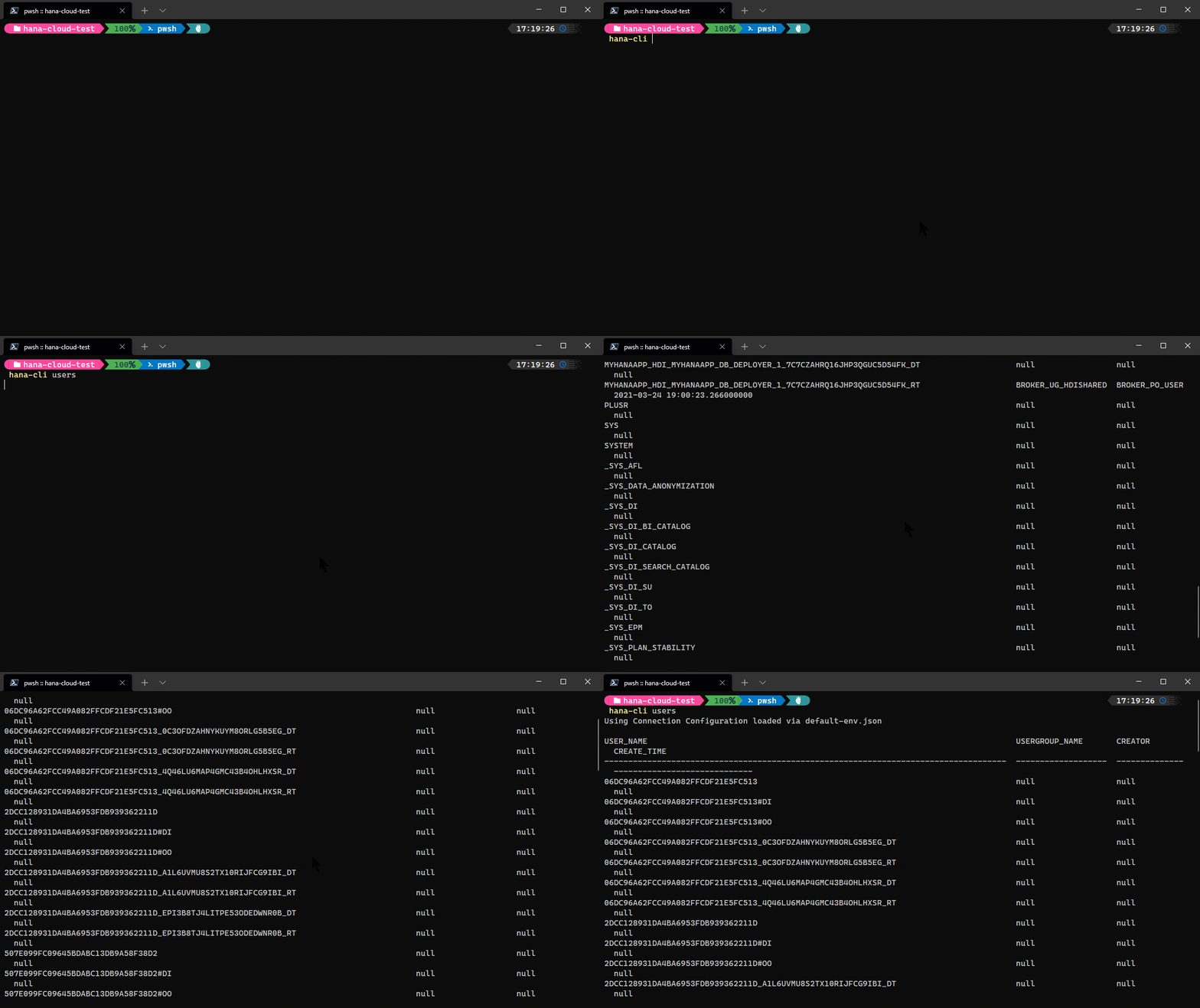
version
hana-cli version
[aliases: ver]
Version details
Troubleshooting:
--disableVerbose, --quiet  Disable Verbose output - removes all extra output
that is only helpful to human readable interface.
Useful for scripting commands.
[boolean] [default: false]
--debug, --Debug           Debug hana-cli itself by adding output of LOTS of
intermediate details     [boolean] [default: false]
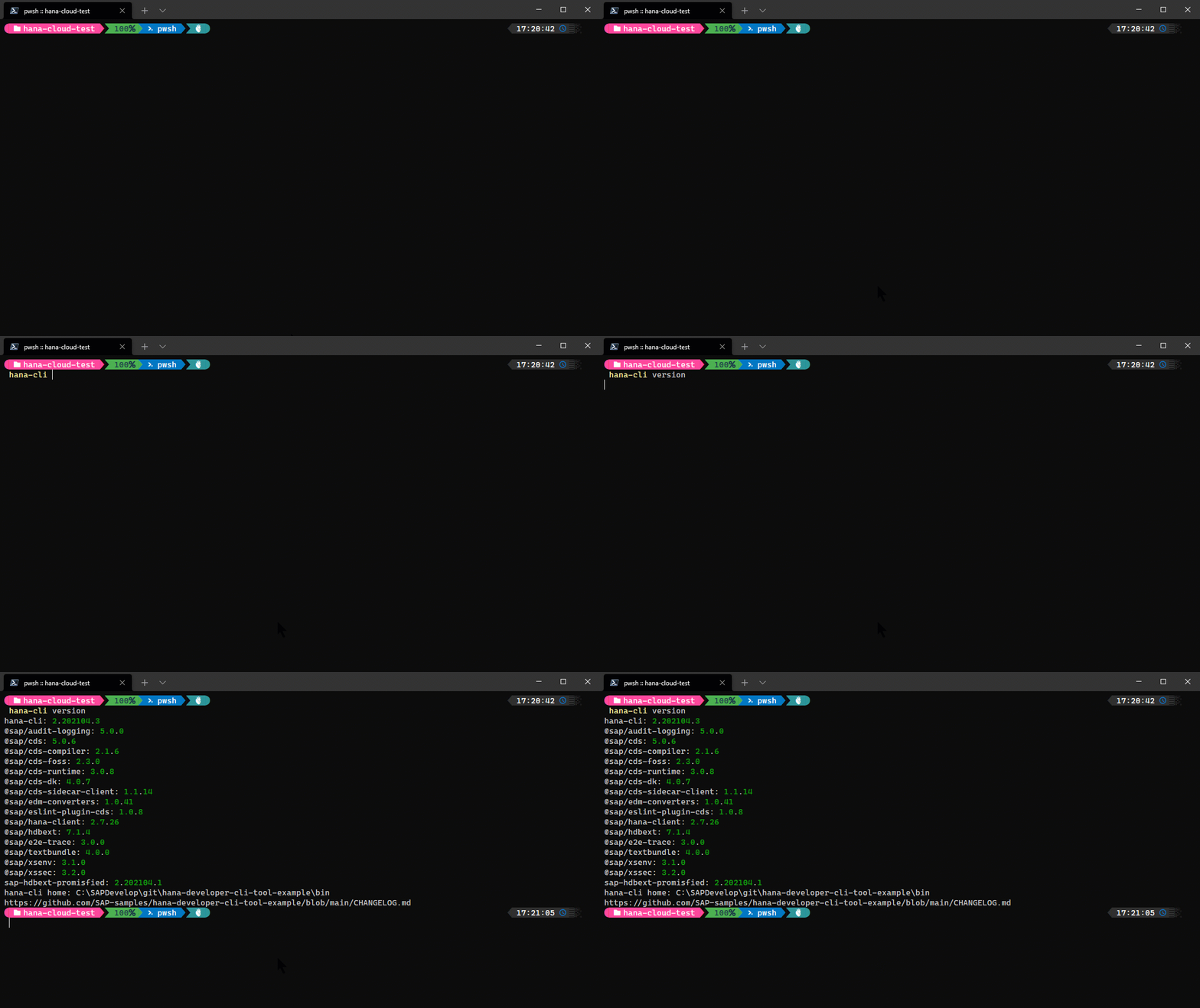
views
hana-cli views [schema] [view] [aliases: v, listViews, listviews] Get a list of all viewsConnection Parameters: -a, --admin, --Admin Connect via admin (default-env-admin.json) [boolean] [default: false] --conn Connection Filename to override default-env.json
Troubleshooting: --disableVerbose, --quiet Disable Verbose output - removes all extra output that is only helpful to human readable interface. Useful for scripting commands. [boolean] [default: false] --debug, --Debug Debug hana-cli itself by adding output of LOTS of intermediate details [boolean] [default: false]
Options: -v, --view, --View Database View [string] [default: "*"] -s, --schema, --Schema schema [string] [default: "CURRENT_SCHEMA"] -l, --limit Limit results [number] [default: 200]
Unit Testing
This project includes comprehensive unit tests to ensure code quality and reliability. The test suite covers core functionality, command execution, and database operations.
For detailed information about running tests, writing new tests, and understanding the test structure, please refer to the Unit Testing Documentation.
Running Tests
Quick start for running tests:
# Run all tests npm testRun specific test suites
npm run test:cli # CLI tests only npm run test:utils # Utils tests only npm run test:routes # Routes tests only
Code Coverage
The project uses nyc (Istanbul) for code coverage reporting. To generate code coverage reports:
# Run all tests with coverage npm run coverageRun specific test suites with coverage
npm run coverage:cli # CLI tests with coverage npm run coverage:utils # Utils tests with coverage npm run coverage:routes # Routes tests with coverage
Generate detailed HTML coverage report
npm run coverage:report
Check if coverage meets thresholds (80%)
npm run coverage:check
After running coverage tests, open ./coverage/index.html in your browser to view the detailed interactive coverage report.
The project aims for 80% code coverage across:
- Lines
- Statements
- Functions
- Branches
For more information about code coverage configuration and interpretation, see the Coverage section in the Unit Testing Documentation.
Cross-Platform Support
The HANA CLI tool is designed to work seamlessly across Windows, Linux, and macOS platforms. This section describes the cross-platform features and testing strategies employed to ensure consistent behavior.
Platform Compatibility
The tool has been tested and validated on:
- Windows: Windows 10 and later
- Linux: Ubuntu, Debian, RHEL, and other major distributions
- macOS: macOS 10.15 (Catalina) and later
Cross-Platform Features
Path Handling
The tool automatically handles platform-specific path differences:
- Uses Node.js
pathmodule for all path operations - Automatically detects and uses correct path separators (
/on Unix,\on Windows) - Normalizes paths for consistent behavior across platforms
- Supports both absolute and relative paths on all platforms
Environment Variables
Platform-specific environment variables are handled correctly:
- Windows: Uses
APPDATAfor configuration files - macOS: Uses
HOME/Library/Preferenceswith fallback toHOME/Library/Application Support - Linux: Uses
HOME/.configfor configuration files
Line Endings
The project uses .gitattributes to ensure consistent line endings:
- Text files (
.js,.json,.md, etc.) use LF (\n) in the repository - Windows scripts (
.cmd,.bat,.ps1) use CRLF (\r\n) - Binary files are handled appropriately
Cross-Platform Testing
The project includes comprehensive cross-platform testing:
# Run cross-platform specific tests npm run test:platformRun tests tagged for Windows
npm run test:windows
Run tests tagged for Unix systems (Linux/macOS)
npm run test:unix
Continuous Integration
GitHub Actions CI runs the full test suite on all three platforms:
- Ubuntu Latest: Tests Linux compatibility
- Windows Latest: Tests Windows compatibility
- macOS Latest: Tests macOS compatibility
- Node.js versions: 20.x, 22.x, and 24.x on each platform
The CI workflow validates:
- Package installation on each platform
- All unit tests pass on each platform
- Cross-platform specific tests
- Platform-specific path handling
- CLI command execution
Mock Filesystem Testing
Tests use mock-fs to simulate different filesystem structures:
- Tests can simulate Windows, macOS, and Linux filesystems
- Validates path handling without requiring multiple OS environments
- Tests platform-specific configuration file locations
- Ensures consistent behavior across platforms
Development Recommendations
When contributing to this project, follow these cross-platform best practices:
- Always use
path.join()orpath.resolve()instead of string concatenation for paths - Use
os.EOLfor platform-appropriate line endings in generated content - Test environment variable fallbacks for Windows (
APPDATA,USERPROFILE) and Unix (HOME) - Tag platform-specific tests with
@windowsor@unixas appropriate - Use
cross-envin npm scripts for environment variable consistency - Avoid hard-coded path separators (
/or\) in code
For more details on cross-platform testing, see the Cross-Platform Testing section in the Unit Testing Documentation.
How to obtain support
This project is provided "as-is": there is no guarantee that raised issues will be answered or addressed in future releases.
License
Copyright (c) 2026 SAP SE or an SAP affiliate company. All rights reserved. This project is licensed under the Apache Software License, v. 2 except as noted otherwise in the LICENSE file.