NAME
tldr — Golang command line client for tldr https://github.com/tldr-pages/tldr
SYNOPSIS
INFO
DESCRIPTION
Golang command line client for tldr https://github.com/tldr-pages/tldr
README
tldr



This tool shows the most common used parameter to different CLI-tools. This prevents long reading of help-flag output and man pages.
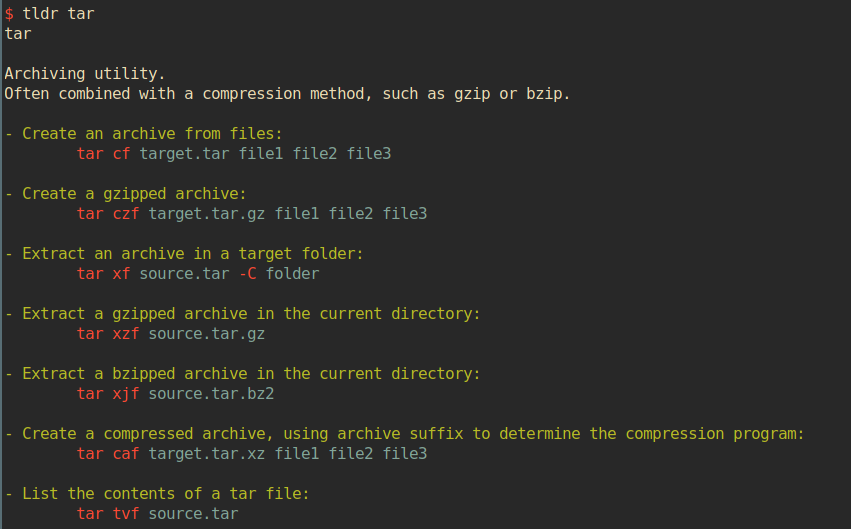
Usage
usage: tldr [OPTION]... SEARCH
available commands:
-v, --version           print version and exit
-h, --help              print this help and exit
-u, --update            update local database
-p, --platform PLATFORM select platform, supported are linux / osx / sunos / common
-a, --list-all          list all available commands for the current platform
-f, --path PATH			render a local page(file) for testing purposes
-r, --random			print a random page
Install
Just copy the executable anywhere on your system, preferably in some folder where
your $PATH variable will find it.
Executables to every release can be found on the release page of this repository.
If you want to build it yourself see below.
On Arch Linux you can simply:
yaourt -S tldr-go-client-git or trizen -S tldr-go-client-git, or any other aur-helper.
This also auto install bash and zsh completions.
Docker (mstruebing/tldr)
You can use a docker image:
docker pull mstruebing/tldr and execute it via: docker run -it mstruebing/tldr tldr tar for example.
If you want to connect into the container and execute more commands you can use docker run -it mstruebing/tldr sh.
Dependencies
You don't need any runtime dependencies.
To build it yourself you just need golang(1.8 and 1.9 are currently tested) installed.
Building
If you want to build it yourself you can use the Makefile and type make build.
This will put the tldr binary in a bin folder.
If you want to compile it without it just do a go build in the root of this repository.
To install it on your system you can do a simple sudo make install in the root of this repository.
This will build the executable file and install it to /usr/bin as well as zsh and bash autocompletions.
You can install it into an other directory with:
INSTALL_DIR=/path/where/you/want/the/binary/to/live sudo make install
Make sure you have this directory in your $PATH.
Otherwise you can build the executable yourself and copy it wherever you want. Or simply adjust the Makefile to your needs.
| command | effect |
|---|---|
make build | builds the binary for your current platform and places it in ./bin/ |
make install | runs build and copies the binary to ~/bin/ |
make test | runs tests |
make build-all-binaries | builds all binaries for currently supported platforms |
make compress-all-binaries | runs build-all-binaries and compresses them |
make clean | cleans ./bin/ and cache folders |
Autocompletion
Currently this tool provides autocompletion for zsh and bash.
Bash
In bash you simply need to source the file (source autocomplete.bash).
source autocompletion/autocomplete.bash
You can put this into your .bashrc:
source <path/to/repo>/autocompletion/autocomplete.bash
Zsh
Currently only tested with oh-my-zsh:
In zsh you need to copy or symlink autocomplete.zsh to $ZSH_CUSTOM/plugins/tldr/_tldr.
copy:
mkdir -p $ZSH_CUSTOM/plugins/tldr &&
cp autocompletion/autocomplete.zsh $ZSH_CUSTOM/plugins/tldr/_tldr
symlink:
mkdir -p $ZSH_CUSTOM/plugins/tldr &&
ln -s autocompletion/autocomplete.zsh $ZSH_CUSTOM/plugins/tldr/_tldr
And then define it in your .zshrc as a plugin:
plugins=(git tldr otherPlug)
Contribution
Please read CONTRIBUTING.md