NAME
plow — A high-performance HTTP benchmarking tool that includes a real-time web UI and terminal display
SYNOPSIS
go install github.com/six-ddc/plow@latestINFO
DESCRIPTION
A high-performance HTTP benchmarking tool that includes a real-time web UI and terminal display
README
plow




Plow is an HTTP(S) benchmarking tool, written in Golang. It uses excellent fasthttp instead of Go's default net/http due to its lightning fast performance.
Plow runs at a specified connections(option -c) concurrently and real-time records a summary statistics, histogram
of execution time and calculates percentiles to display on Web UI and terminal. It can run for a set duration(
option -d), for a fixed number of requests(option -n), or until Ctrl-C interrupted.
The implementation of real-time computing Histograms and Quantiles using stream-based algorithms inspired by prometheus with low memory and CPU bounds. so it's almost no additional performance overhead for benchmarking.
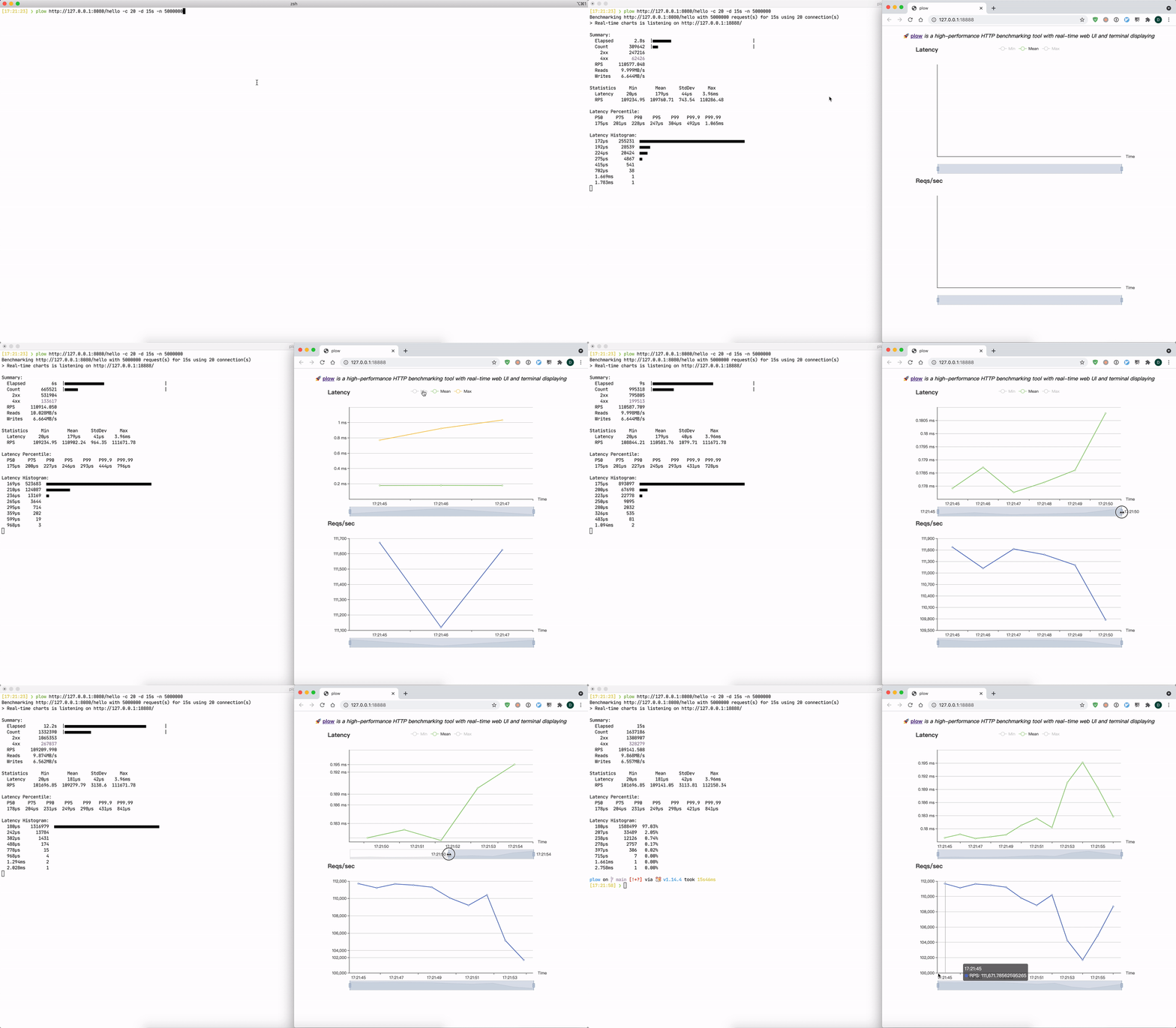
❯ ./plow http://127.0.0.1:8080/hello -c 20 Benchmarking http://127.0.0.1:8080/hello using 20 connection(s). @ Real-time charts is listening on http://[::]:18888Summary: Elapsed 8.6s Count 969657 2xx 776392 4xx 193265 RPS 112741.713 Reads 10.192MB/s Writes 6.774MB/s
Statistics Min Mean StdDev Max Latency 32µs 176µs 37µs 1.839ms RPS 108558.4 112818.12 2456.63 115949.98
Latency Percentile: P50 P75 P90 P95 P99 P99.9 P99.99 173µs 198µs 222µs 238µs 274µs 352µs 498µs
Latency Histogram: 141µs 273028 ■■■■■■■■■■■■■■■■■■■■■■■■ 177µs 458955 ■■■■■■■■■■■■■■■■■■■■■■■■■■■■■■■■■■■■■■■■ 209µs 204717 ■■■■■■■■■■■■■■■■■■ 235µs 26146 ■■ 269µs 6029 ■ 320µs 721 403µs 58 524µs 3
Installation
Binary and image distributions are available through the releases assets page.
Via Go
go install github.com/six-ddc/plow@latest
Via Homebrew
# brew update
brew install plow
Via Docker
docker run --rm --net=host ghcr.io/six-ddc/plow
# docker run --rm -p 18888:18888 ghcr.io/six-ddc/plow
Usage
Options
usage: plow [<flags>] <url>A high-performance HTTP benchmarking tool with real-time web UI and terminal displaying
Examples:
plow http://127.0.0.1:8080/ -c 20 -n 100000 plow https://httpbin.org/post -c 20 -d 5m --body @file.json -T 'application/json' -m POST
Flags: --help Show context-sensitive help. -c, --concurrency=1 Number of connections to run concurrently --rate=infinity Number of requests per time unit, examples: --rate 50 --rate 10/ms --ramp-up=-1 Concurrently will increase pre seconds -n, --requests=-1 Number of requests to run -d, --duration=DURATION Duration of test, examples: -d 10s -d 3m -i, --interval=200ms Print snapshot result every interval, use 0 to print once at the end --seconds Use seconds as time unit to print --json Print snapshot result as JSON -b, --body=BODY HTTP request body, if body starts with '@' the rest will be considered a file's path from which to read the actual body content --stream Specify whether to stream file specified by '--body @file' using chunked encoding or to read into memory -m, --method="GET" HTTP method -H, --header=K:V ... Custom HTTP headers --host=HOST Host header -T, --content=CONTENT Content-Type header --cert=CERT Path to the client's TLS Certificate --key=KEY Path to the client's TLS Certificate Private Key -k, --insecure Controls whether a client verifies the server's certificate chain and host name --listen=":18888" Listen addr to serve Web UI --timeout=DURATION Timeout for each http request --dial-timeout=DURATION Timeout for dial addr --req-timeout=DURATION Timeout for full request writing --resp-timeout=DURATION Timeout for full response reading --socks5=ip:port Socks5 proxy --http-proxy=username:password@ip:port Set HTTP proxy --auto-open-browser Specify whether auto open browser to show web charts --[no-]clean Clean the histogram bar once its finished. Default is true --output-errors=OUTPUT-ERRORS
Output errors to file --summary Only print the summary without realtime reports --unix-socket=UNIX-SOCKET Unix domain socket path to use for connection --version Show application version.Flags default values also read from env PLOW_SOME_FLAG, such as PLOW_TIMEOUT=5s equals to --timeout=5s
Args: <url> Request url
Examples
Basic usage:
plow http://127.0.0.1:8080/ -c 20 -n 10000 -d 10s
POST a json file:
plow https://httpbin.org/post -c 20 --body @file.json -T 'application/json' -m POST
Bash/ZSH Shell Completion
# Add the statement to their bash_profile (or equivalent):
eval "$(plow --completion-script-bash)"
# Or for ZSH
eval "$(plow --completion-script-zsh)"
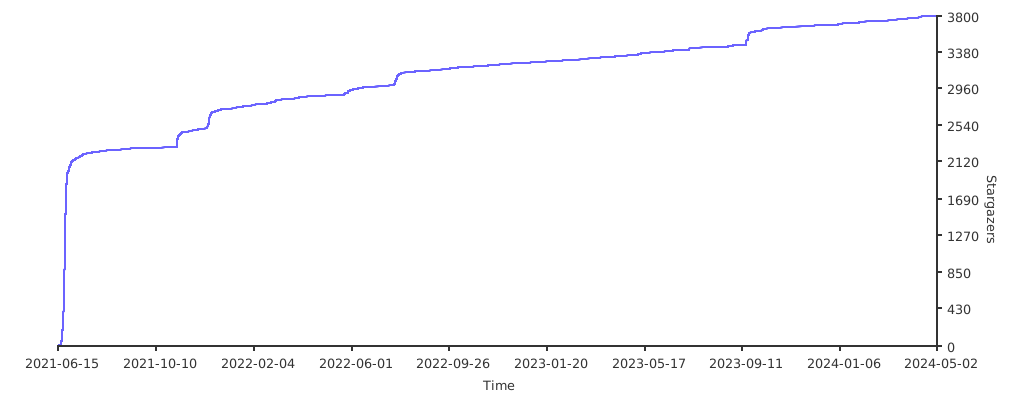
Stargazers
License
See LICENSE.