NAME
PyPDFForm — :fire: The Python library & CLI for PDF forms.
SYNOPSIS
pip install PyPDFFormINFO
DESCRIPTION
:fire: The Python library & CLI for PDF forms.
README

PDF Form Automation Simplified - Create, Inspect, Style, and Fill Forms in Python or from the Command Line.






Introduction
PyPDFForm is a Python library and command line tool for working with PDF forms. It provides a practical set of APIs for creating, inspecting, updating, and filling forms, plus common PDF utilities.
With PyPDFForm, you can:
- Create PDF forms, form fields, and raw elements.
- Inspect form fields, metadata, and values.
- Update field styling, behavior, and scripts.
- Fill PDF forms.
- Extract pages and merge PDFs.
The goal is to make PDF form work straightforward, whether you are handling one document or building a larger workflow.
Installing
To use PyPDFForm as a Python library, install the base package with pip:
pip install PyPDFForm
To use the CLI, install PyPDFForm with the cli extra using pipx:
pipx install "PyPDFForm[cli]"
Quick Example

The GIF above shows the CLI filling a PDF form. To try the same workflow with the Python library, download the sample PDF form and run:
from PyPDFForm import PdfWrapperfilled = PdfWrapper("sample_template.pdf", need_appearances=True).fill( { "test": "test_1", "check": True, "test_2": "test_2", "check_2": False, "test_3": "test_3", "check_3": True, }, )
filled.write("output.pdf")
After running this snippet, output.pdf will be written to the location you specified and should look like this.
Documentation
The official documentation can be found on the GitHub page of this repository.
Other Resources
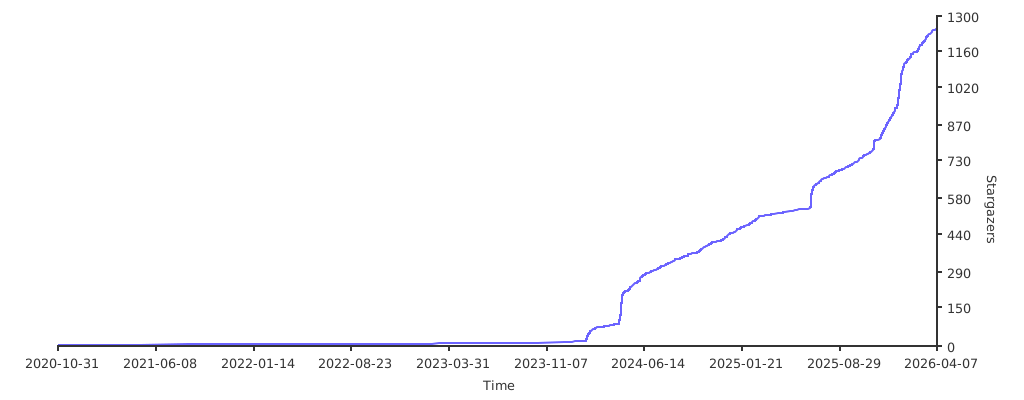
Star History
This project is maintained entirely in my spare time. If you like the project please consider starring the GitHub repository. It is the best way to keep me motivated and continue making the project better.