NAME
pyratatui — 🚀🦀⚡ Rust-powered terminal UI for Python — fast, typed, animated, and ergonomic 🔥💎🌈
SYNOPSIS
pip install pyratatuiINFO
DESCRIPTION
🚀🦀⚡ Rust-powered terminal UI for Python — fast, typed, animated, and ergonomic 🔥💎🌈
README
🐀 PyRatatui
Professional Python bindings for ratatui 0.30 — powered by Rust & PyO3








Build rich, high-performance terminal UIs in Python — with the full power of Rust under the hood.
Quickstart · Installation · Widgets · Effects · Examples · API Reference · Docs
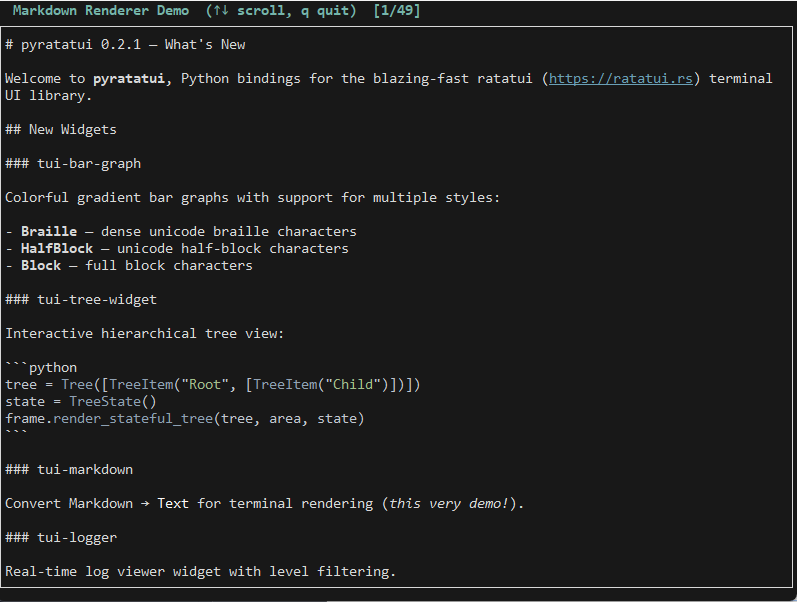
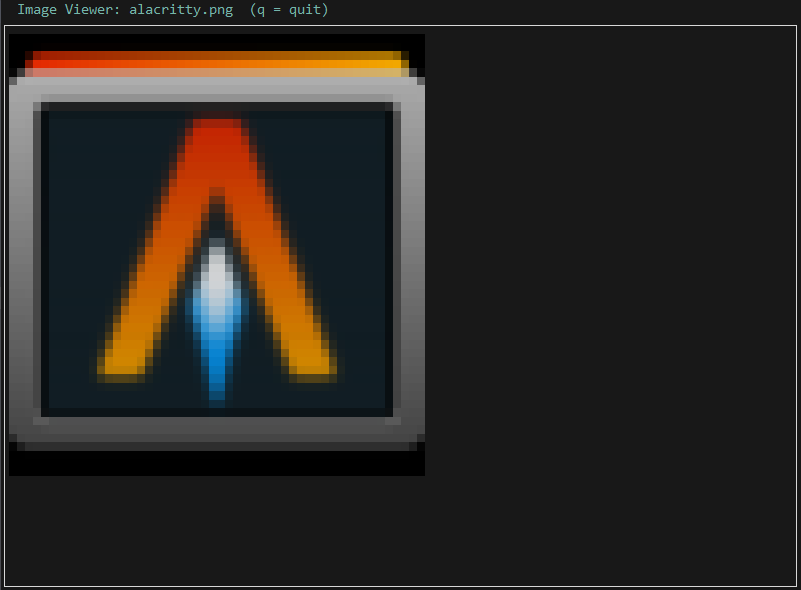
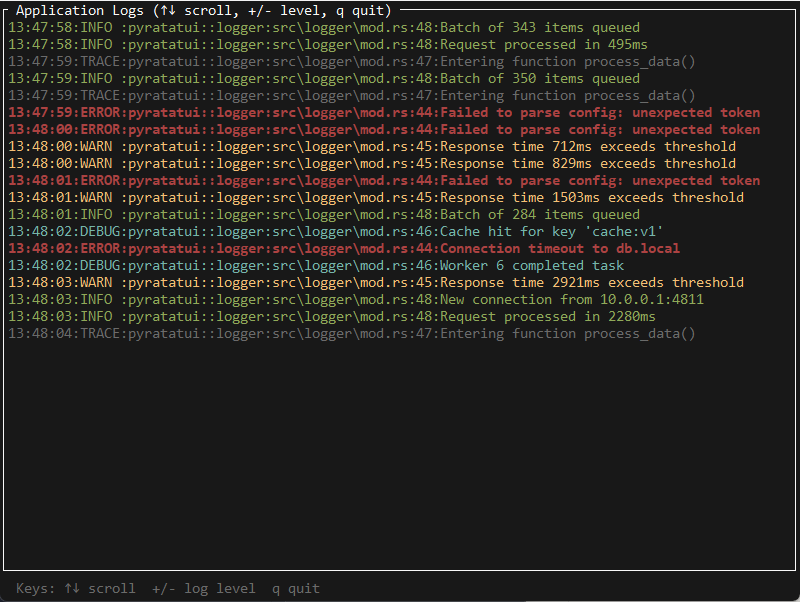
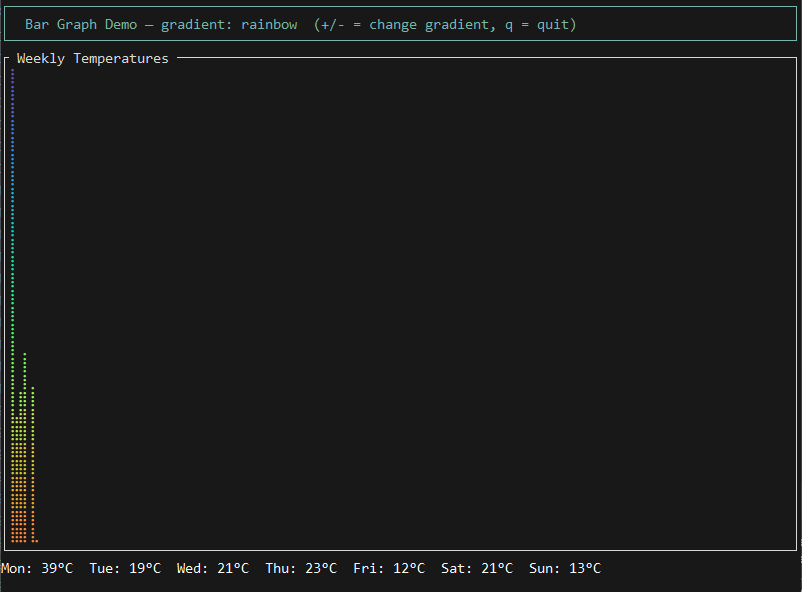
🖼️ Gallery
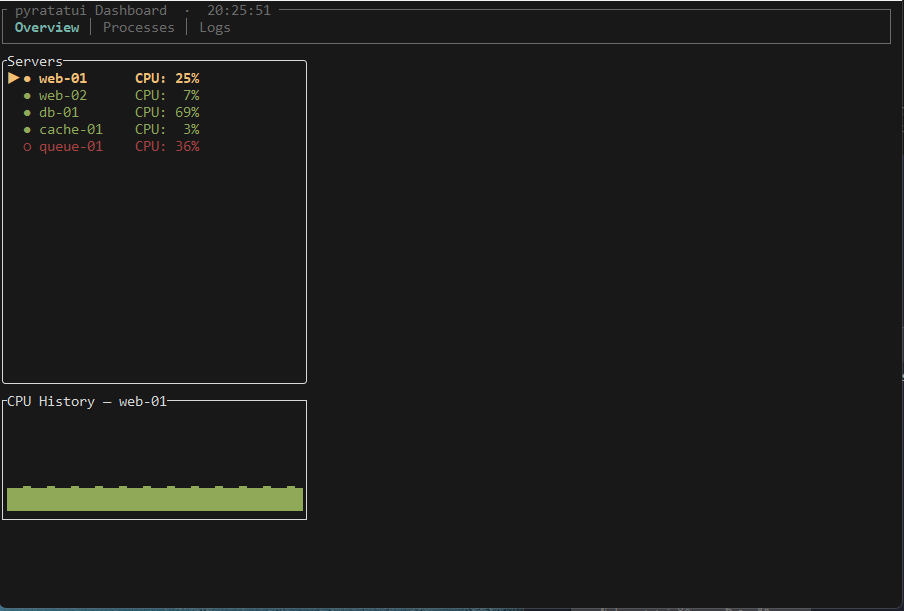 | 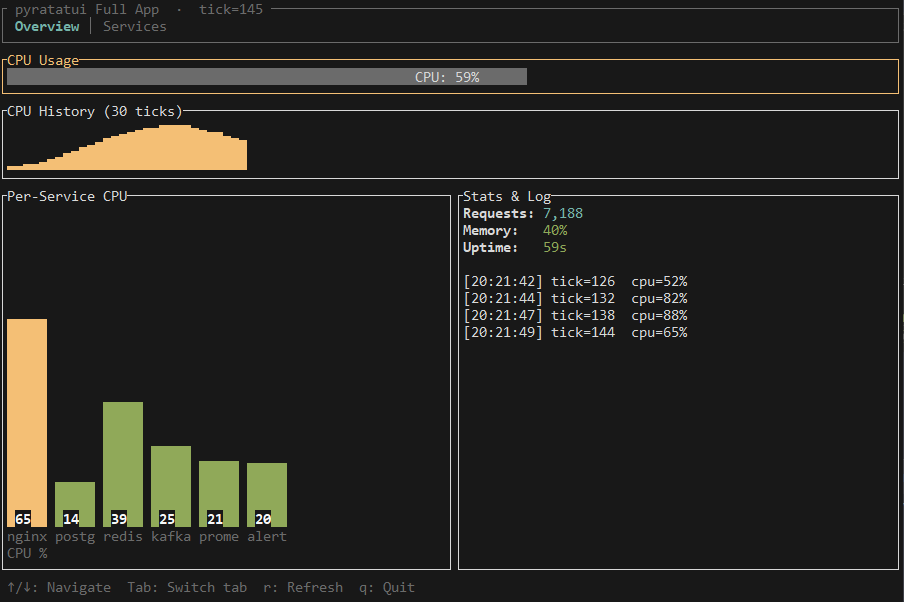 | 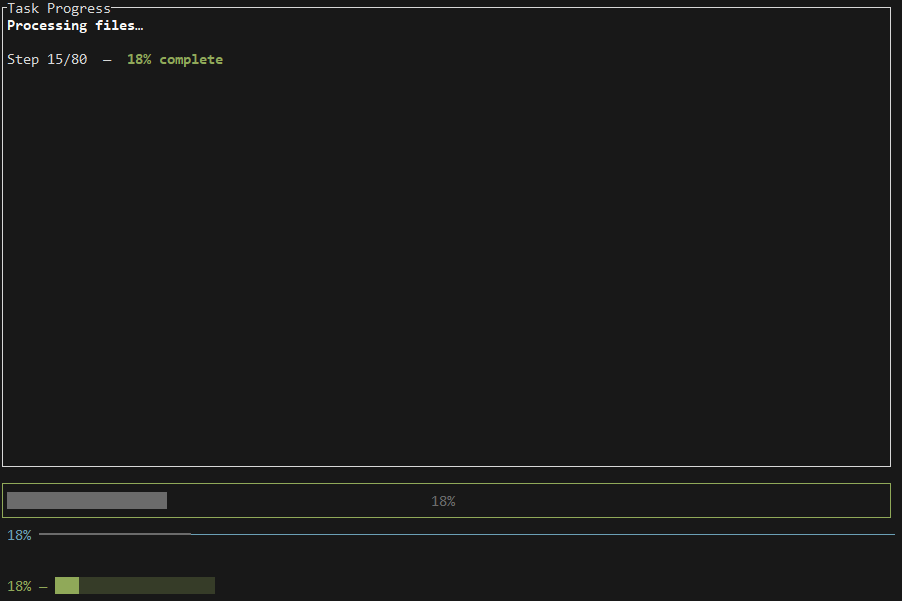 |
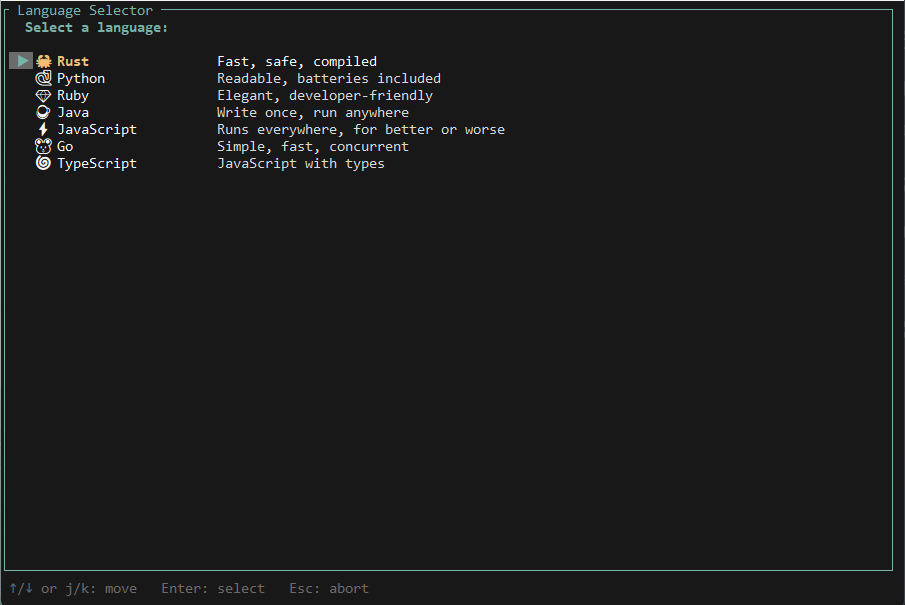 | 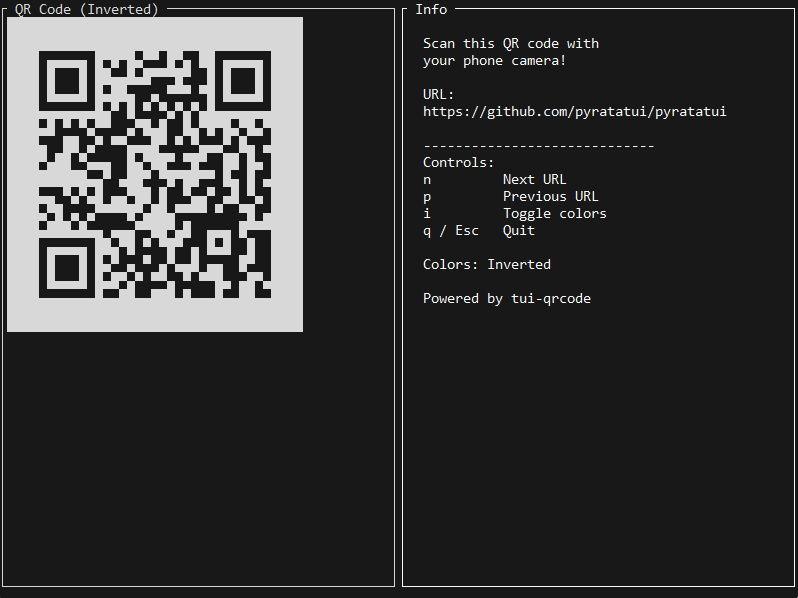 | 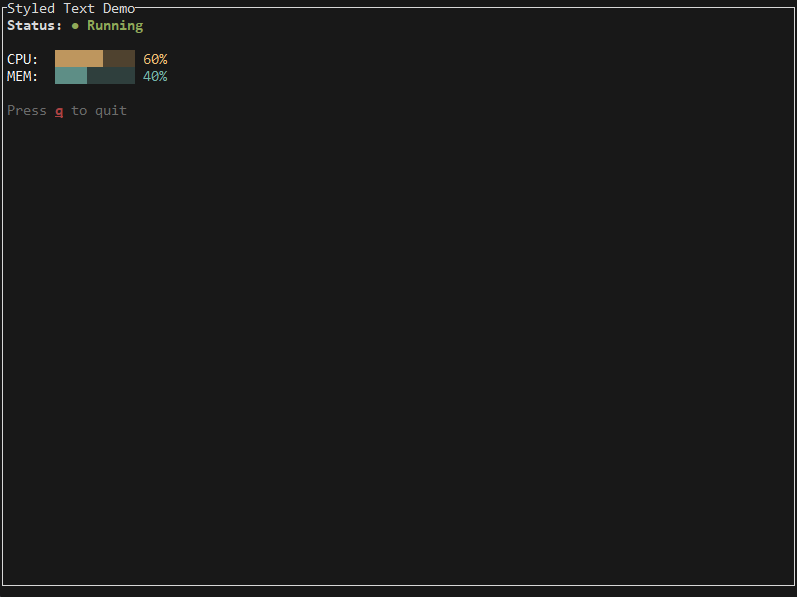 |
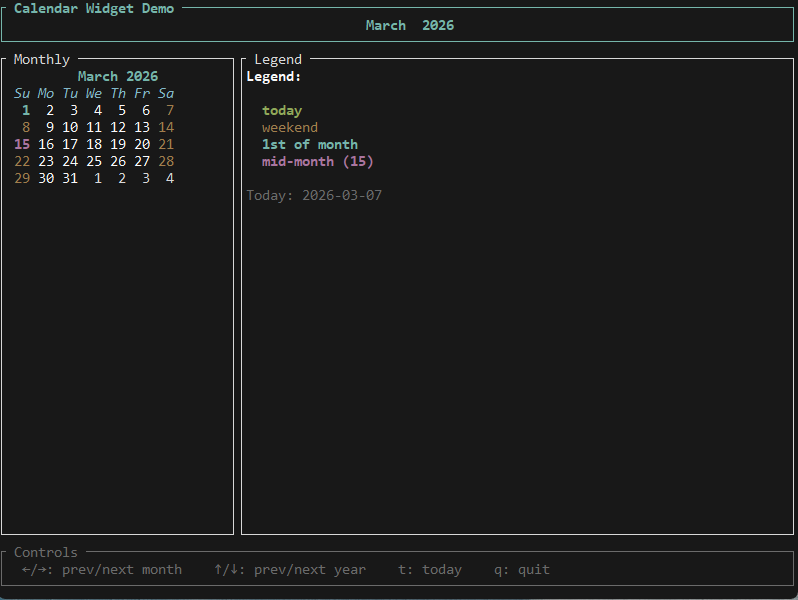 | 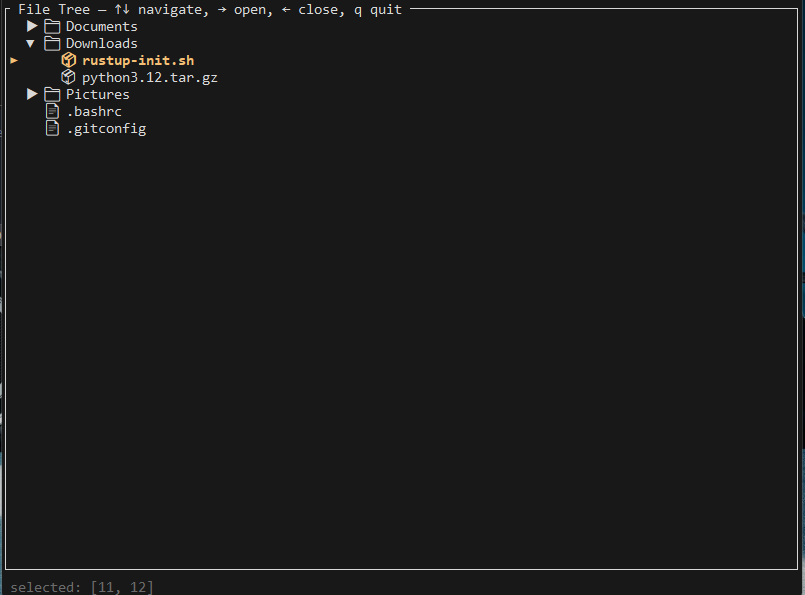 |  |
 |  |  |
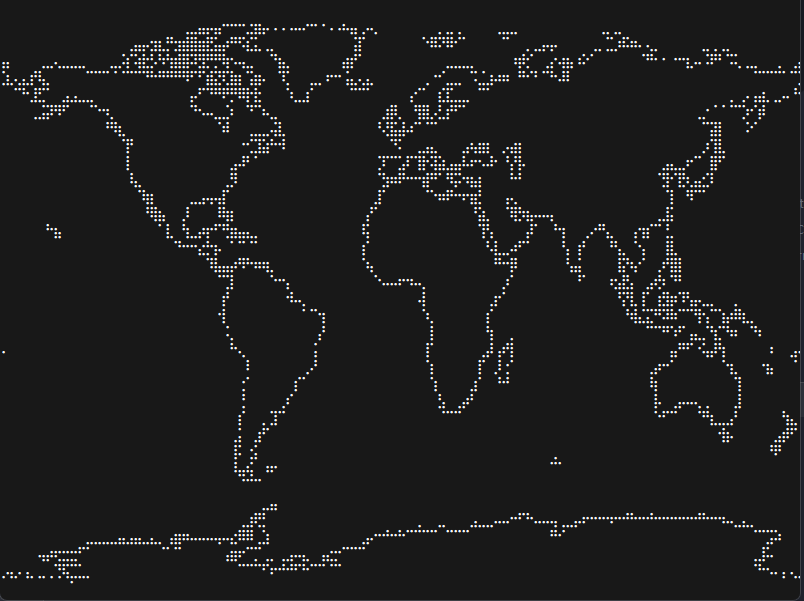 | 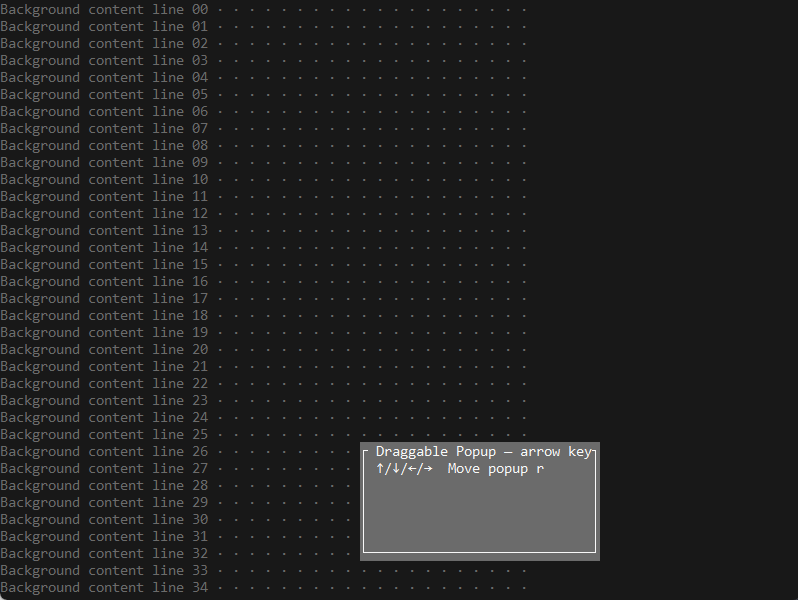 | 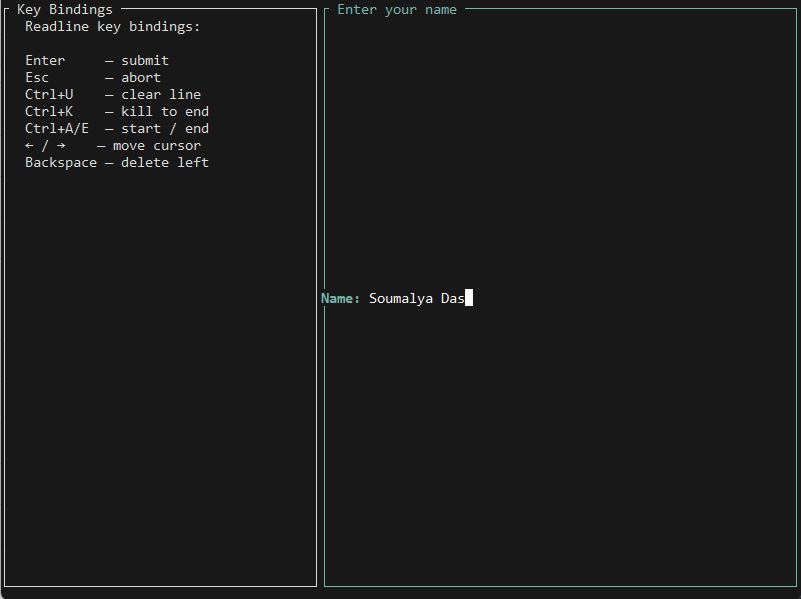 |
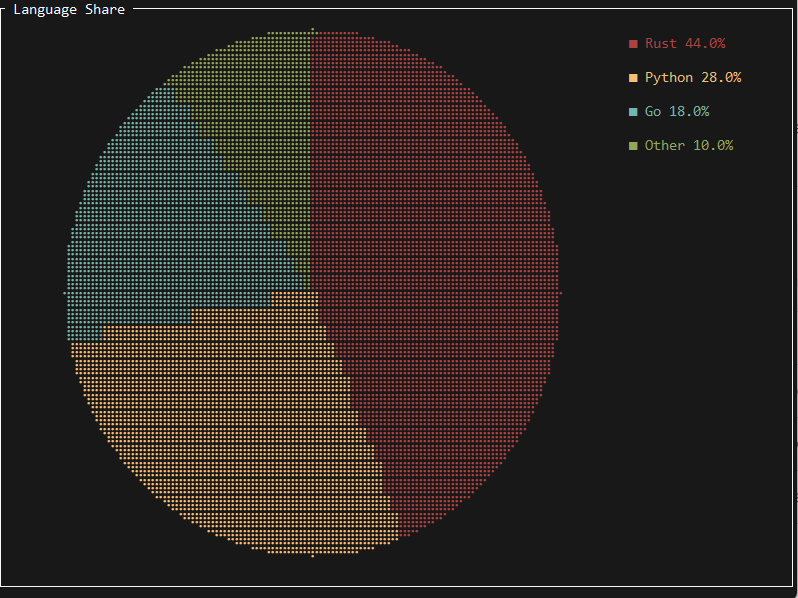 |  |  |
What is PyRatatui?
PyRatatui exposes the entire ratatui Rust TUI library to Python via a thin, zero-overhead PyO3 extension module. You get:
- Pixel-perfect terminal rendering from ratatui's battle-tested Rust layout engine
- 35+ widgets out of the box: gauges, tables, trees, menus, charts, calendars, QR codes, images, markdown, and more
- TachyonFX animations — fade, sweep, glitch, dissolve, and composable effect pipelines
- Async-native —
AsyncTerminal+asynciointegration for live, reactive UIs - Full type stubs — every class and method ships with
.pyiannotations for IDE autocomplete - Cross-platform — Linux, macOS, and Windows (pre-built wheels on PyPI for all three)
Table of Contents
- Installation
- Quickstart
- Core Concepts
- Widget Reference
- TachyonFX Effects
- Async & Reactive UIs
- CLI Tool
- API Reference
- Examples
- Building from Source
- Contributing
- License
Installation
Recommended — Pre-built Wheel
pip install pyratatui
Pre-built wheels are published to PyPI for:
- Linux x86_64 (manylinux2014)
- Linux x86_64 and aarch64 (musllinux_1_2) (starting from v0.2.3)
- macOS x86_64 (starting from v0.2.2) and arm64 (universal2)
- Windows x86_64
If no wheel exists for your platform, pip will automatically compile from source (requires Rust — see Building from Source).
Virtual Environment (Best Practice)
python -m venv .venv
source .venv/bin/activate        # Linux / macOS
# .venv\Scripts\activate         # Windows PowerShell
pip install pyratatui
Requirements
| Requirement | Minimum | Notes |
|---|---|---|
| Python | 3.10 | 3.11+ recommended |
| OS | Linux, macOS, Windows | crossterm backend |
| Rust | 1.75 | source builds only |
Verify
import pyratatui
print(pyratatui.__version__)          # "0.2.7"
print(pyratatui.__ratatui_version__)  # "0.30"
Quickstart
Hello World
from pyratatui import Block, Color, Paragraph, Style, Terminal
with Terminal() as term:
while True:
def ui(frame):
frame.render_widget(
Paragraph.from_string("Hello, pyratatui! 🐀  Press q to quit.")
.block(Block().bordered().title("Hello World"))
.style(Style().fg(Color.cyan())),
frame.area,
)
term.draw(ui)
ev = term.poll_event(timeout_ms=100)
if ev and ev.code == "q":
break
Output:
┌ Hello World ────────────────────────────────────────────┐
│ Hello, pyratatui! 🐀  Press q to quit.                  │
└─────────────────────────────────────────────────────────┘
Scaffold a New Project
pyratatui init my_app
cd my_app
pip install -r requirements.txt
python main.py
Ultra-Minimal — run_app Helper
from pyratatui import Paragraph, run_appdef ui(frame): frame.render_widget( Paragraph.from_string("Hello! Press q to quit."), frame.area, )
run_app(ui)
Core Concepts
Terminal & Frame
Terminal is the entry point. Use it as a context manager — it saves the terminal state, enters alternate screen mode, enables raw input, and restores everything on exit (even after exceptions).
frame is not a global variable and you never construct it yourself. Each call to term.draw(...), AsyncTerminal.draw(...), run_app(...), or run_app_async(...) creates a temporary Frame for that render pass and passes it into your callback. Use it only inside that callback.
with Terminal() as term:
    term.draw(lambda frame: ...)    # pyratatui creates frame and passes it in
    ev = term.poll_event(timeout_ms=50)  # KeyEvent | None
Frame holds the drawable area and all render methods for the current pass:
def ui(frame):
    area = frame.area  # Rect — full terminal size
    frame.render_widget(widget, area)
Layout
Layout divides a Rect into child regions using constraints:
from pyratatui import ( Block, Constraint, Direction, Layout, Paragraph, run_app, )def ui(frame): header, body, footer = ( Layout() .direction(Direction.Vertical) .constraints([ Constraint.length(3), # fixed 3 rows Constraint.fill(1), # takes remaining space Constraint.length(1), # fixed 1 row ]) .split(frame.area) )
frame.render_widget(Block().bordered().title("Header"), header) frame.render_widget( Paragraph.from_string("Main content").block(Block().bordered().title("Body")), body, ) frame.render_widget(Paragraph.from_string("Press q to quit"), footer)
run_app(ui)
Constraint types:
| Constraint | Description |
|---|---|
Constraint.length(n) | Exactly n rows/columns |
Constraint.percentage(pct) | pct% of available space |
Constraint.fill(n) | Fill remaining space (proportionally weighted) |
Constraint.min(n) | At least n rows/columns |
Constraint.max(n) | At most n rows/columns |
Constraint.ratio(num, den) | Fractional proportion |
Styling
All styling flows through Style, Color, and Modifier:
from pyratatui import Style, Color, Modifierstyle = ( Style() .fg(Color.cyan()) .bg(Color.rgb(30, 30, 46)) .bold() .italic() )
Named colors
Color.red() Color.green() Color.yellow() Color.blue() Color.magenta() Color.cyan() Color.white() Color.gray() Color.dark_gray()
Light variants: Color.light_red(), Color.light_green(), ...
256-color: Color.indexed(42)
True-color: Color.rgb(255, 100, 0)
Text Hierarchy
Text is composed bottom-up: Span → Line → Text:
from pyratatui import Block, Color, Line, Paragraph, Span, Style, Text, run_appdef ui(frame): text = Text([ Line([ Span("Status: ", Style().bold()), Span("OK", Style().fg(Color.green())), Span(" | 99.9%", Style().fg(Color.cyan())), ]), Line.from_string("Plain text line"), Line.from_string("Right-aligned").right_aligned(), ])
frame.render_widget( Paragraph(text).block(Block().bordered().title("Text Hierarchy")), frame.area, )
run_app(ui)
Key Events
ev = term.poll_event(timeout_ms=100) if ev: print(ev.code) # "q", "Enter", "Up", "Down", "F1", etc. print(ev.ctrl) # True if Ctrl held print(ev.alt) # True if Alt held print(ev.shift) # True if Shift heldCommon key codes
Letters/digits: "a", "Z", "5"
Special: "Enter", "Esc", "Backspace", "Tab", "BackTab"
Arrows: "Up", "Down", "Left", "Right"
Function: "F1" … "F12"
Ctrl+C: ev.code == "c" and ev.ctrl
Tip — Closure Capture: Always snapshot mutable state into default arguments to avoid late-binding issues in fast render loops:
count = state["count"]
def ui(frame, _count=count):  # ← captured by value, not reference
    ...
Widget Reference
Standard Widgets
| Widget | Description |
|---|---|
Paragraph | Single or multi-line text, wrapping, scrolling |
Block | Bordered container with title, padding, and style |
List + ListState | Scrollable, selectable list |
Table + TableState | Multi-column table with header and footer |
Gauge | Filled progress bar |
LineGauge | Single-line progress indicator |
BarChart | Grouped vertical bar chart |
Sparkline | Inline sparkline trend chart |
Scrollbar + ScrollbarState | Attach scrollbars to any widget |
Tabs | Tabbed navigation bar |
Clear | Clears a rectangular area (use under popups) |
Runnable widget gallery:
from pyratatui import ( Block, Color, Constraint, Direction, Gauge, Layout, List, ListItem, ListState, Row, Sparkline, Style, Table, TableState, Tabs, run_app, )list_state = ListState() list_state.select(0)
table_state = TableState() table_state.select(0)
def ui(frame, _list_state=list_state, _table_state=table_state): rows = ( Layout() .direction(Direction.Vertical) .constraints([ Constraint.length(3), Constraint.length(3), Constraint.fill(1), Constraint.length(5), ]) .split(frame.area) ) middle = ( Layout() .direction(Direction.Horizontal) .constraints([Constraint.percentage(40), Constraint.fill(1)]) .split(rows[2]) )
frame.render_widget( Tabs(["Overview", "Logs", "Config"]) .select(1) .block(Block().bordered().title("Tabs")) .highlight_style(Style().fg(Color.yellow()).bold()), rows[0], ) frame.render_widget( Gauge() .percent(75) .label("CPU 75%") .style(Style().fg(Color.green())) .block(Block().bordered().title("Gauge")), rows[1], ) items = [ListItem(s) for s in ["Alpha", "Beta", "Gamma"]] frame.render_stateful_list( List(items) .block(Block().bordered().title("List")) .highlight_style(Style().fg(Color.yellow()).bold()) .highlight_symbol("▶ "), middle[0], _list_state, ) header = Row.from_strings(["Name", "Status", "Uptime"]).style( Style().fg(Color.cyan()).bold() ) table_rows = [ Row.from_strings(["nginx", "running", "14d"]), Row.from_strings(["postgres", "running", "21d"]), Row.from_strings(["redis", "degraded", "3h"]), ] frame.render_stateful_table( Table( table_rows, [Constraint.fill(1), Constraint.length(10), Constraint.length(8)], header=header, ) .block(Block().bordered().title("Table")) .highlight_style(Style().fg(Color.yellow()).bold()) .highlight_symbol("▶ "), middle[1], _table_state, ) frame.render_widget( Sparkline() .data([10, 40, 20, 80, 55, 90]) .max(100) .style(Style().fg(Color.cyan())) .block(Block().bordered().title("Sparkline")), rows[3], )
run_app(ui)
Third-Party Widgets
| Widget | Crate | Description |
|---|---|---|
Popup / PopupState | tui-popup | Centered or draggable popups |
TextArea | tui-textarea | Full multi-line editor (Emacs keybindings, undo/redo) |
ScrollView / ScrollViewState | tui-scrollview | Scrollable virtual viewport |
QrCodeWidget | tui-qrcode | QR codes rendered in Unicode block characters |
Monthly / CalendarDate | ratatui widget-calendar | Monthly calendar with event styling |
BarGraph | tui-bar-graph | Gradient braille/block bar graphs |
Tree / TreeState | tui-tree-widget | Collapsible tree view |
TuiLoggerWidget | tui-logger | Live scrolling log viewer |
ImageWidget / ImagePicker | ratatui-image | Terminal image rendering |
Canvas | ratatui | Low-level line/point/rect drawing |
Map | ratatui | World map widget |
Button | built-in | Focus-aware interactive button |
Throbber | throbber-widgets-tui | Animated spinner/progress indicator |
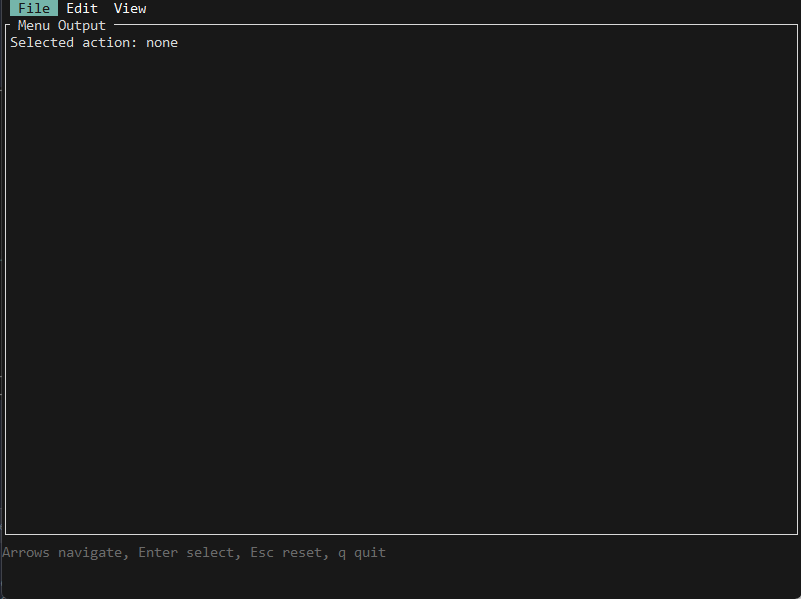
Menu / MenuState | tui-menu | Nested dropdown menus with event handling |
PieChart / PieData / PieStyle | tui-piechart | Pie chart widget with legend and percentages |
Checkbox | tui-checkbox | Configurable checkbox widget |
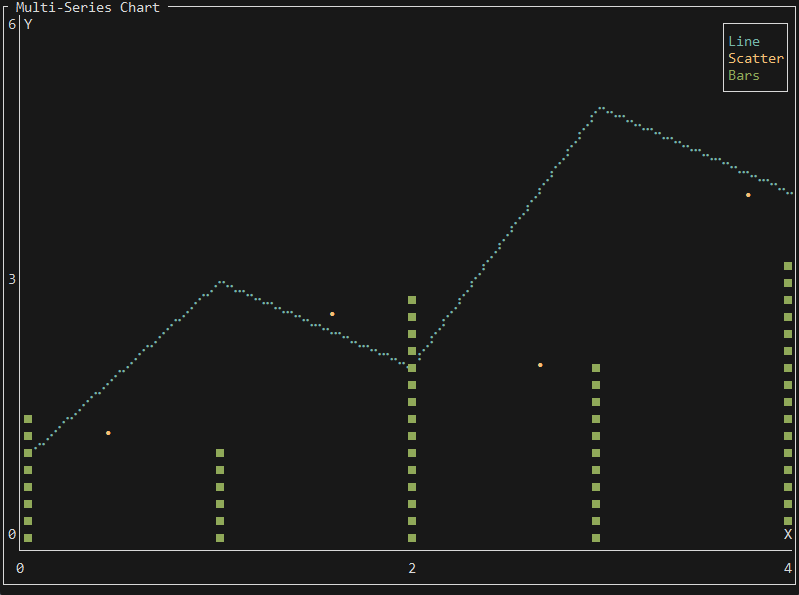
Chart / Dataset / Axis | ratatui | Multi-dataset cartesian chart (line/scatter/bar) |
Image Rendering
ImageWidget supports Kitty, Sixel, iTerm2 inline images, and a Unicode
half-block fallback. For best clarity, call ImagePicker.from_query() inside
Terminal() to auto-detect the best protocol and cell size, and the renderer
uses a high-quality Lanczos3 resampling filter when resizing.
Third-party widget gallery:
from pyratatui import ( BarColorMode, BarGraph, BarGraphStyle, Block, CalendarDate, CalendarEventStore, Color, Constraint, Direction, Layout, Monthly, Paragraph, Popup, PopupState, QrCodeWidget, QrColors, Style, TextArea, Tree, TreeItem, TreeState, markdown_to_text, run_app, )popup = Popup("Press q to dismiss").title("Popup").style(Style().bg(Color.blue())) popup_state = PopupState()
textarea = TextArea.from_lines(["Hello", "World"]) textarea.set_block(Block().bordered().title("TextArea"))
tree = Tree([ TreeItem("src", [TreeItem("main.rs"), TreeItem("lib.rs")]), TreeItem("Cargo.toml"), ]).block(Block().bordered().title("Tree")) tree_state = TreeState() tree_state.select([0])
def ui(frame, _popup_state=popup_state, _ta=textarea, _tree=tree, _tree_state=tree_state): rows = ( Layout() .direction(Direction.Vertical) .constraints([ Constraint.length(12), Constraint.length(10), Constraint.fill(1), ]) .split(frame.area) ) top = ( Layout() .direction(Direction.Horizontal) .constraints([ Constraint.percentage(25), Constraint.percentage(25), Constraint.percentage(25), Constraint.fill(1), ]) .split(rows[0]) ) middle = ( Layout() .direction(Direction.Horizontal) .constraints([Constraint.fill(1), Constraint.length(28)]) .split(rows[1]) )
qr_block = Block().bordered().title("QR Code") frame.render_widget(qr_block, top[0]) frame.render_qrcode( QrCodeWidget("https://ratatui.rs").colors(QrColors.Inverted), qr_block.inner(top[0]), ) store = CalendarEventStore.today_highlighted(Style().fg(Color.green()).bold()) frame.render_widget( Monthly(CalendarDate.today(), store) .block(Block().bordered().title("Calendar")) .show_month_header(Style().bold()) .show_weekdays_header(Style().italic()), top[1], ) graph_block = Block().bordered().title("Bar Graph") frame.render_widget(graph_block, top[2]) frame.render_widget( BarGraph([0.1, 0.4, 0.9, 0.6, 0.8]) .bar_style(BarGraphStyle.Braille) .color_mode(BarColorMode.VerticalGradient) .gradient("turbo"), graph_block.inner(top[2]), ) frame.render_stateful_popup(popup, top[3], _popup_state) frame.render_widget( Paragraph(markdown_to_text("# Hello\n\n**bold** _italic_ `code`")) .block(Block().bordered().title("Markdown")), middle[0], ) frame.render_stateful_tree(_tree, middle[1], _tree_state) frame.render_textarea(_ta, rows[2])
run_app(ui)
TachyonFX Effects
PyRatatui ships the full tachyonfx effects engine. Effects are post-render transforms that mutate the frame buffer — always apply them after rendering your widgets.
Effect Types
| Effect | Description |
|---|---|
Effect.fade_from_fg(color, ms) | Fade text from a color into its natural color |
Effect.fade_to_fg(color, ms) | Fade text out to a flat color |
Effect.fade_from(bg, fg, ms) | Fade both background and foreground from color |
Effect.fade_to(bg, fg, ms) | Fade both background and foreground to color |
Effect.coalesce(ms) | Characters materialize in from random positions |
Effect.dissolve(ms) | Characters scatter and dissolve |
Effect.slide_in(direction, ms) | Slide content in from an edge |
Effect.slide_out(direction, ms) | Slide content out to an edge |
Effect.sweep_in(dir, span, grad, color, ms) | Gradient sweep reveal |
Effect.sweep_out(dir, span, grad, color, ms) | Gradient sweep hide |
Effect.sequence(effects) | Run effects one after another |
Effect.parallel(effects) | Run effects simultaneously |
Effect.sleep(ms) | Delay before next effect in a sequence |
Effect.repeat(effect, times=-1) | Loop an effect (−1 = forever) |
Effect.ping_pong(effect) | Play an effect forward then backward |
Effect.never_complete(effect) | Keep an effect alive indefinitely |
Interpolations
Interpolation.Linear, QuadIn/Out/InOut, CubicIn/Out/InOut, SineIn/Out/InOut,
CircIn/Out/InOut, ExpoIn/Out/InOut, ElasticIn/Out, BounceIn/Out/BounceInOut, BackIn/Out/BackInOut
Basic Effect Usage
import time from pyratatui import Effect, EffectManager, Interpolation, Color, Terminal, Paragraphmgr = EffectManager() mgr.add(Effect.fade_from_fg(Color.black(), 1000, Interpolation.SineOut)) last = time.monotonic()
with Terminal() as term: while not (ev := term.poll_event(timeout_ms=16)) or ev.code != "q": now = time.monotonic() elapsed_ms = int((now - last) * 1000) last = now
def ui(frame, _mgr=mgr, _ms=elapsed_ms): # Step 1 — render widgets frame.render_widget(Paragraph.from_string("Fading in…"), frame.area) # Step 2 — apply effects to the same buffer frame.apply_effect_manager(_mgr, _ms, frame.area) term.draw(ui)
Effect DSL
Compile tachyonfx expressions at runtime — perfect for config-driven or user-customisable animations:
from pyratatui import compile_effect, EffectManagerDSL mirrors the Rust / tachyonfx expression syntax
effect = compile_effect("fx::coalesce(500)") effect = compile_effect("fx::dissolve((800, BounceOut))") effect = compile_effect("fx::fade_from_fg(Color::Black, (600, QuadOut))") effect = compile_effect("fx::sweep_in(LeftToRight, 10, 5, Color::Black, (700, SineOut))")
mgr = EffectManager() mgr.add(effect)
Cell Filters
Target effects at specific cells:
from pyratatui import CellFilter, Effect, Color
effect = Effect.fade_from_fg(Color.black(), 800)
effect.with_filter(CellFilter.text())                           # text cells only
effect.with_filter(CellFilter.inner(horizontal=1, vertical=1)) # inner area
effect.with_filter(CellFilter.fg_color(Color.cyan()))          # specific fg color
effect.with_filter(CellFilter.any_of([CellFilter.text(), CellFilter.all()]))
Async & Reactive UIs
Use AsyncTerminal to combine rendering with background asyncio tasks:
import asyncio from pyratatui import AsyncTerminal, Gauge, Block, Style, Colorstate = {"progress": 0}
async def background_worker(): while state["progress"] < 100: await asyncio.sleep(0.1) state["progress"] += 2
async def main(): worker = asyncio.create_task(background_worker())
async with AsyncTerminal() as term: async for ev in term.events(fps=30): pct = state["progress"] def ui(frame, _pct=pct): frame.render_widget( Gauge() .percent(_pct) .label(f"Loading… {_pct}%") .style(Style().fg(Color.green())) .block(Block().bordered().title("Progress")), frame.area, ) term.draw(ui) if ev and ev.code == "q": break if pct >= 100: break worker.cancel()
asyncio.run(main())
AsyncTerminal.events() Parameters
By default events() keeps yielding each tick; pass stop_on_quit=True to opt into automatic exit on q/Ctrl+C.
async for ev in term.events(fps=30.0, stop_on_quit=True):
    # ev is KeyEvent | None
    # None emitted each tick (use for animations / periodic updates)
    # stop_on_quit=True (opt-in) exits the loop automatically on "q" or Ctrl+C
run_app / run_app_async Helpers
For simpler apps that don't need manual task management; keep in mind that quitting must be implemented via on_key or another explicit signal.
from pyratatui import run_app, run_app_async, ParagraphSynchronous
def ui(frame): frame.render_widget( Paragraph.from_string("Hello!"), frame.area )
run_app(ui, on_key=lambda ev: ev.code == "q")
Asynchronous
import asyncio
async def main(): tick = 0 def ui(frame): nonlocal tick frame.render_widget(Paragraph.from_string(f"Tick: {tick}"), frame.area) tick += 1 await run_app_async(ui, fps=30, on_key=lambda ev: ev.code == "q")
asyncio.run(main())
CLI Tool
PyRatatui ships a pyratatui CLI for project scaffolding and version inspection.
Usage: pyratatui [COMMAND]Commands: init Create a new PyRatatui project scaffold version Show PyRatatui version
Options: --help Show help message
pyratatui init
pyratatui init my_tui_app [--verbose]
Creates a ready-to-run project:
my_tui_app/
├── main.py           # runnable hello world starter
├── pyproject.toml    # app metdata
├── .gitignore        # skip unnecessary files from commit
└── README.md         # project docs
cd my_tui_app
pip install -r requirements.txt
python main.py
pyratatui version
pyratatui version
# PyRatatui 0.2.7
API Reference
Terminal
class Terminal:
    def __enter__(self) -> Terminal
    def __exit__(self, ...) -> bool
    def draw(self, draw_fn: Callable[[Frame], None]) -> None
    def poll_event(self, timeout_ms: int = 0) -> KeyEvent | None
    def area(self) -> Rect
    def clear(self) -> None
    def hide_cursor(self) -> None
    def show_cursor(self) -> None
    def restore(self) -> None
AsyncTerminal
class AsyncTerminal:
    async def __aenter__(self) -> AsyncTerminal
    async def __aexit__(self, ...) -> bool
    def draw(self, draw_fn: Callable[[Frame], None]) -> None
    async def poll_event(self, timeout_ms: int = 50) -> KeyEvent | None
    async def events(self, fps: float = 30.0, *, stop_on_quit: bool = False) -> AsyncIterator[KeyEvent | None]
    def area(self) -> Rect
    def clear(self) -> None
    def hide_cursor(self) -> None
    def show_cursor(self) -> None
Frame
class Frame: @property def area(self) -> Rect# Standard widgets (stateless) def render_widget(self, widget: object, area: Rect) -> None # Stateful widgets def render_stateful_list(self, widget: List, area: Rect, state: ListState) -> None def render_stateful_table(self, widget: Table, area: Rect, state: TableState) -> None def render_stateful_scrollbar(self, widget: Scrollbar, area: Rect, state: ScrollbarState) -> None def render_stateful_menu(self, widget: Menu, area: Rect, state: MenuState) -> None # Popups def render_popup(self, popup: Popup, area: Rect) -> None def render_stateful_popup(self, popup: Popup, area: Rect, state: PopupState) -> None # Text editor def render_textarea(self, ta: TextArea, area: Rect) -> None # Scroll view def render_stateful_scrollview(self, sv: ScrollView, area: Rect, state: ScrollViewState) -> None # QR code def render_qrcode(self, qr: QrCodeWidget, area: Rect) -> None # Effects def apply_effect(self, effect: Effect, elapsed_ms: int, area: Rect) -> None def apply_effect_manager(self, manager: EffectManager, elapsed_ms: int, area: Rect) -> None # Prompts def render_text_prompt(self, prompt: TextPrompt, area: Rect, state: TextState) -> None def render_password_prompt(self, prompt: PasswordPrompt, area: Rect, state: TextState) -> None
Layout & Geometry
class Layout:
    def constraints(self, constraints: list[Constraint]) -> Layout
    def direction(self, direction: Direction) -> Layout
    def margin(self, margin: int) -> Layout
    def spacing(self, spacing: int) -> Layout
    def flex_mode(self, mode: str) -> Layout
    def split(self, area: Rect) -> list[Rect]
class Rect:
x: int;  y: int;  width: int;  height: int
right: int;  bottom: int;  left: int;  top: int
def area(self) -> int
def inner(self, horizontal: int = 1, vertical: int = 1) -> Rect
def contains(self, other: Rect) -> bool
def intersection(self, other: Rect) -> Rect | None
def union(self, other: Rect) -> Rect
Style
class Style:
    def fg(self, color: Color) -> Style
    def bg(self, color: Color) -> Style
    def bold(self) -> Style
    def italic(self) -> Style
    def underlined(self) -> Style
    def dim(self) -> Style
    def reversed(self) -> Style
    def hidden(self) -> Style
    def crossed_out(self) -> Style
    def slow_blink(self) -> Style
    def rapid_blink(self) -> Style
    def patch(self, other: Style) -> Style
    def add_modifier(self, modifier: Modifier) -> Style
    def remove_modifier(self, modifier: Modifier) -> Style
Block
class Block:
    def title(self, title: str) -> Block
    def title_bottom(self, title: str) -> Block
    def bordered(self) -> Block                          # all four borders
    def borders(self, top, right, bottom, left) -> Block
    def border_type(self, bt: BorderType) -> Block       # Plain | Rounded | Double | Thick
    def style(self, style: Style) -> Block
    def border_style(self, style: Style) -> Block
    def title_style(self, style: Style) -> Block
    def padding(self, left, right, top, bottom) -> Block
    def title_alignment(self, alignment: str) -> Block
Prompts
from pyratatui import ( Terminal, TextPrompt, TextState, prompt_password, prompt_text, )Blocking single-line text prompt (runs its own event loop)
value: str | None = prompt_text("Enter your name: ") password: str | None = prompt_password("Password: ")
Stateful inline prompts
state = TextState() state.focus()
with Terminal() as term: term.hide_cursor()
while state.is_pending(): def ui(frame, _state=state): frame.render_text_prompt(TextPrompt("Search: "), frame.area, _state) term.draw(ui) ev = term.poll_event(timeout_ms=50) if ev: state.handle_key(ev) term.show_cursor()
if state.is_complete(): print(state.value()) elif state.is_aborted(): print("Prompt aborted.")
Exceptions
| Exception | When raised |
|---|---|
PyratatuiError | Base exception for all library errors |
BackendError | Terminal backend failure |
LayoutError | Invalid layout constraint or split |
RenderError | Widget render failure |
AsyncError | Async / thread misuse |
StyleError | Invalid style combination |
Examples
The examples/ directory contains 38 standalone, runnable scripts. Run any of them directly:
python examples/01_hello_world.py
python examples/07_async_reactive.py
python examples/08_effects_fade.py
OR run all of them:
python test_all_examples.py
| # | File | Demonstrates |
|---|---|---|
| 01 | 01_hello_world.py | Terminal, Paragraph, Block, Style, Color |
| 02 | 02_layout.py | Layout, Constraint, Direction, nested splits |
| 03 | 03_styled_text.py | Span, Line, Text, Modifier |
| 04 | 04_list_navigation.py | List, ListState, keyboard navigation |
| 05 | 05_progress_bar.py | Gauge, LineGauge, time-based animation |
| 06 | 06_table_dynamic.py | Table, Row, Cell, TableState |
| 07 | 07_async_reactive.py | AsyncTerminal, live background metrics |
| 08 | 08_effects_fade.py | Effect.fade_from_fg, EffectManager |
| 09 | 09_effects_dsl.py | compile_effect(), DSL syntax |
| 10 | 10_full_app.py | Full production app: tabs, async, effects |
| 11 | 11_popup_basic.py | Popup — basic centered popup |
| 12 | 12_popup_stateful.py | PopupState — draggable popup |
| 13 | 13_popup_scrollable.py | KnownSizeWrapper — scrollable popup content |
| 14 | 14_textarea_basic.py | TextArea — basic multi-line editor |
| 15 | 15_textarea_advanced.py | TextArea — modal vim-style editing |
| 16 | 16_scrollview.py | ScrollView, ScrollViewState |
| 17 | 17_qrcode.py | QrCodeWidget, QrColors |
| 18 | 18_async_progress.py | Async live progress with asyncio.Task |
| 19 | 19_effects_glitch.py | dissolve / coalesce glitch animation |
| 20 | 20_effects_matrix.py | sweep_in / sweep_out matrix-style |
| 21 | 21_prompt_confirm.py | Yes/No confirmation prompt |
| 22 | 22_prompt_select.py | Arrow-key selection menu |
| 23 | 23_prompt_text.py | TextPrompt, TextState |
| 24 | 24_dashboard.py | Full dashboard: Tabs, BarChart, Sparkline |
| 25 | 25_calendar.py | Monthly, CalendarDate, CalendarEventStore |
| 26 | 26_bar_graph.py | BarGraph, gradient styles |
| 27 | 27_tree_widget.py | Tree, TreeState, collapsible nodes |
| 28 | 28_markdown_renderer.py | markdown_to_text() |
| 29 | 29_logger_demo.py | TuiLoggerWidget, init_logger |
| 30 | 30_image_view.py | ImagePicker, ImageWidget, ImageState |
| 31 | 31_canvas_drawing.py | Canvas — lines, points, rectangles |
| 32 | 32_map_widget.py | Map, MapResolution |
| 33 | 33_button_widget.py | Button — focus state, key handling |
| 34 | 34_throbber.py | Throbber — start/stop and speed control |
| 35 | 35_menu_widget.py | Menu, MenuState, MenuEvent |
| 36 | 36_piechart.py | PieChart, PieData, PieStyle |
| 37 | 37_checkbox_widget.py | Checkbox — checked/unchecked toggle |
| 38 | 38_chart_widget.py | Chart, Dataset, Axis, GraphType |
Building from Source
Prerequisites
# 1. Install Rust curl --proto '=https' --tlsv1.2 -sSf https://sh.rustup.rs | sh source "$HOME/.cargo/env" rustup update stable2. Install Maturin
pip install maturin
Development Build
git clone https://github.com/pyratatui/pyratatui.git cd pyratatuiEditable install — fast compile, slower runtime
maturin develop
Release build — full Rust optimizations (recommended for benchmarking/use)
maturin develop --release
After changing Rust source files, re-run maturin develop to rebuild the extension. Python files in python/pyratatui/ are reflected immediately with no rebuild.
Build a Distributable Wheel
maturin build --release
# Wheel output: target/wheels/pyratatui-*.whl
pip install target/wheels/pyratatui-*.whl
Format & Lint
# Linux / macOS ./scripts/format.shWindows
./scripts/format.ps1
Python only (ruff + mypy)
ruff check . ruff format . mypy python/
Tests
# Python tests (pytest) pytest tests/python/Rust unit tests
cargo test
Docker (source build)
FROM python:3.12-slim
RUN curl --proto '=https' --tlsv1.2 -sSf https://sh.rustup.rs | sh -s -- -y
ENV PATH="/root/.cargo/bin:${PATH}"
RUN pip install pyratatui
Platform Notes
Windows
Requires Windows Terminal or VS Code integrated terminal (Windows 10 build 1903+ for VT sequence support). The classic cmd.exe may not render all Unicode characters correctly.
macOS
Default Terminal.app works but has limited colour support. iTerm2 or Alacritty are recommended for true-colour and full Unicode rendering.
Linux
Any modern terminal emulator works. Verify true-colour support:
echo $COLORTERM # should output "truecolor" or "24bit"
Troubleshooting
ModuleNotFoundError: No module named 'pyratatui._pyratatui'
The native extension was not compiled. Run maturin develop --release or reinstall via pip install --force-reinstall pyratatui.
PanicException: pyratatui::terminal::Terminal is unsendable
You called a Terminal method from a thread-pool thread. Use AsyncTerminal instead.
Garbage on screen after Ctrl-C
Always use Terminal as a context manager. For emergency recovery: reset or stty sane in your shell.
ValueError: Invalid date
CalendarDate.from_ymd(y, m, d) raises ValueError for invalid dates (e.g. Feb 30). Validate inputs first.
Contributing
Contributions are welcome! Here's how to get started:
- Fork the repository on GitHub
- Clone your fork and create a branch:
git checkout -b feature/my-feature - Install dev dependencies:
pip install -e ".[dev]" maturin develop - Make your changes — Rust source lives in
src/, Python inpython/pyratatui/ - Run tests and linters:
pytest tests/python/ cargo test ruff check . && ruff format . mypy python/ - Open a Pull Request against
main
Please follow the existing code style. For significant changes, open an issue first to discuss your approach.
Documentation
Docs are built with MkDocs Material:
pip install -e ".[docs]"
mkdocs serve          # local preview at http://localhost:8000
mkdocs build          # static site in site/
License
MIT © 2026 PyRatatui contributors — see LICENSE for full text.