NAME
qr-filetransfer — Transfer files over WiFi between your computer and your smartphone from the terminal
SYNOPSIS
pip3 install qr-filetransferINFO
DESCRIPTION
Transfer files over WiFi between your computer and your smartphone from the terminal
README




✨Transfer files over WiFi between your computer and your smartphone from the terminal✨

Installation
You will find the most updated version of qr-filetransfer here. But if you want the most stable version, use pip to install it
Pip Install
Global Install
pip3 install qr-filetransfer[extras]
Local Install
pip3 install --user qr-filetransfer[extras]
If you run into problems during the install, try removing the optional [extras] at the end of the command.
Git Install
# clone the repo $ git clone https://github.com/sdushantha/qr-filetransfer.gitchange the working directory to qr-filetransfer
$ cd qr-filetransfer
install the requirements
$ pip3 install -r requirements.txt
Usage
usage: qr-filetransfer [-h] [--debug] [--receive] [--port PORT] [--ip_addr {192.168.0.105}] [--auth AUTH] file_pathTransfer files over WiFi between your computer and your smartphone from the terminal
positional arguments: file_path path that you want to transfer or store the received file.
optional arguments: -h, --help show this help message and exit --debug, -d show the encoded url. --receive, -r enable upload mode, received file will be stored at given path. --port PORT, -p PORT use a custom port --ip_addr {192.168.0.105} specify IP address --auth AUTH add authentication, format: username:password --no-force-download Allow browser to handle the file processing instead of forcing it to download.
Note: Both devices needs to be connected to the same network
Exiting
To exit the program, just press CTRL+C.
Transfer a single file
$ qr-filetransfer /path/to/file.txt
Transfer a full directory. Note: the directory gets zipped before being transferred
$ qr-filetransfer /path/to/directory/
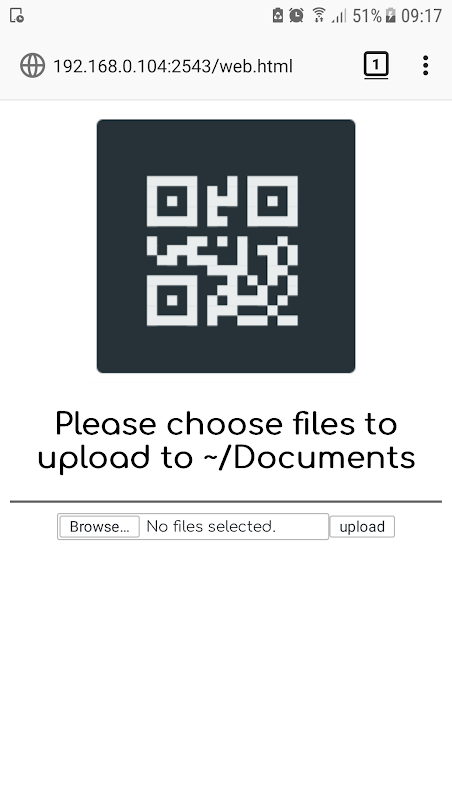
Receive/upload a file from your phone to your computer
$ qr-filetransfer -r /path/to/receive/file/to/
Credits
Inspired by the Go project qr-filetransfer
License
MIT License
Copyright © 2019 Siddharth Dushantha
Active contributer - Yu-Chen Lin