NAME
TokenTracker — Track token usage across 15 AI agent CLIs — Claude Code, Codex, Cursor, Gemini, Kiro, OpenCode, OpenClaw, Every Code,…
SYNOPSIS
apt install nodejsINFO
DESCRIPTION
Track token usage across 15 AI agent CLIs — Claude Code, Codex, Cursor, Gemini, Kiro, OpenCode, OpenClaw, Every Code, Hermes, GitHub Copilot, Kimi Code, CodeBuddy, oh-my-pi, Kilo CLI, Kilo Code. Local-first, zero-config, with a beautiful dashboard, native macOS menu bar app, and 4 desktop widgets.
README
Token Tracker
English · 简体中文
Know exactly what you're spending on AI — across every CLI
Auto-collect token counts from 13 AI coding tools, aggregate them locally, see real cost trends in a beautiful dashboard, and install the same Skills across every agent in one click. No cloud account, no API keys, no setup — just one command.






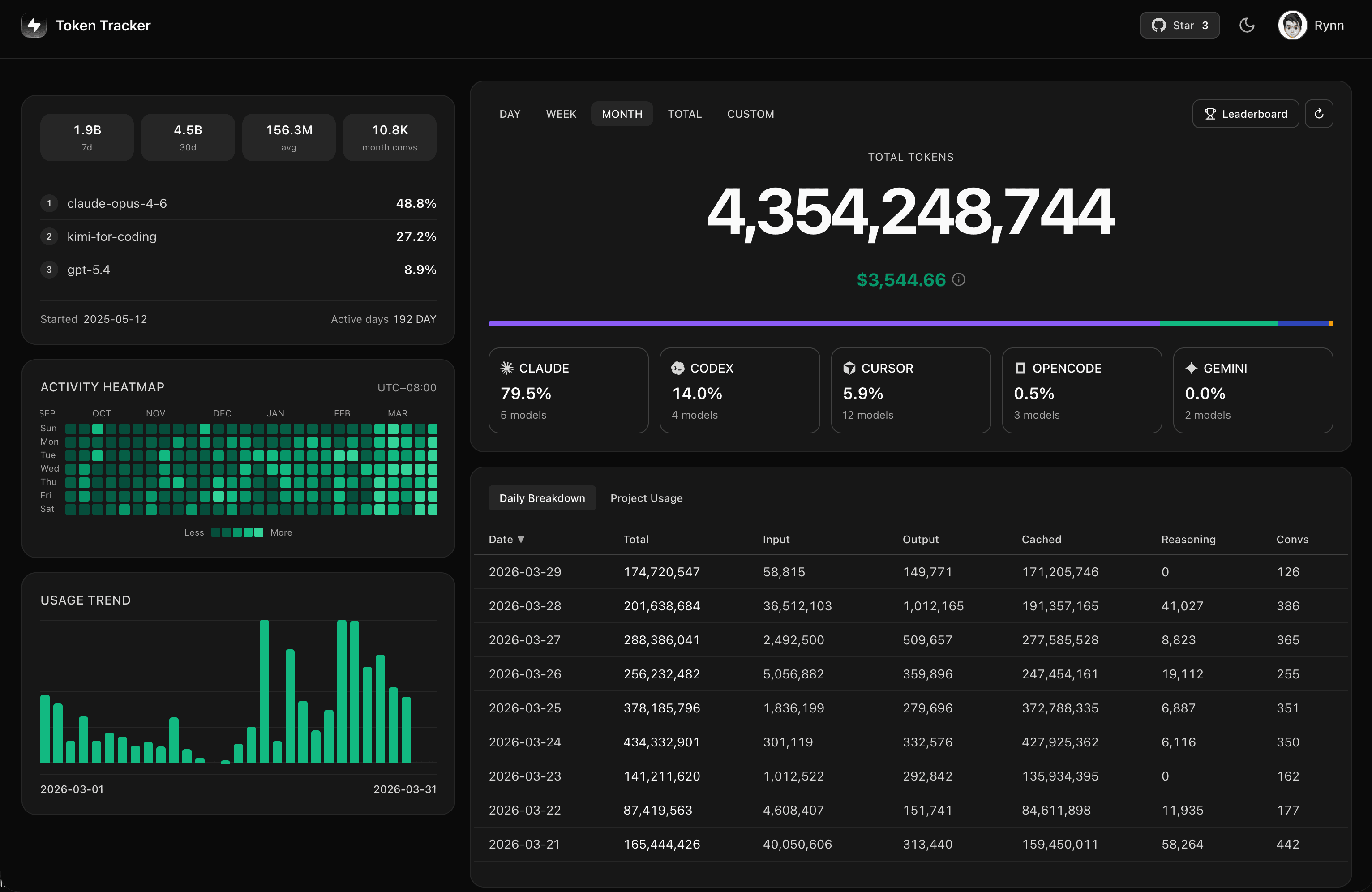
⭐ If TokenTracker saves you time, please star it on GitHub — it helps other developers find it.

⚡ Quick Start
Requirements: Node.js 20+ (CLI runs on macOS / Linux / Windows; menu bar app is macOS-only. Cursor token reading uses the system
sqlite3CLI when available and falls back tonode:sqliteon supported Node releases).
npx tokentracker-cli
That's it. First run installs hooks, syncs your data, and opens the dashboard at http://localhost:7680.
What you get in 30 seconds:
- 📊 A local dashboard at
localhost:7680with usage trends, model breakdown, cost analysis - 🔌 Auto-detected hooks for every supported AI tool you have installed
- 🧩 Skills manager — browse 250+ public skills, install once, sync to Claude · Codex · Gemini · OpenCode · Hermes
- 🏠 100% local — no account, no API keys, no network calls (except optional leaderboard)
Want a native macOS menu bar app? Download
TokenTrackerBar.dmg→ drag to Applications. Includes desktop widgets, menu bar status icon, and the same dashboard in a WKWebView.
Install globally for shorter commands:
npm i -g tokentracker-cli
tokentracker              # Open the dashboard
tokentracker sync         # Manual sync
tokentracker status       # Check hook status
tokentracker doctor       # Health check
🍺 Homebrew (macOS)
Prefer brew? Install directly — no extra tap step needed:
# macOS menu bar app (DMG) brew install --cask mm7894215/tokentracker/tokentrackerCLI only
brew install mm7894215/tokentracker/tokentracker
Upgrade with brew upgrade --cask mm7894215/tokentracker/tokentracker. The tap auto-bumps within an hour of every new release.
✨ Features
- 🔌 15 AI tools out of the box — Claude Code, Codex CLI, Cursor, Gemini CLI, Kiro, OpenCode, OpenClaw, Every Code, Hermes Agent, GitHub Copilot, Kimi Code, CodeBuddy, oh-my-pi, Kilo CLI, Kilo Code
- 🧩 Skills manager — browse 250+ public skills from
anthropics/skills,ComposioHQ/awesome-claude-skills,skills.shand any GitHub repo you add; install once and sync to Claude / Codex / Gemini / OpenCode / Hermes with per-target toggles; one-click Undo - 🏠 100% local — Token data never leaves your machine. No account, no API keys.
- 🚀 Zero config — Hooks auto-install on first run. From zero to dashboard in 30 seconds.
- 📊 Beautiful dashboard — Usage trends, cost breakdowns by model, GitHub-style activity heatmap, project attribution
- 🖥️ Native macOS app — Menu bar status icon, embedded server, WKWebView dashboard
- 🎨 4 desktop widgets — Pin Usage / Activity Heatmap / Top Models / Usage Limits to your desktop
- 📈 Real-time rate limit tracking — Claude / Codex / Cursor / Gemini / Kiro / Copilot / Antigravity quota windows with reset countdowns
- 💰 Cost engine — 2,200+ models priced via LiteLLM (auto-refreshed daily) + curated overrides for niche tools (Kiro, Cursor Composer, Kimi, CodeBuddy hy3); 24h disk cache + bundled offline snapshot mean accurate USD without an internet connection. Models without published vendor pricing (e.g. Tencent hy3-preview) are tracked by tokens but show $0 cost until the vendor publishes a rate.
- 🌐 Optional leaderboard — Compare with developers worldwide; drag-to-reorder columns to focus on the providers you care about (opt-in, sign in to participate)
- 🔒 Privacy-first — Only token counts and timestamps. Never prompts, responses, or file contents.
🖼️ Showcase
|
Dashboard — usage trends, model breakdown, cost analysis 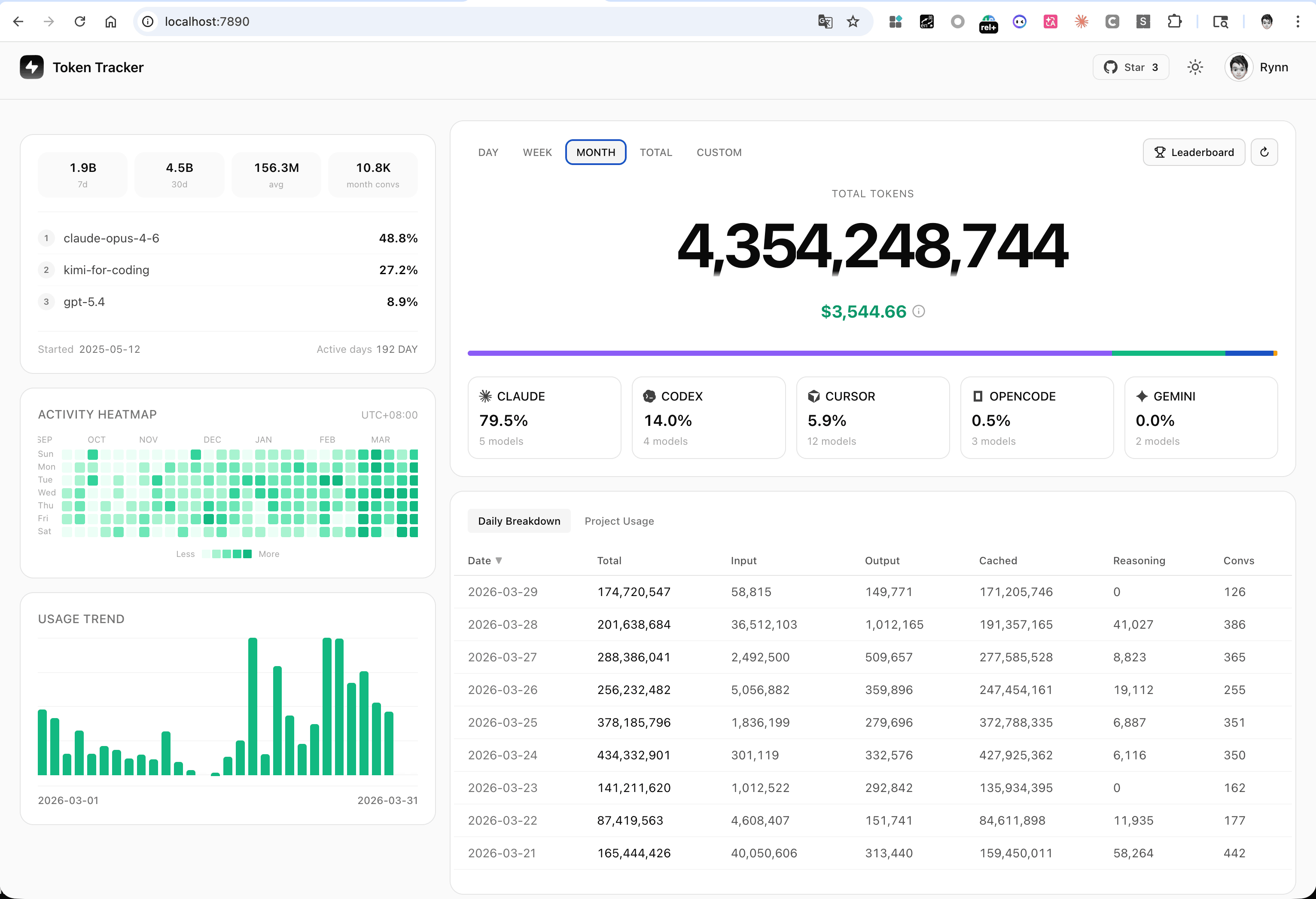
|
Desktop Widgets — pin usage to your desktop 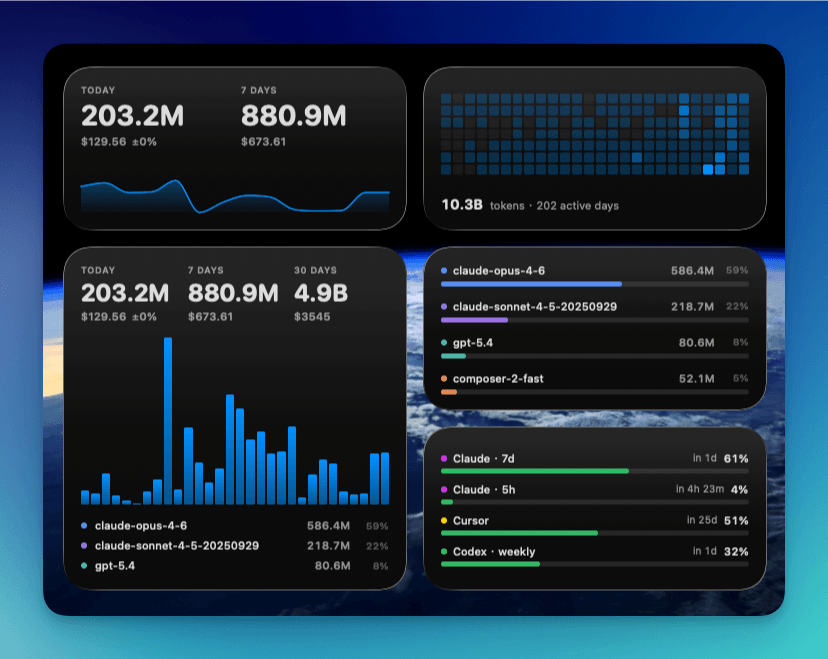
|
|
Menu Bar App — animated Clawd companion + native panels 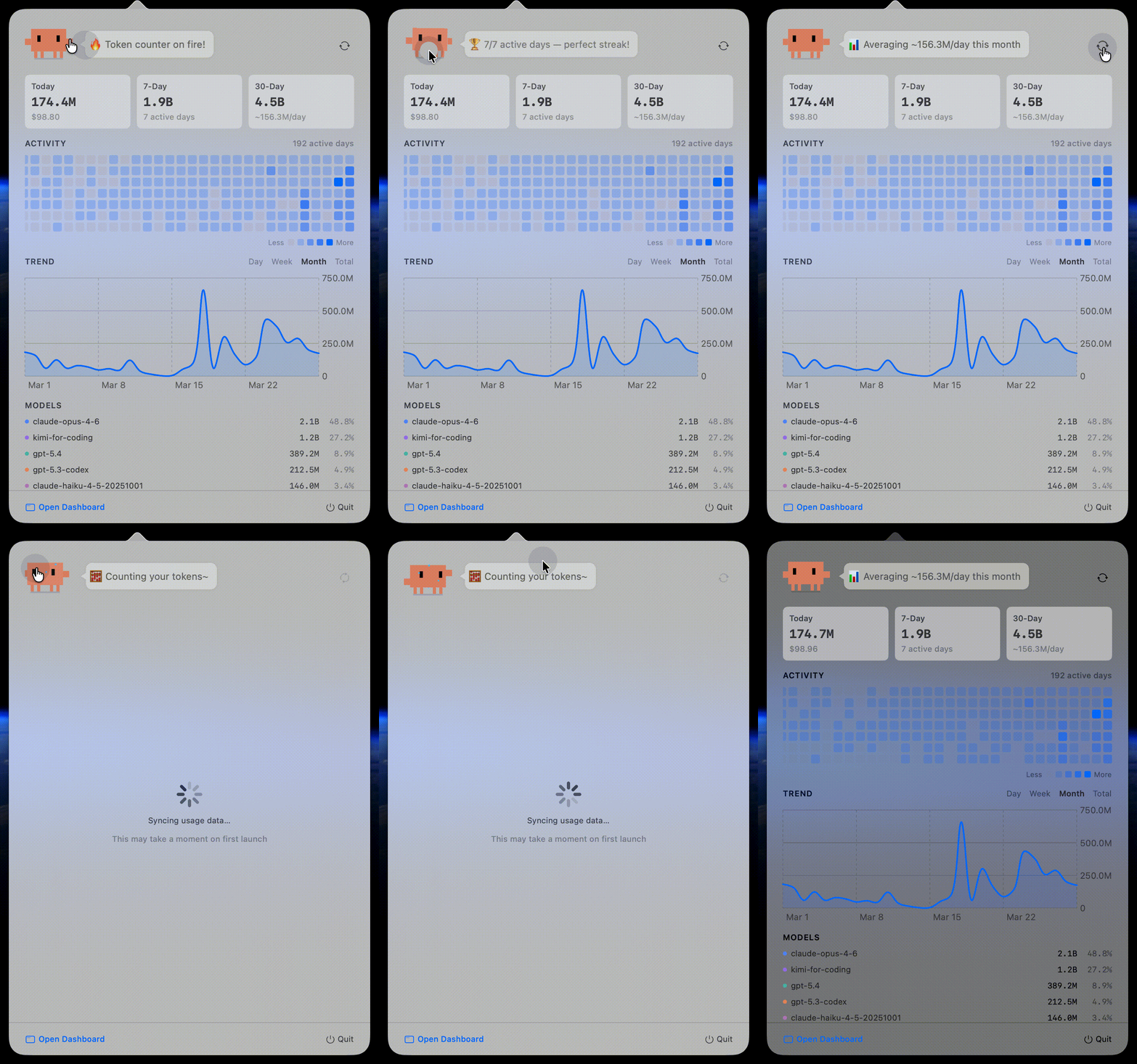
|
Global Leaderboard — compare with developers worldwide 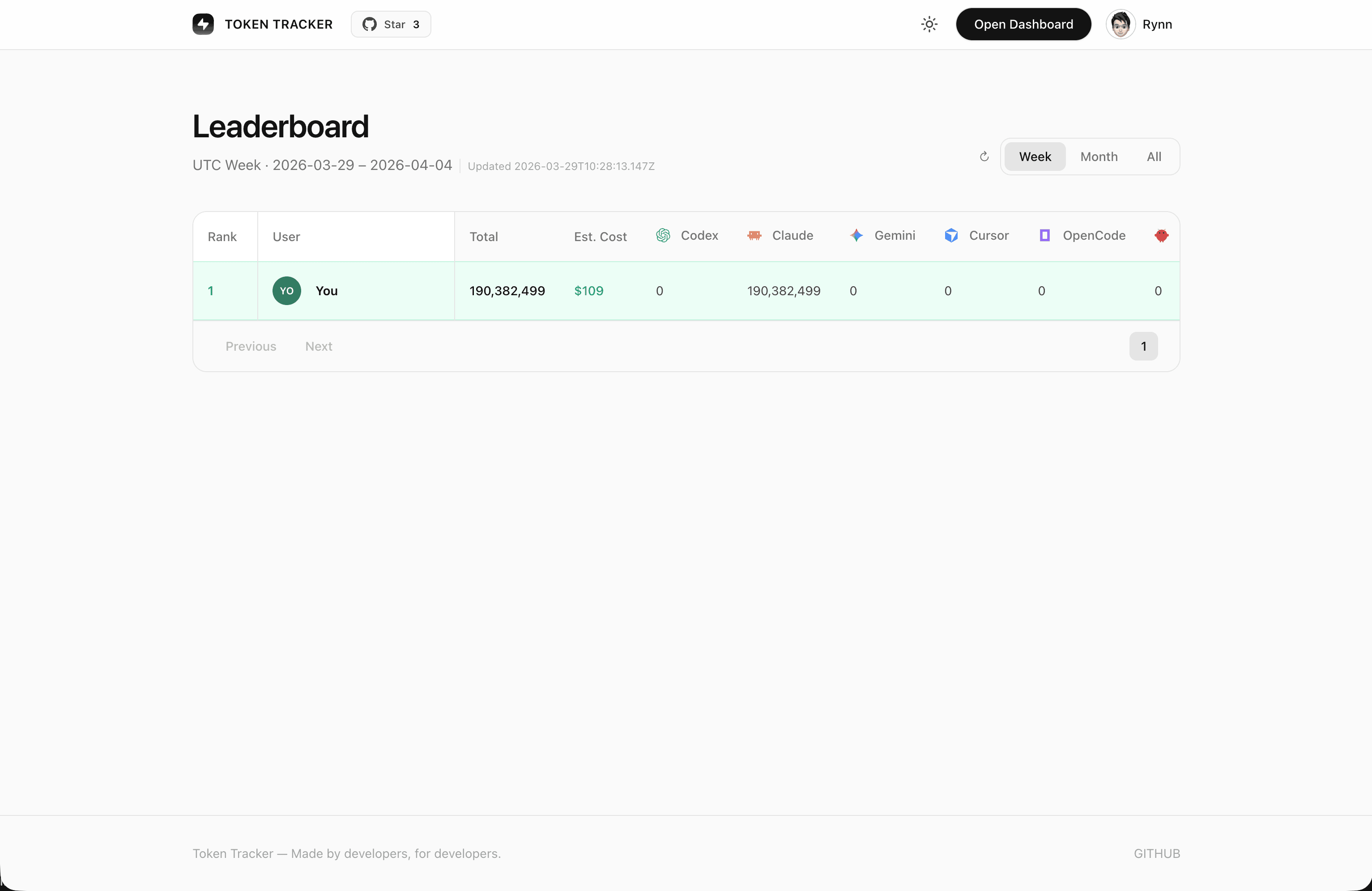
|
|
Skills Manager — browse 250+ public skills from GitHub & 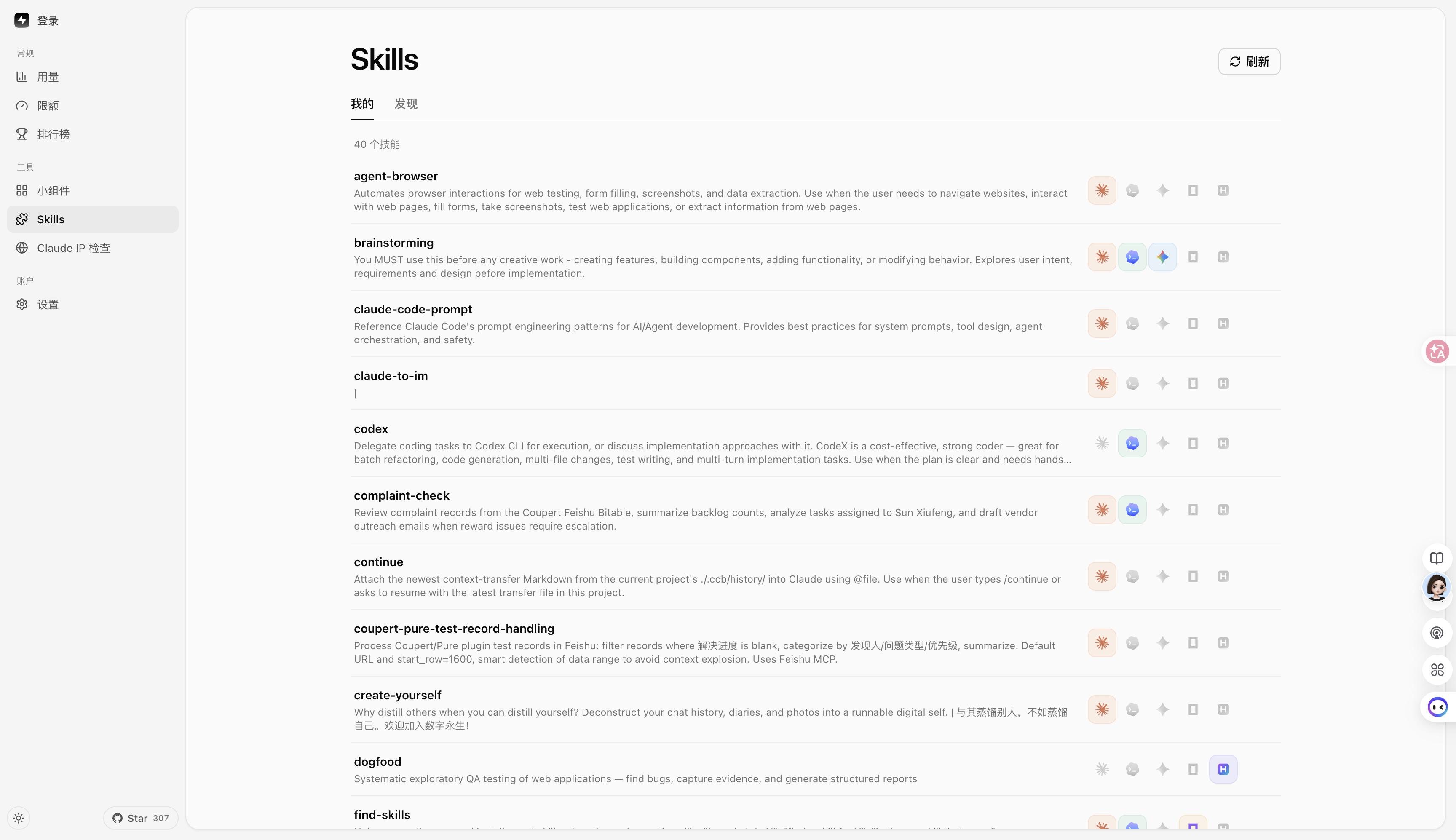
| |
🔌 Supported AI Tools
| Tool | Detection | Method |
|---|---|---|
| Claude Code | ✅ Auto | SessionEnd hook in settings.json |
| Codex CLI | ✅ Auto | TOML notify hook in config.toml |
| Cursor | ✅ Auto | API + SQLite auth token |
| Kiro | ✅ Auto | SQLite + JSONL hybrid |
| Gemini CLI | ✅ Auto | SessionEnd hook |
| OpenCode | ✅ Auto | Plugin system + SQLite |
| OpenClaw | ✅ Auto | Session plugin |
| Every Code | ✅ Auto | TOML notify hook |
| Hermes Agent | ✅ Auto | SQLite sessions table (~/.hermes/state.db) |
| GitHub Copilot | ✅ Auto | OpenTelemetry file exporter (COPILOT_OTEL_FILE_EXPORTER_PATH) |
| Kimi Code | ✅ Auto | Passive wire.jsonl reader (~/.kimi/sessions/**/wire.jsonl) |
| oh-my-pi (Pi Coding Agent) | ✅ Auto | Passive reader (~/.omp/agent/sessions/**/*.jsonl) |
| CodeBuddy (Tencent) | ✅ Auto | SessionEnd hook in ~/.codebuddy/settings.json (Claude-Code fork) |
| Kilo CLI (kilo.ai) | ✅ Auto | Passive SQLite reader (~/.local/share/kilo/kilo.db, OpenCode-fork schema) |
| Kilo Code (VS Code extension) | ✅ Auto | Passive ui_messages.json reader (Cursor/Code/CodeBuddy/Windsurf globalStorage) |
Do I need to install any plugin or hook manually? No.
tokentracker(ortokentracker init) handles everything on first run:
- Hook-based tools (Claude Code, Codex, Gemini, Every Code, CodeBuddy) — we write a SessionEnd hook or TOML notify entry into the tool's own config.
- Plugin-based tools (OpenCode, OpenClaw) — the plugin ships inside the npm package (
~/.tokentracker/app/openclaw-plugin/). We link it via the tool's own CLI (openclaw plugins install --link …+enable). No download, no drag-and-drop.- Passive readers (Cursor, Kiro, Hermes, Kimi Code, Copilot, oh-my-pi, Kilo CLI, Kilo Code) — nothing is installed into those tools. We only read files they already produce (SQLite DB, JSONL, OTEL export).
Run
tokentracker statusanytime to verify every integration's state. If something showsskipped, thedetailcolumn explains why (e.g. tool CLI not onPATH, config unreadable).Deeper dives: OpenClaw integration & troubleshooting.
Missing your tool? Open an issue — adding new providers is usually one parser file away.
🆚 Why TokenTracker?
| TokenTracker | ccusage | Cursor stats | |
|---|---|---|---|
| AI tools supported | 13 | 1 (Claude) | 1 (Cursor) |
| Local-first, no account | ✅ | ✅ | ❌ |
| Native menu bar app | ✅ | ❌ | ❌ |
| Desktop widgets | ✅ 4 widgets | ❌ | ❌ |
| Rate-limit tracking | ✅ 7 providers | ❌ | Cursor only |
🏗️ How It Works
flowchart LR
    A["AI CLI Tools<br/>Claude · Codex · Cursor · Gemini · Kiro<br/>OpenCode · OpenClaw · Every Code · Hermes · Copilot · Kimi Code · CodeBuddy · oh-my-pi"]
    A -->|hooks trigger| B[Token Tracker]
    B -->|parse logs<br/>30-min UTC buckets| C[(Local SQLite)]
    C --> D[Web Dashboard]
    C --> E[Menu Bar App]
    C --> F[Desktop Widgets]
    C -.->|opt-in| G[(Cloud Leaderboard)]
- AI CLI tools generate logs during normal use
- Lightweight hooks detect changes and trigger sync (Cursor uses API instead of hooks)
- Token counts parsed locally — never any prompt or response content
- Aggregated into 30-minute UTC buckets
- Dashboard, menu bar app, and widgets all read from the same local snapshot
🛡️ Privacy
| Protection | Description |
|---|---|
| No content upload | Only token counts and timestamps. Never prompts, responses, or file contents. |
| Local-only by default | All data stays on your machine. The leaderboard is fully opt-in. |
| Auditable | Open source. Read src/lib/rollout.js — only numbers and timestamps. |
| No telemetry | No analytics, no crash reporting, no phone-home. |
📦 Configuration
Most users never need this — defaults are sensible. For advanced setups:
| Variable | Description | Default |
|---|---|---|
TOKENTRACKER_DEBUG | Enable debug output (1 to enable) | — |
TOKENTRACKER_HTTP_TIMEOUT_MS | HTTP timeout in milliseconds | 20000 |
CODEX_HOME | Override Codex CLI directory | ~/.codex |
GEMINI_HOME | Override Gemini CLI directory | ~/.gemini |
🛠️ Development
git clone https://github.com/mm7894215/TokenTracker.git cd TokenTracker npm installBuild dashboard + run CLI
cd dashboard && npm install && npm run build && cd .. node bin/tracker.js
Tests
npm test
Building the macOS App
cd TokenTrackerBar
npm run dashboard:build              # Build the dashboard bundle
./scripts/bundle-node.sh             # Bundle Node.js + tokentracker source
xcodegen generate                    # Generate the Xcode project
ruby scripts/patch-pbxproj-icon.rb   # Patch in the Icon Composer asset
xcodebuild -scheme TokenTrackerBar -configuration Release clean build
./scripts/create-dmg.sh              # Package the .app into a DMG
Requires Xcode 16+ and XcodeGen.
🔧 Troubleshooting
CLI
"engines.node" or unsupported version error
TokenTracker requires Node 20+. Check your version:
node --version
If lower, upgrade via nvm, fnm, or your package manager (brew upgrade node, apt install nodejs).
Port 7680 already in use
The dashboard server picks the next free port automatically (7681, 7682, ...) when 7680 is taken. The actual port is logged on startup. If you want to force a specific port:
PORT=7700 tokentracker serve
To find what's holding 7680:
lsof -i :7680
A provider isn't being detected
Check the integration status:
tokentracker status
Then run the doctor for a deeper health check:
tokentracker doctor
If a provider shows as not configured even though you use it, try tokentracker activate-if-needed to re-run hook detection. If still missing, open an issue with the doctor output attached.
How to uninstall hooks and remove all config
tokentracker uninstall
This removes every hook TokenTracker installed across all detected AI tools, plus the local config and data. Safe to re-run.
macOS App
"TokenTrackerBar can't be opened" — unidentified developer
TokenTrackerBar is ad-hoc signed (not notarized with an Apple Developer ID — that requires a paid developer account). Gatekeeper blocks it on first launch.
- Open System Settings → Privacy & Security
- Scroll to the Security section — you'll see "TokenTrackerBar was blocked to protect your Mac."
- Click Open Anyway
- Confirm with Open in the follow-up dialog (you'll need to authenticate)
You only need to do this once. Older macOS alternative: right-click the app in Finder → Open → Open in the confirmation dialog.
"TokenTrackerBar is damaged and can't be opened"
This is Gatekeeper reacting to the com.apple.quarantine attribute macOS attaches to every downloaded file — not an actual problem. Clear it once with:
xattr -cr /Applications/TokenTrackerBar.app
After that the app opens normally.
"TokenTrackerBar wants to access data from other apps"
This is required for the Cursor and Kiro integrations. They store auth tokens / usage data inside their own ~/Library/Application Support/ folders, which macOS protects with the App Management permission.
- ✅ Click Allow if you use Cursor or Kiro
- ❌ Click Don't Allow if you don't — those providers will be silently skipped, everything else keeps working
Once granted, the permission is remembered. Note that ad-hoc signed builds re-prompt after each upgrade because each build has a new signing identity.
⭐ Star History
🤝 Contributing & Support
- Bugs / feature requests: open an issue
- Security: see SECURITY.md — please don't open public issues for security reports
- Pull requests: see CONTRIBUTING.md for setup, tests, and how to add a new AI tool integration
- Questions / showcase: GitHub Discussions
🙏 Credits
The Clawd character design belongs to Anthropic. This is a community project with no official affiliation with Anthropic.
License
Token Tracker — Quantify your AI output.
tokentracker.cc · npm · GitHub