WEB-CLIPPER(1)
NAME
web-clipper — For Notion,OneNote,Bear,Yuque,Joplin。Clip anything to anywhere
SYNOPSIS
$
https://github.com/webclipper/web-clipper/releasesINFO
6.8k stars
644 forks
0 views
TypeScriptDeveloper Tools
DESCRIPTION
For Notion,OneNote,Bear,Yuque,Joplin。Clip anything to anywhere
README
Web Clipper



You can use Web Clipper to save anything on the web to anywhere.
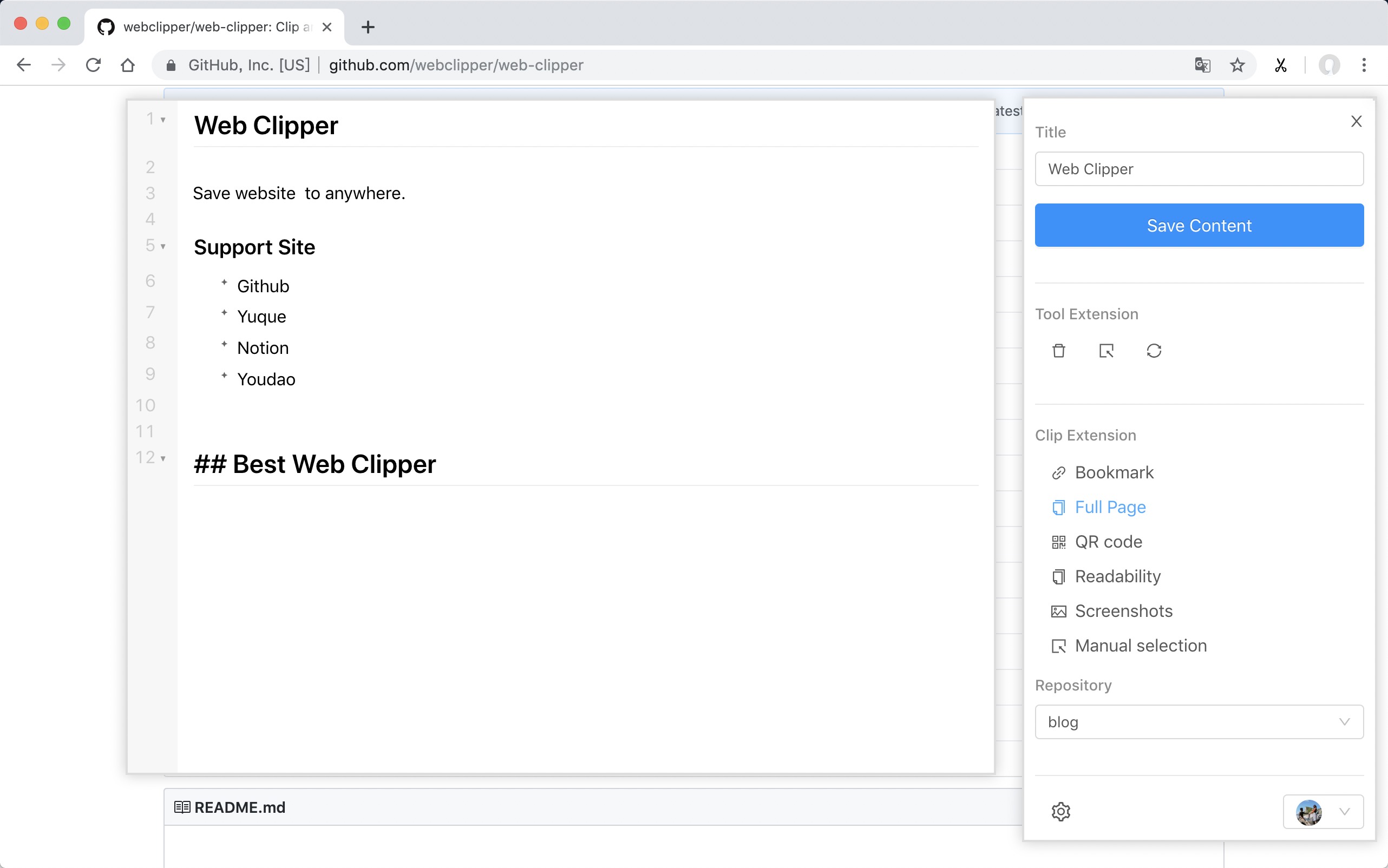
Support Site
- FlowUs
- Obsidian
- Github
- Yuque
- Buildin.AI
- Notion
- Youdao
- OneNote
- Bear
- Joplin
- Server Chan
- dida365
- baklib
- wolai
- Leanote
- Flomo
- Siyuan
- Ulysses
- Confluence
Install
ps: Because the review takes a week, the version will fall behind.
From Github
- Download the webclipper.zip from release page
- Go to chrome://extensions/ and check the box for Developer mode in the top right.
- Locate the ZIP file on your computer and unzip it.
- Go back to the chrome://extensions/ page and click the Load unpacked extension button and select the unzipped folder for your extension to install it.
Develop
$ git clone https://github.com/webclipper/web-clipper.git
$ cd web-clipper
$ npm i
$ npm run dev
You should load the 'dist/chrome' folder in Chrome.
You should load the 'dist/manifest.json' folder in Firefox.
Test
$ npm run test
Feedback
| Type | Link |
|---|---|
| Telegram | Link |
SEE ALSO
neovim(1)— Hyperextensible Vim-based text editor — the future of Vimtmux(1)— Terminal multiplexer — split panes, detach sessions, pair programhyperfine(1)— A command-line benchmarking tool — measure execution timestokei(1)— Count lines of code quickly — supports 150+ languagescftunnel(1)— 全协议内网穿透 CLI — Cloud 模式免费 HTTP/WS 穿透 + Relay 模式自建中继 TCP/UDP 全协议 | Cloudflare Tunnel + frp 双引擎
clihub3/4/2026WEB-CLIPPER(1)